




Xpress SL-M2620
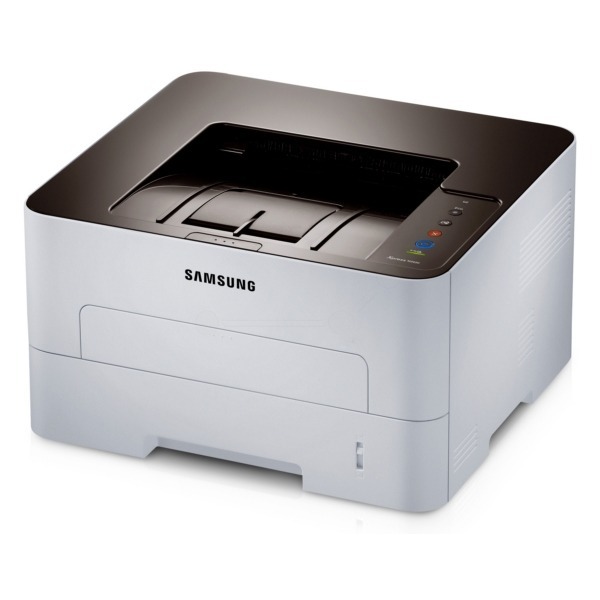
The Xpress SL-M2620 is the Xpress-badged twin of Samsung's SL-M2620 workgroup mono laser, carrying the same sturdy single-function engine. Same machine, same dependable black-and-white output for small offices.
The MLT-D115S standard or MLT-D115L high-yield cartridge keeps it fed. Our compatible versions save money; genuine OEM versions stay factory-spec. Fast shipping from Clever Supplies.
Toner Cartridges for Xpress SL-M2620
This printer works with the following toner cartridges:
- Samsung MLT-D115S
- Samsung MLT-D115L
More Samsung Printers
- SL-M2620
- SL-M2670
- SL-M2670FN
- SL-M2820
- SL-M2820DW
- SL-M2820ND
- SL-M2830
- SL-M2830DW
- SL-M2870
- SL-M2870FW
- SL-M2880
- SL-M2880FW
- SL-M2620D
- SL-M2670N
- SL-M2870FD
- Xpress M2620
- Xpress M2670
- Xpress M2820
- Xpress M2870
- Xpress M2880FW
- Xpress M2830 DW
Frequently Asked Questions
Text from my Xpress SL-M2620 smudges when I rub it — is that a fuser problem or bad toner after the page cools?
When toner sits on the surface instead of melting into the fibers, the fuser — the hot roller at the Xpress SL-M2620's output — is the prime suspect. If plain paper also smudges with a fresh MLT-D115S installed, the fuser itself is probably failing and needs service or replacement. Start with the cheap checks; the fuser is the last resort, not the first.
Should I clean inside my Xpress SL-M2620 regularly, and what should I never touch as routine upkeep?
The Xpress SL-M2620 benefits from a light interior cleaning every few MLT-D115S changes — nothing aggressive, just dust removal. Stick to a dry microfiber cloth on rollers and guides; skip liquids, and never touch the green drum surface or the fuser rollers. Clean path, clean prints — it really is that direct.
My Xpress SL-M2620 pages are coming out looking faded and washed out on every document now?
A cartridge nearing empty is the most common cause, but drum wear on the Xpress SL-M2620 can mimic low toner exactly. If rocking the cartridge temporarily restores darkness, the toner really is the issue and a replacement MLT-D115S or MLT-D115L is due soon. Diagnosing in this order keeps you from replacing the wrong part.