




Xpress M2880FW
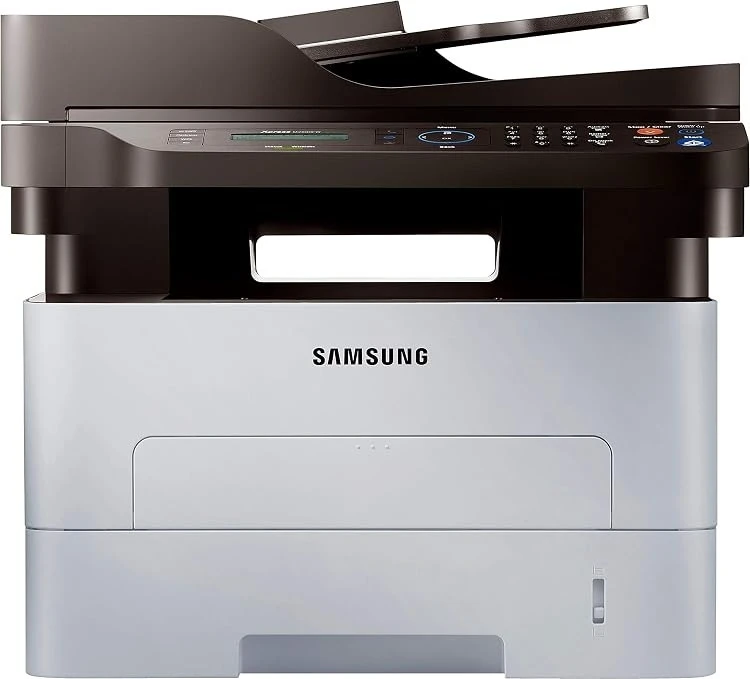
The Xpress M2880FW is the range-topping Xpress configuration here: a fast mono engine with print, scan, copy, fax, and wireless. For a demanding small office, it is the one-machine answer.
The cartridge is the MLT-D115S standard or MLT-D115L high-yield. We offer compatible cartridges for value and genuine OEM cartridges for originality, both shipping fast from Clever Supplies.
Toner Cartridges for Xpress M2880FW
This printer works with the following toner cartridges:
- Samsung MLT-D115S
- Samsung MLT-D115L
More Samsung Printers
- SL-M2620
- SL-M2670
- SL-M2670FN
- SL-M2820
- SL-M2820DW
- SL-M2820ND
- SL-M2830
- SL-M2830DW
- SL-M2870
- SL-M2870FW
- SL-M2880
- SL-M2880FW
- SL-M2620D
- SL-M2670N
- SL-M2870FD
- Xpress M2620
- Xpress M2670
- Xpress M2820
- Xpress M2870
- Xpress M2830 DW
- Xpress SL-M2620
Frequently Asked Questions
My Xpress M2880FW prints repeating marks down the length of the sheet, and what should I check first before I buy replacement parts?
When the same mark repeats at regular intervals down the page, the drum surface inside the Xpress M2880FW is usually damaged or worn. If the marks appeared right after a cartridge swap, reseat the MLT-D115S and print a few cleaning pages before suspecting the drum. A quick inspection now prevents buying the wrong replacement later.
Which toner cartridges fit the Xpress M2880FW — do color cartridges exist for it so I do not make a mistake?
Samsung built the Xpress M2880FW around the MLT-D115S / MLT-D115L cartridge, so MLT-D115S or MLT-D115L is the code to shop for. Keep the empty box until the new cartridge is installed and printing, in case the code needs double-checking. That code match is all it takes to get the right toner first try.
How should I store paper for use in my Xpress M2880FW — is the paper or the printer at fault?
Paper absorbs moisture from the air, and that moisture makes toner fuse unevenly, producing the blotchy output you are seeing. In very humid spaces, a resealable bag for the working stack makes a noticeable difference to Xpress M2880FW output. Start with the paper and work inward from there.