




SL-M2620D
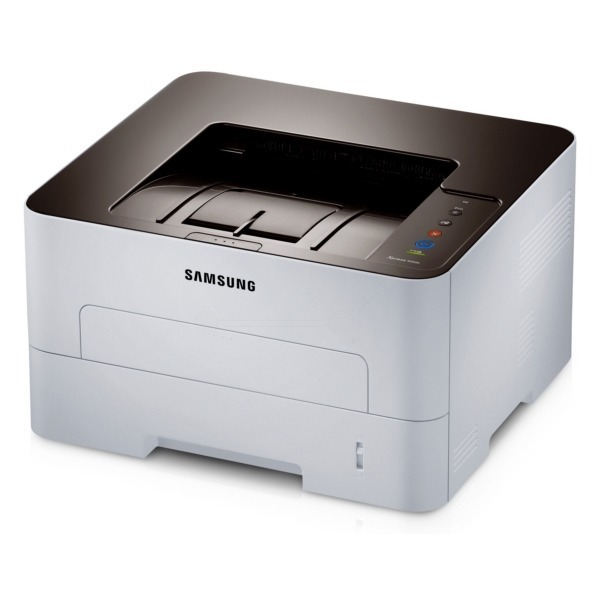
Samsung's SL-M2620D adds automatic duplexing to the 2620 workgroup mono laser, cutting paper use in half for offices that print double-sided by habit. A small feature with a real budget impact.
It takes the MLT-D115S standard cartridge or the MLT-D115L high-yield. Compatible or genuine OEM, both ship fast from Clever Supplies.
Toner Cartridges for SL-M2620D
This printer works with the following toner cartridges:
- Samsung MLT-D115S
- Samsung MLT-D115L
More Samsung Printers
- SL-M2620
- SL-M2670
- SL-M2670FN
- SL-M2820
- SL-M2820DW
- SL-M2820ND
- SL-M2830
- SL-M2830DW
- SL-M2870
- SL-M2870FW
- SL-M2880
- SL-M2880FW
- SL-M2670N
- SL-M2870FD
- Xpress M2620
- Xpress M2670
- Xpress M2820
- Xpress M2870
- Xpress M2880FW
- Xpress M2830 DW
- Xpress SL-M2620
Frequently Asked Questions
Why does my SL-M2620D leave dark spots scattered across the page, and can a cartridge swap fix it even on a test page?
When the same mark repeats at regular intervals down the page, the drum surface inside the SL-M2620D is usually damaged or worn. If the marks appeared right after a cartridge swap, reseat the MLT-D115S and print a few cleaning pages before suspecting the drum. Catching it early with a visual check beats guessing between a new MLT-D115S and a new drum.
My SL-M2620D does not recognize the new MLT-D115S I installed, and what steps reset the error on this model?
Recognition failures are frustrating but are most often installation issues rather than hardware failures. Verify the box code matches the MLT-D115S / MLT-D115L family — a close-but-wrong code is a classic cause of 'incompatible cartridge' messages on the SL-M2620D. Check the simple things first and the error usually clears.
My SL-M2620D stopped printing with a low-toner message — what is the right way to redistribute the toner without making a mess?
The rocking trick is legitimate: toner settles and clumps as the cartridge empties, and redistributing it restores even flow for a while. It is safe for the printer as long as you are gentle; rough shaking is what risks spills or damage. A gentle rock now, a fresh cartridge for the SL-M2620D soon: that is the right sequence.