




SL-M2670FN
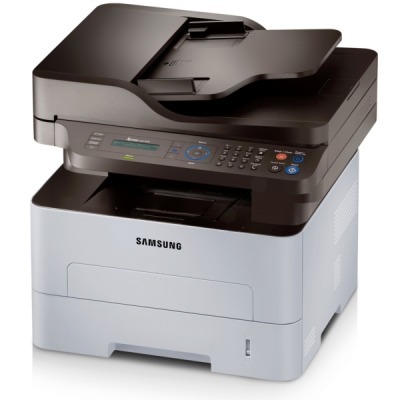
Fax and networking join the SL-M2670's print, scan, and copy functions in the SL-M2670FN, a fully connected mono multifunction for the small office. It is the communicator of the 2670 family.
It takes the MLT-D115S standard cartridge or the MLT-D115L high-yield. Compatible or genuine OEM, both are available here with fast shipping from Clever Supplies.
Toner Cartridges for SL-M2670FN
This printer works with the following toner cartridges:
- Samsung MLT-D115S
- Samsung MLT-D115L
More Samsung Printers
- SL-M2620
- SL-M2670
- SL-M2820
- SL-M2820DW
- SL-M2820ND
- SL-M2830
- SL-M2830DW
- SL-M2870
- SL-M2870FW
- SL-M2880
- SL-M2880FW
- SL-M2620D
- SL-M2670N
- SL-M2870FD
- Xpress M2620
- Xpress M2670
- Xpress M2820
- Xpress M2870
- Xpress M2880FW
- Xpress M2830 DW
- Xpress SL-M2620
Frequently Asked Questions
Which replacement cartridge is compatible with the SL-M2670FN, and what do the S and L suffixes mean before I order?
The SL-M2670FN takes the MLT-D115S / MLT-D115L cartridges — look for the MLT-D115S or MLT-D115L code printed on the box. The S suffix marks the standard-yield cartridge and the L marks the high-yield one; both fit the SL-M2670FN identically. Buying by exact code is the single best way to avoid a return.
Why does my SL-M2670FN need both toner and a drum unit — which replacement should I buy?
In the SL-M2670FN, the toner cartridge and the imaging drum are separate parts with very different replacement intervals. A good rule of thumb: if prints fade evenly, suspect the cartridge; if defects repeat in a pattern or the background looks dirty, suspect the drum. That distinction is the key to buying the right part the first time.
When should I replace the imaging unit in my SL-M2670FN instead of just the toner — what happens if I ignore it for normal use?
Replace the imaging unit when print defects survive a fresh MLT-D115S: repeating marks, persistent streaks, or gray backgrounds all point at the drum. Pattern defects that line up with the drum's rotation are the definitive sign on the SL-M2670FN; measure the repeat distance to confirm. Let the pages tell you when the drum is done — they always do.