




SL-M2830DW
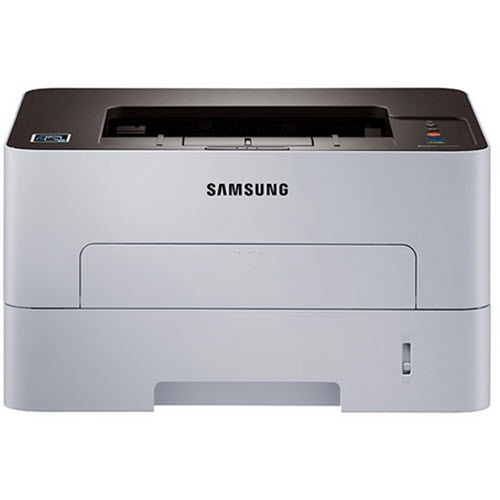
Wireless plus duplexing defines Samsung's SL-M2830DW: a workgroup mono laser the entire office can reach over Wi-Fi, printing on both sides by default. It is a practical shared printer for modern small businesses. It fits the standard MLT-D115S cartridge or the high-yield MLT-D115L, and every listing on this page is the high-yield version, under the code name and the model name alike.
Placement freedom is the quiet advantage here. A Wi-Fi printer with automatic duplexing can live where the work is — a shared counter, a back-office shelf — rather than where the network cables happen to end. For a modern small business, that makes the SL-M2830DW the machine everyone prints to without thinking, and its supply routine should be equally thoughtless: one high-yield cartridge code, a spare in the drawer.
Toner Cartridges for SL-M2830DW
| Cartridge | Color | Page Yield |
|---|---|---|
| MLT-D115L high-yield — one cartridge | Black | See product page |
| MLT-D115L high-yield — three cartridges | Black | See product page |
| MLT-D115L Premium high-yield — five cartridges | Black | See product page |
| SL-M2830DW high-yield — model-named one cartridge | Black | See product page |
| SL-M2830DW high-yield — model-named five cartridges | Black | See product page |
Which cartridge should you buy?
A shared wireless printer argues for itself: buy the MLT-D115L. The standard MLT-D115S fits the same slot, but on a machine serving a whole office the high-yield's longer run between swaps is worth more than the smaller box's saving, and multipacks remove the reorder errand almost entirely. Code-named and model-named listings deliver the identical cartridge, so choose whichever name your purchasing records prefer. Compatible cartridges here carry a one-year warranty and one-year returns.
Chip, toner and everyday use
After any cartridge swap, give the printer a chance to prove itself before condemning other parts: reseat the cartridge if the first pages look off, and print a few cleaning pages to clear the path. Keep the spare sealed until needed and store it flat, away from heat. Yields are rated at roughly 5% coverage, so an office printing full-page documents will cycle cartridges faster than the estimate — one more reason the high-yield belongs in a shared machine.
Frequently Asked Questions
What causes thin vertical lines on pages from my SL-M2830DW — can a cartridge swap fix it?
Possibly, but check the pattern first. When the same mark repeats at regular intervals down the page, the drum surface is usually damaged or worn. If the marks appeared right after a cartridge swap, reseat the cartridge and print a few cleaning pages before suspecting the drum — that sequence keeps the repair focused on the part actually failing.
Text smudges when I rub it, even with a new cartridge. Is it dangerous to keep printing?
It is not dangerous, but do address it: unfused toner dirties the paper path and your hands. When toner sits on the surface instead of melting into the fibers, the fuser — the hot roller at the output — is the prime suspect, and most often the real story is a settings or media mismatch, such as a paper-type setting that does not match the loaded stock.
Does the SL-M2830DW use a separate imaging drum, or is it built into the cartridge?
Separate. The two are independent consumables: the cartridge runs out of powder while the drum slowly loses its coating. When a fresh cartridge does not fix streaks, spots or gray backgrounds, the drum has usually reached the end of its life. Understanding the split keeps you from replacing a healthy drum when only toner is low.
More printers that use the same cartridges
Samsung spread this cartridge family across its wired and wireless workgroup models, so one spare covers a mixed fleet: Xpress SL-M2620, Xpress M2880FW, Xpress M2870, Xpress M2830 DW, Xpress M2820, Xpress M2670, Xpress M2620, Samsung-MLTD115L, SL-ML2830DW, SL-M2880FW, SL-M2880, SL-M2870FW, SL-M2870FD, SL-M2870, SL-M2830, SL-M2820ND, SL-M2820DW, SL-M2820, SL-M2670N, SL-M2670FN, SL-M2670, SL-M2620D, SL-M2620, SL-M2620, SL-2830DW, SL-2820DW, ML2830DW.