




SL-M2670
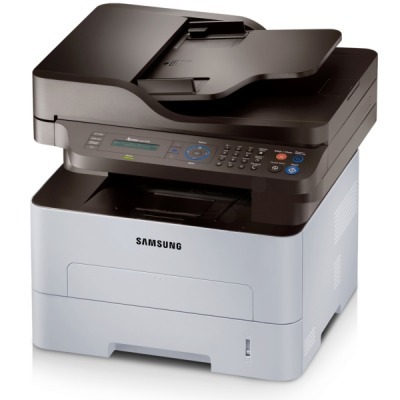
Samsung's SL-M2670 brings the 2620-series mono engine into multifunction territory with print, scan, and copy in one office-ready unit. Small teams that scan paperwork as often as they print it will find the combination hard to beat.
The cartridge story is the MLT-D115S standard or MLT-D115L high-yield. Our compatible cartridges are the value play; genuine OEM cartridges are the factory play. Fast shipping from Clever Supplies.
Toner Cartridges for SL-M2670
This printer works with the following toner cartridges:
- Samsung MLT-D115S
- Samsung MLT-D115L
More Samsung Printers
- SL-M2620
- SL-M2670FN
- SL-M2820
- SL-M2820DW
- SL-M2820ND
- SL-M2830
- SL-M2830DW
- SL-M2870
- SL-M2870FW
- SL-M2880
- SL-M2880FW
- SL-M2620D
- SL-M2670N
- SL-M2870FD
- Xpress M2620
- Xpress M2670
- Xpress M2820
- Xpress M2870
- Xpress M2880FW
- Xpress M2830 DW
- Xpress SL-M2620
Frequently Asked Questions
Which toner cartridges fit the SL-M2670, and are there different yield options before I order?
The correct toner for this model is the MLT-D115S / MLT-D115L series, sold as the MLT-D115S or MLT-D115L. If a listing does not show the exact MLT-D115S or MLT-D115L code, do not buy it for the SL-M2670 — close-looking codes are not interchangeable. One careful look at the code saves the hassle of a wrong-cartridge return.
Does humidity affect print quality on the SL-M2670 — what is the right way to keep a ream fresh in a home office?
Yes — damp paper is a surprisingly common cause of wavy prints, blotches, and jams on the SL-M2670, and it mimics toner problems. Rule paper out first because it is the least expensive variable to test — a fresh ream costs far less than a service call. Dry paper is the foundation everything else builds on.
Why are there vertical streaks on every print from the SL-M2670, and what should I check first on plain text documents?
When the same mark repeats at regular intervals down the page, the drum surface inside the SL-M2670 is usually damaged or worn. If the marks appeared right after a cartridge swap, reseat the MLT-D115S and print a few cleaning pages before suspecting the drum. Drum damage is permanent, so once you have confirmed it, a replacement imaging unit is the real fix.