




Xpress M2870
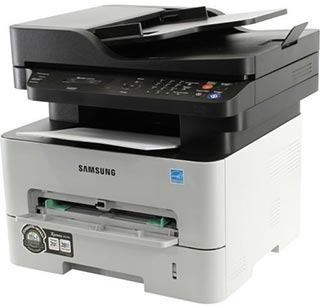
Samsung's Xpress M2870 brings the workgroup mono engine into a full multifunction: print, scan, and copy with the durability a shared machine needs. It anchors the paper workflow of a busy small office.
It takes the MLT-D115S or the longer-running MLT-D115L. Compatible and genuine Samsung OEM versions are stocked, shipping fast from Clever Supplies.
Toner Cartridges for Xpress M2870
This printer works with the following toner cartridges:
- Samsung MLT-D115S
- Samsung MLT-D115L
More Samsung Printers
- SL-M2620
- SL-M2670
- SL-M2670FN
- SL-M2820
- SL-M2820DW
- SL-M2820ND
- SL-M2830
- SL-M2830DW
- SL-M2870
- SL-M2870FW
- SL-M2880
- SL-M2880FW
- SL-M2620D
- SL-M2670N
- SL-M2870FD
- Xpress M2620
- Xpress M2670
- Xpress M2820
- Xpress M2880FW
- Xpress M2830 DW
- Xpress SL-M2620
Frequently Asked Questions
My Xpress M2870 prints repeating marks down the length of the sheet that will not go away after I wipe the paper path?
When the same mark repeats at regular intervals down the page, the drum surface inside the Xpress M2870 is usually damaged or worn. Wipe the accessible rollers with a dry, lint-free cloth first, since loose toner from a recent MLT-D115S change can cause temporary spotting. Drum damage is permanent, so once you have confirmed it, a replacement imaging unit is the real fix.
Why would the Xpress M2870 suddenly start printing faded and washed out?
Light prints are the classic sign that toner is running low, yet a worn drum on the Xpress M2870 produces an almost identical look. Try the cartridge rock trick first; if darkness returns even briefly, you know the cartridge is spent rather than the drum. Once you know which part is tired, the fix is straightforward.
What cartridge does the Xpress M2870 take — do color cartridges exist for it?
Only the MLT-D115S or MLT-D115L codes are made for the Xpress M2870; cartridges for other Samsung families will not seat correctly. The S suffix marks the standard-yield cartridge and the L marks the high-yield one; both fit the Xpress M2870 identically. Exact-code shopping keeps the whole process painless.