




Xpress M2620
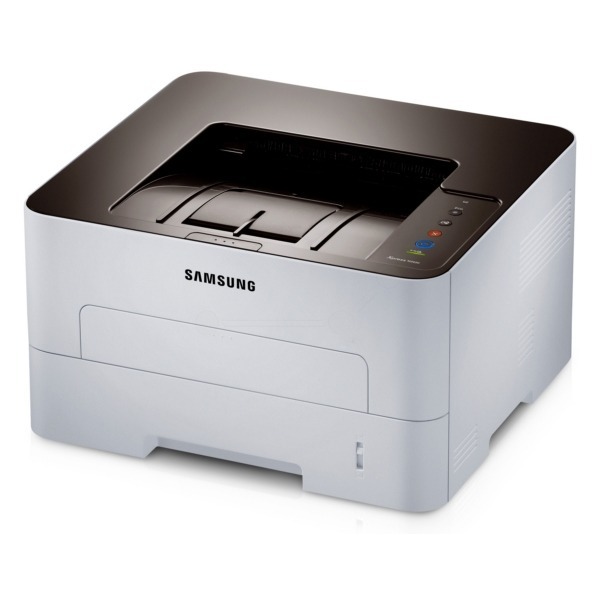
The Xpress M2620 carries Samsung's workgroup mono engine under the Xpress badge, a sturdier single-function laser for small offices with real daily volume. It is a step above the compact Xpress models in both build and stamina.
The cartridge is the MLT-D115S standard or MLT-D115L high-yield. We carry both in compatible and genuine OEM form, with fast shipping from Clever Supplies.
Toner Cartridges for Xpress M2620
This printer works with the following toner cartridges:
- Samsung MLT-D115S
- Samsung MLT-D115L
More Samsung Printers
- SL-M2620
- SL-M2670
- SL-M2670FN
- SL-M2820
- SL-M2820DW
- SL-M2820ND
- SL-M2830
- SL-M2830DW
- SL-M2870
- SL-M2870FW
- SL-M2880
- SL-M2880FW
- SL-M2620D
- SL-M2670N
- SL-M2870FD
- Xpress M2670
- Xpress M2820
- Xpress M2870
- Xpress M2880FW
- Xpress M2830 DW
- Xpress SL-M2620
Frequently Asked Questions
What makes toner not stick to the paper in the Xpress M2620 — is that a fuser problem or bad toner even with a new MLT-D115S?
When toner sits on the surface instead of melting into the fibers, the fuser — the hot roller at the Xpress M2620's output — is the prime suspect. If plain paper also smudges with a fresh MLT-D115S installed, the fuser itself is probably failing and needs service or replacement. Nine times out of ten, this is a settings or media mismatch, not a broken part.
How do I find the toner gauge for the Xpress M2620, and what does the low-toner warning look like on this model?
The most reliable check is the supplies status page, which the Xpress M2620 can print from its menu without a computer. Estimated levels are approximate by design, so keep a spare MLT-D115S once the gauge drops into the low zone. Two seconds of checking beats a stalled print run.
Can I keep an extra cartridge on the shelf for my Xpress M2620 — any special handling before installing it later over several months?
Keep the spare MLT-D115S for your Xpress M2620 sealed in its original packaging, stored upright in a cool, dry place away from direct sunlight. Heat is the main enemy — avoid attics, garages, and spots near radiators, since warmth can clump the toner inside. A little care now guarantees a fresh cartridge later.