




SL-M2835DW
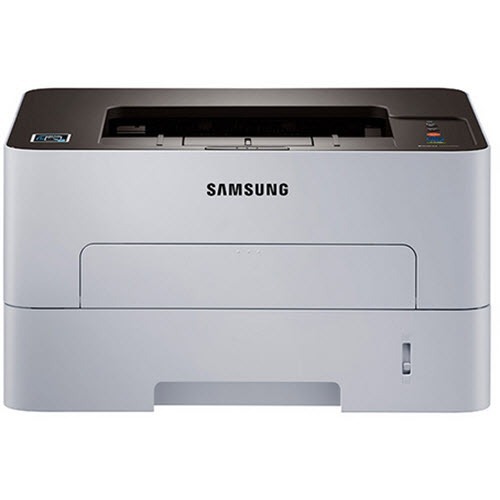
Wireless plus duplexing defines Samsung's SL-M2835DW: a fast workgroup mono laser shared over Wi-Fi, printing on both sides without being asked twice. Modern office printing in one box.
It runs on the MLT-D116S or the longer-running MLT-D116L. We carry compatible cartridges for savings and genuine OEM cartridges for factory-original output, both shipping fast from Clever Supplies.
Toner Cartridges for SL-M2835DW
This printer works with the following toner cartridges:
- Samsung MLT-D116S
- Samsung MLT-D116L
More Samsung Printers
- SL-M2625
- SL-M2625D
- SL-M2626
- SL-M2675
- SL-M2676
- SL-M2825
- SL-M2825DW
- SL-M2825ND
- SL-M2826
- SL-M2875
- SL-M2875FD
- SL-M2875FW
- SL-M2876
- SL-M2835
- SL-M2885FW
- SL-M2675F
- SL-M2885
- SL-M2625DW
- SL-M2675FN
- Xpress SL-M2625D
- Xpress SL-M2675F
- Xpress SL-M2825DW
- Xpress SL-M2875FD
- Xpress SL-M2875FW
- Xpress M2626
- Xpress M2676
- Xpress M2826
- Xpress M2835 DW
- Xpress M2875
- Xpress M2875 DW
Frequently Asked Questions
My SL-M2835DW prints look fine until I touch them, then they smear, and is it dangerous to keep using the printer?
Toner sitting on the surface rather than melting into the fibers makes the fuser — the hot roller at the SL-M2835DW's output — the prime suspect. When plain paper smudges even with a fresh MLT-D116S installed, the fuser itself is probably failing and needs service or replacement. Still, match the paper setting to the loaded stock before suspecting hardware; that fixes most cases.
Why does my SL-M2835DW say the cartridge is incompatible, and how do I check the cartridge contacts?
Before suspecting the cartridge itself, remember the printer needs the chip aligned, the seals removed, and the cartridge clicked firmly home. After reinstalling, print a supplies status page to confirm the SL-M2835DW now sees the cartridge correctly. Check the simple things first and the error usually clears.
How do I swap the toner in my SL-M2835DW without making a mess — should I shake the new cartridge first the first time?
Lay newspaper under the SL-M2835DW first, then remove the old MLT-D116S slowly and keep it level — most spills happen from tilting a used cartridge. Slide the new cartridge into the SL-M2835DW along its rails until it clicks; forcing it means it is misaligned, not stuck. Done this way, a cartridge change leaves no trace behind.