






 See Compatible Printers
 Read more about our ink!
Samsung
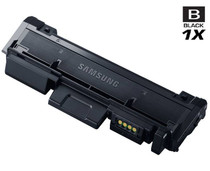
Compatible Samsung SL-M2835DW High Yield Laser Toner Cartridge Black

Amazon Price:

- Page Yield:
- 3,000 Pages
- Availability:
- In Stock
- Shipping:
- Calculated at Checkout
- Compatible Printers
- SL-M2835DW
- SL-M2885FW
- Xpress M2626
- Xpress M2676
- Xpress M2826
- Xpress M2835 DW
- Xpress M2875
- Xpress M2875 DW
- Xpress SL-M2625D
- Xpress SL-M2675F
- Xpress SL-M2825DW
- Xpress SL-M2875DW
- Xpress SL-M2875FD
- Xpress SL-M2875FWi>
- SL-M2625
- SL-M2625D
- SL-M2625DW
- SL-M2626
- SL-M2675
- SL-M2675F
- SL-M2675FN
- SL-M2676
- SL-M2825
- SL-M2825DW
- SL-M2825ND
- SL-M2826
- SL-M2835
- SL-M2875
- SL-M2875FD
- SL-M2875FW
- SL-M2876
- SL-M2885
- Samsung-MLTD116L
- Xpress SL-M2875FW
- Specifications
- SKU:
- SL-M2835DW
- Printer Brand:
- Samsung
- OEM Number:
- MLT-D116L
- Ink Color:
- High Yield Black
- Page Yield:
- 3,000 Pages
- Printer Type:
- Laser Cartridge
- Condition:
- New Compatible
- Description
- Yields up to 3000 pages.
- Ink/toner color: Black
- Maximize printing performance with compatible Samsung supplies
- Designed to reduce toner spillage as well as optimize installation
- Easy-to-install image transfer unit provides cost-effective reliable operation
- Packaging: Each
- Compatible with: Samsung SL M2625 SL M2626 SL M2876 SL M2835 SL M2885 Xpress series: M2625 M2825 M2835 M2885 etc. series laser printers
- Clean and sharp print with ReCP technology
- Print technology: Laser printer/copier/fax
- Replace your printer’s mono toner cartridge with ease
- Ensure print quality with crisp vibrant output from the first page to the last page
- Reviews

/> 

Compatible Samsung SL-M2835DW High Yield Laser Toner Cartridge Black maximises performance.
Samsung SL-M2835DW Black toner cartridge is ideally designed to deliver superior and professional quality prints for both texts/images. Cartridge is compatible with Samsung SL M2625 SL M2626 SL M2876 SL M2835 SL M2885 Xpress series: M2625 M2825 M2835 M2885 etc. series laser printers and yields up to 3000 pages.
Features:
Frequently Asked Questions
My SL-M2835DW prints a mix of emails and multi-page reports — what page count should I plan on?
Plan around the 3,000-page rating and you will not be far off. Short emails and letters sit right at the roughly 5% coverage the rating assumes; long reports with tables and headers use somewhat more per page. In a mixed week the two balance out, so most SL-M2835DW owners see a cartridge life close to the headline figure — call it 2,500 to 3,000 pages to be safe in your budgeting.
What is the correct way to fit a new cartridge in the SL-M2835DW?
Open the front cover, pull the old cartridge out by its handle, and unpack the new MLT-D116L. Rock the new cartridge gently side to side a few times so the toner inside is evenly spread, remove any sealing strip, then slide it into the SL-M2835DW until it seats firmly and close the cover. The printer recognizes it straight away and you can print as normal.
Why do the first pages after a cartridge change sometimes look light?
A cartridge that has been sitting in a box has toner settled at one end, and the first pages pull from an uneven fill. It usually sorts itself within a few prints; if it lingers, take the cartridge out and rock it side to side again to level the toner. Persistent light print after that is worth a call to support — the cartridge is under warranty, so there is no need to live with it.
Does this cartridge fit other Samsung models as well as the SL-M2835DW?
It does — your SL-M2835DW takes the MLT-D116L, one of Samsung's most widely shared mono cartridges. It also runs the SL-M2835DW, SL-M2885FW, Xpress M2626, Xpress M2676, Xpress M2826, Xpress M2835 DW, Xpress M2875, Xpress M2875 DW, Xpress SL-M2625D, Xpress SL-M2675F, Xpress SL-M2825DW and Xpress SL-M2875FD. One spare cartridge on the shelf can therefore cover several different machines. The cartridge sits in the Samsung toner range alongside its family.
When is it the drum unit, rather than the toner, that needs attention?
The drum — the MLT-R116 in this family — is a separate, long-life part that the toner cartridge works with. Suspect the drum when the same mark or spot repeats down page after page at regular intervals, or when a gray background haze survives a brand-new cartridge. Ordinary fading that a fresh MLT-D116L cures was the toner; defects that repeat in the same place are the drum's signature.
What cover backs this purchase?
A 1-year warranty and a full year of free returns — if the cartridge is faulty or simply not right for your SL-M2835DW, it goes back at no cost within that period. Full terms are on our shipping and returns page. We ship from warehouses in IL, PA, GA and CA, and our support team is available Monday to Friday, 9 AM to 5 PM CST if anything needs sorting out.
Where should the next cartridge wait until the SL-M2835DW needs it?
Sealed in its box, flat, in a cool, dry spot away from sunlight and heat. A shelf or cupboard near the printer is ideal — close enough that a change takes minutes, dry enough that the packaging stays sound. An MLT-D116L stored that way is simply ready: no preparation, no deterioration to check for, just a spare that behaves like a fresh purchase whenever its turn arrives.
A duplex report runs to 40 sides on 20 sheets — how much of the cartridge did it use?
Forty pages of the 3,000. The rating counts printed sides, so two-sided printing halves the paper a job consumes but not the toner — every side is coated as fully as a single-sided page. When you estimate the MLT-D116L's remaining life, count sides produced, not sheets used; a duplex-heavy office that counts sheets will think it has more toner left than it does.
When is the sensible moment to order the next MLT-D116L?
The day the shelf spare is fitted. At that point the cartridge in the SL-M2835DW holds a full 3,000-page buffer while the order travels, and the purchase returns the shelf to holding a spare instead of sitting empty until the machine fades. Ordering earlier is harmless; ordering after the warning appears turns a routine purchase into a race against the remaining toner.
How can the old cartridge help judge the new one?
Print the same page under both. Fit the new MLT-D116L, print a familiar document, then swap the old unit back and print it again. A flaw that appears only under the new cartridge marks the cartridge as the suspect — and it is under warranty. A flaw identical under both sits elsewhere in the machine. That two-minute comparison settles most quality questions without any guesswork.
About This Cartridge for the Samsung SL-M2835DW
The cartridge an SL-M2835DW wants is the MLT-D116L, and this Clever Supplies compatible version is rated at 3,000 pages for $32.13. Fitting takes minutes. Behind the purchase sit a warranty of 1 year and free returns across the same period. We hold stock in IL, PA, GA and CA, and the support desk keeps weekday hours, 9 AM to 5 PM CST.
Related Items

Samsung
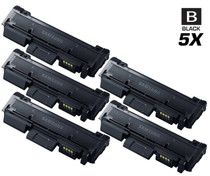
Compatible Samsung SL-M2835DW High Yield Laser Toner Cartridges Black 5 Pack
/>

Samsung
Compatible Samsung Xpress M2835DW High Yield Laser Toner Cartridge Black
/>
Samsung
Compatible Samsung Xpress M2835DW High Yield Laser Toner Cartridges Black 5 Pack
/>
Samsung
Compatible Samsung SL-M2626 High Yield Laser Toner Cartridge Black
/>