




Multifunction 3335dn
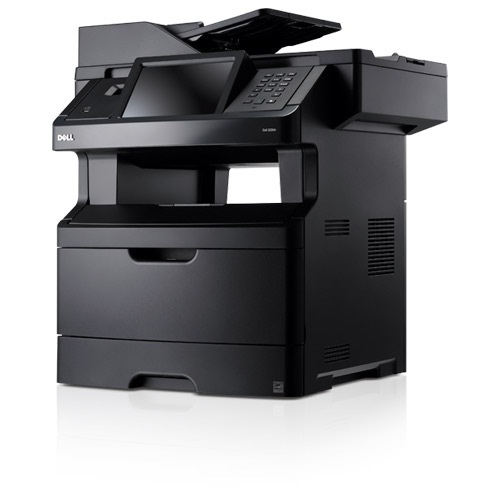
The purchase price of an office multifunction is only its first cost — toner is the long tail. The Dell 3335dn gives you leverage on that tail: its high-yield 330-8985 cartridge prints about 14,000 pages, one of the larger yields in its class, which spreads the cartridge cost thin across months of printing, scanning, copying and faxing. Compatible versions of the cartridge add a second layer of savings on top of the yield math. This page also carries the 330-2663 black cartridge in two- and four-packs.
For offices watching the budget without wanting to downgrade the printer, that combination — a long-life cartridge in a machine the whole floor shares — is the whole strategy. Fewer swaps also mean fewer interruptions and less staff time spent on supplies, savings that never show on an invoice but are real all the same.
Toner Cartridges for Dell 3335dn
| Cartridge | Color | Page Yield |
|---|---|---|
| 330-8985 | Black | About 14,000 pages per cartridge |
| 330-8985 — 2 Pack | Black | About 14,000 pages per cartridge |
| 330-8985 — 3 Pack | Black | About 14,000 pages per cartridge |
| 330-8985 — 5 Pack | Black | About 14,000 pages per cartridge |
| 330-8985 — 10 Pack | Black | About 14,000 pages per cartridge |
| 330-2663 — 2 Pack | Black | See product page |
| 330-2663 — 4 Pack | Black | See product page |
Which cartridge should you buy?
Budget by the page, not by the box. One 330-8985 cartridge covers about 14,000 pages, so even a single keeps a moderately busy office running for a long stretch. The two- and three-packs build a spare into the purchase — the right move for a floor-shared machine — and the five- and ten-packs suit sites that stock this cartridge family for several machines at once. If a Dell 2230D shares your office, its 330-2663 packs below ride along on the same order; just keep the two cartridge numbers separate when you match them to machines.
Chip, toner and everyday use
The 14,000-page figure is an estimate at standard coverage, and a multifunction's real draw depends on its mix: a copy-heavy week spends the cartridge faster than a scan-heavy one, since scans use no toner while copies print a page each. The cartridge chip tracks the level and the machine reports it — use the low-toner warning as a planning signal, not an alarm. When you fit the replacement, let the printer recognize the new chip before queuing a long fax or copy run.
Frequently Asked Questions
How does the 3335dn keep toner costs down?
Through yield: its 330-8985 cartridge prints about 14,000 pages, so the cartridge's cost is divided across far more pages than a standard cartridge would manage, and compatible versions lower the starting price further.
Does faxing use toner on the 3335dn?
Sending a fax scans the pages and uses no toner. Receiving one prints it, and printed faxes draw from the same 330-8985 cartridge as prints and copies.
Which cartridge should I keep as the spare for a 3335dn?
The 330-8985 — it is the only cartridge the machine uses. A multipack is the simplest spare strategy: the next cartridge is already in the cupboard when the warning appears.
What is the 330-2663 listing doing on this page?
It is the Dell 2230D's black cartridge, stocked here in two- and four-packs for offices that run both machines. It does not fit the 3335dn — that machine takes the 330-8985 above.
More printers that use the same cartridges
This cartridge family also covers the wider Dell workgroup range listed here: Color Laser Laser 2230D, Color Laser Laser 2330, Color Laser Laser 2330D, Color Laser Laser 2330DN, Color Laser Laser 2350, Color Laser Laser 2350D, Color Laser Laser 2350DN, Color Laser Laser 3333dn, Color Laser Laser 3335, Color Laser Laser 3335dn, Color Laser Laser 2230, Color Laser Laser 3333, Dell 330-2650, Dell 330-4130, Dell 330-5207, Dell 330-8985, Laser 2230, Laser 2230D, Laser 2230DN, Laser 2330, Laser 2330D, Laser 2330DN, Laser 2350, Laser 2350D, Laser 2350DN, Laser 2350dn, Laser 3330, Laser 3330DN, Laser 3333, Laser 3333DN, Laser 3335, Laser 3335DN, Multifunction 3333dn.