




Color Laser Laser 2330
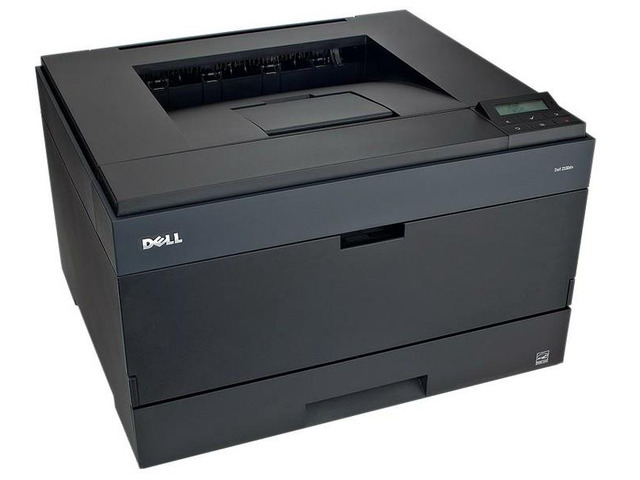
Some office printers become furniture in the best sense — always there, always working, never the subject of a meeting. The Dell 2330 is that kind of machine: a black-and-white workgroup laser built for shared everyday output. It runs on a single black cartridge, the 330-2666, and this page stocks it as a single cartridge and in 2, 3, 5 and 10 packs, so the supply shelf can match the pace of the office around it.
Think of the 2330 as the printer a small team shares without thinking about it. Reports, invoices, shipping paperwork and the odd hundred-page manual all land in the same tray, and because there is exactly one cartridge type to keep track of, whoever orders supplies has the easiest job in the building. One model number, one cartridge, no color sets to balance and no half-used cyan sitting in a drawer.
Toner Cartridges for Dell 2330
| Cartridge | Color | Page Yield |
|---|---|---|
| 330-2666 | Black | See product page |
| 330-2666 — 2 Pack | Black | See product page |
| 330-2666 — 3 Pack | Black | See product page |
| 330-2666 — 5 Pack | Black | See product page |
| 330-2666 — 10 Pack | Black | See product page |
Every listing above carries the same 330-2666 cartridge; the packs simply bundle two, three, five or ten of them.
Which cartridge should you buy?
Start with how the printer is actually used. A 2330 that handles a modest daily trickle will run a long time on the single cartridge, and buying one at a time keeps cash in the business. Busier offices feel the difference in a different place: the mid-report empty cartridge. For them the multi-packs earn their shelf space, because the replacement is already in the building when the low-toner warning appears. Larger packs also mean fewer orders, fewer deliveries to receive and fewer emergency purchases at whatever price happens to be available that day. A practical pattern is a 2 pack for light workgroups and a 5 or 10 pack where the 2330 anchors a department. Either way, these compatible cartridges are covered by a 1-year warranty and 1-year returns.
Chip, toner and everyday use
Each cartridge carries a chip the printer reads to track toner level, so the supply gauge on the panel reflects what is actually left. When a new cartridge goes in, seat it firmly until it clicks and let the printer recognize it before sending a job. If pages start to fade near the end of a cartridge's life, take it out and rock it gently side to side a few times; redistributing the toner often restores even coverage for a while longer. Keep spares in their sealed packaging, stored flat in a cool, dry cabinet away from direct sunlight, and they will be ready whenever the shared printer calls for one.
Frequently Asked Questions
Which cartridge does the Dell 2330 take?
It takes the black 330-2666 cartridge, sold here as a single cartridge and in multi-packs of two, three, five and ten. There is no color cartridge for this model — it is a monochrome printer.
Does the 2330 use a separate drum I also need to buy?
The listings on this page are complete toner cartridges; there is no separate drum unit listed for this machine here. Order the 330-2666 in whichever pack size fits your volume and you have what the printer needs.
Why would an office choose the 10 pack?
Shared printers do not run out on a schedule, they run out mid-job. A 10 pack removes restocking from the monthly to-do list for high-volume 2330s and keeps the running cost of the machine as steady as its output.
My 2330 prints light streaks. Is the cartridge finished?
Not always. Remove the cartridge and rock it gently to redistribute the toner, then print a test page. If the streaks return quickly, the toner is genuinely low and it is time for the spare.
More printers that use the same cartridges
The 330-2666 cartridge also serves the wider Dell 2230, 2330, 2350 and 3330 families, including: Color Laser Laser 2230D, Color Laser Laser 2330D, Color Laser Laser 2330DN, Color Laser Laser 2350, Color Laser Laser 2350D, Color Laser Laser 2350DN, Color Laser Laser 3333dn, Color Laser Laser 3335, Color Laser Laser 3335dn, Color Laser Laser 2230, Color Laser Laser 3333, Dell 330-2650, Dell 330-4130, Dell 330-5207, Dell 330-8985, Laser 2230, Laser 2230D, Laser 2230DN, Laser 2330, Laser 2330D, Laser 2330DN, Laser 2350, Laser 2350D, Laser 2350DN, Laser 2350dn, Laser 3330, Laser 3330DN, Laser 3333, Laser 3333DN, Laser 3335, Laser 3335DN, Multifunction 3333dn, Multifunction 3335dn.