




Color Laser Laser 2350
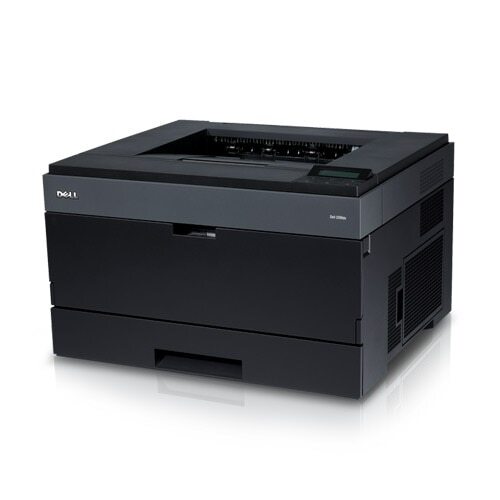
When a workgroup outgrows its printer, the replacement is usually bought for speed — and that is exactly the Dell 2350's selling point: a faster business monochrome laser with the duty cycle for busier offices. It shares its toner with the 2330 line, the black 330-2666 cartridge, stocked on this page as a single and in 2, 3, 5 and 10 packs.
A quicker engine changes what the printer gets asked to do. The 2350 becomes the machine people walk to with the big jobs — the end-of-quarter report run, the training manuals, the stack of shipping labels — because it clears them without a queue forming behind it. High-throughput machines reward owners who treat toner as a stocked consumable rather than an emergency purchase, and a one-cartridge platform makes that policy trivially easy to run.
Toner Cartridges for Dell 2350
| Cartridge | Color | Page Yield |
|---|---|---|
| 330-2666 | Black | See product page |
| 330-2666 — 2 Pack | Black | See product page |
| 330-2666 — 3 Pack | Black | See product page |
| 330-2666 — 5 Pack | Black | See product page |
| 330-2666 — 10 Pack | Black | See product page |
Five ways to buy the same 330-2666 cartridge, from a single spare to a ten-cartridge stockpile.
Which cartridge should you buy?
Match the pack to the queue. A 2350 in a quiet corner office will sip toner and a single cartridge is a rational buy. The same model at the center of a busy department burns through cartridges on a rhythm, and there a larger pack serves better: fewer orders to place, no gap between the last cartridge and the next delivery, and a steady restocking routine. The 2 and 3 packs are the middle path for growing teams. Whichever size you pick, the compatible 330-2666 is covered by a 1-year warranty with 1-year returns.
Chip, toner and everyday use
Fast printers chew through toner in bursts, and the cartridge chip's level estimate helps you see a burst coming to an end. After installing a fresh cartridge, print a few test pages and check that text is solid edge to edge. Near the end of a cartridge, faded bands usually mean the toner is settling unevenly; a gentle rock of the cartridge from side to side redistributes it. Keep spare cartridges sealed until the day they are needed, stored flat away from heat and sunlight.
Frequently Asked Questions
What toner does the Dell 2350 use?
The black 330-2666 cartridge, sold here as a single and in 2, 3, 5 and 10 packs.
My 2350 shares toner with older Dell models. Is that right?
Yes — the 2350 sits in the same cartridge family as the 2230, 2330 and 3330 lines, so existing 330-2666 stock in your supply room works in this machine too.
How often will a busy 2350 need a cartridge?
That depends entirely on monthly volume. The practical approach is to watch the first cartridge's lifespan in your office and set your pack size so a spare is always on hand.
Are these cartridges chipped?
Yes. Each cartridge carries a chip the printer reads for toner-level reporting, so the machine can warn you before toner runs out.
More printers that use the same cartridges
These Dell models take the same 330-2666 cartridge: Color Laser Laser 2230D, Color Laser Laser 2330, Color Laser Laser 2330D, Color Laser Laser 2330DN, Color Laser Laser 2350D, Color Laser Laser 2350DN, Color Laser Laser 3333dn, Color Laser Laser 3335, Color Laser Laser 3335dn, Color Laser Laser 2230, Color Laser Laser 3333, Dell 330-2650, Dell 330-4130, Dell 330-5207, Dell 330-8985, Laser 2230, Laser 2230D, Laser 2230DN, Laser 2330, Laser 2330D, Laser 2330DN, Laser 2350, Laser 2350D, Laser 2350DN, Laser 2350dn, Laser 3330, Laser 3330DN, Laser 3333, Laser 3333DN, Laser 3335, Laser 3335DN, Multifunction 3333dn, Multifunction 3335dn.