




Laser 2330DN
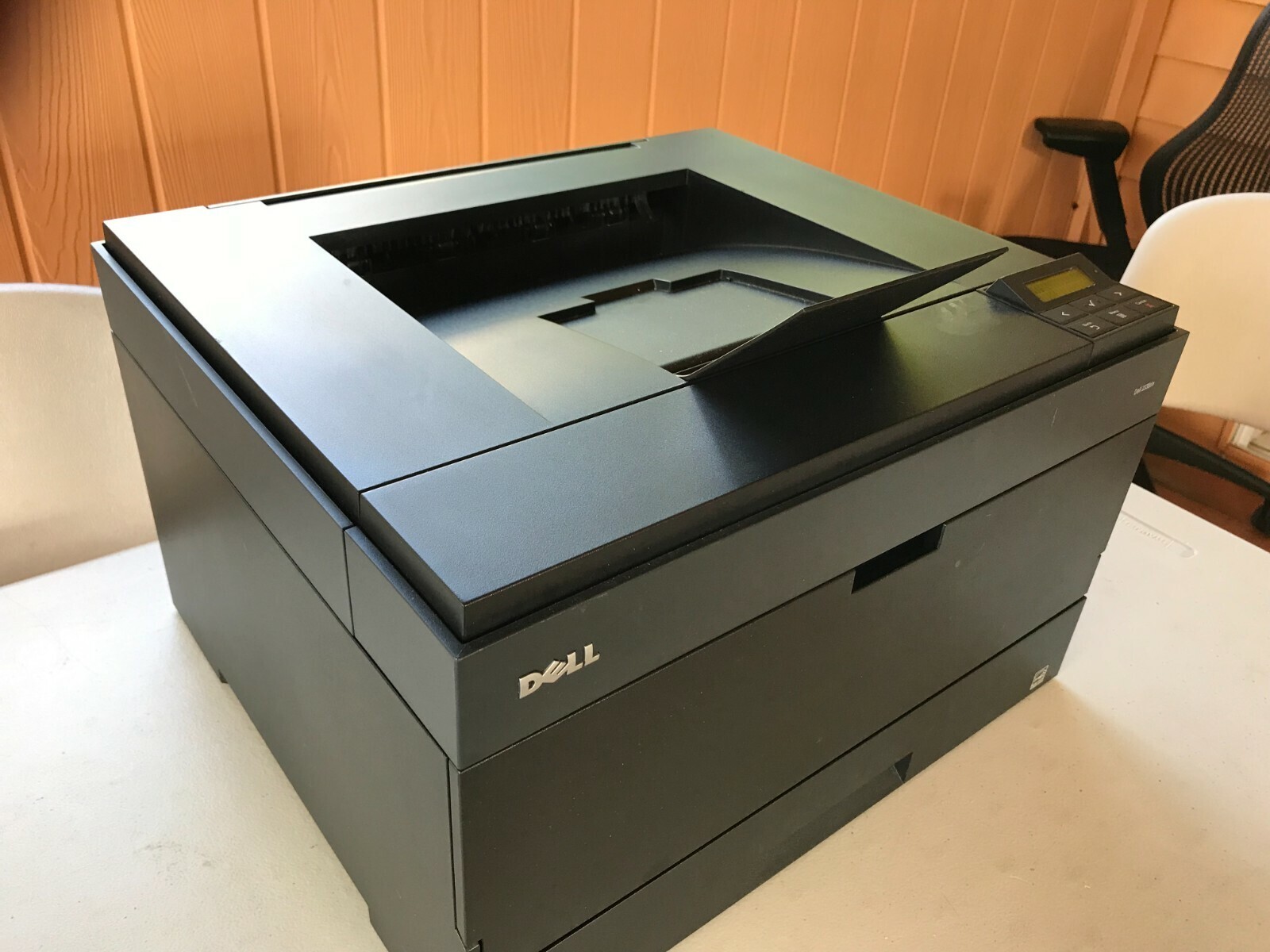
The Dell 2330DN is the fully connected version of its line: automatic duplex printing plus Ethernet networking in one fast monochrome laser, ready to serve a whole office from the first day with nothing to add on. It drinks from the same high-yield black family as its siblings — the 330-2650, which Dell also numbers 330-2666 — and prints against a separate 330-2663 drum unit with a life of its own.
A networked printer belongs to everyone, and that changes its supply math. There is no single owner watching the toner gauge; there are a dozen workstations sending jobs, and the cartridge empties whenever the team's work says so. High-yield builds and a spare on the shelf are not luxuries on a machine like this — they are how the office avoids the one morning a month when nothing prints.
Toner Cartridges for Dell 2330DN
| Cartridge | Color | Page Yield |
|---|---|---|
| Dell 2330DN High Yield Black | Black | High Yield |
| 330-2650 | Black | High Yield |
| 330-2666 (PK941) MICR | Black | High Yield — MICR |
| 330-2650 (PK941-J) | Black | Jumbo Yield |
| 330-2650 (PK941X) | Black | Maximum Yield |
| 330-2666 (PK941X) MICR | Black | Maximum Yield — MICR |
| Dell 2330DN High Yield Black 5 Pack | Black | High Yield — 5 Pack |
| 330-2650 — 8 Pack | Black | High Yield — 8 Pack |
| 330-2650 Premium — 5 Pack | Black | High Yield — 5 Pack |
Drum unit (separate from the toner cartridges):
- 330-2663 (PK496) Drum Unit — a long-life part; swap it on its own cycle, not with the toner
- 330-2663 (PK496) Drum Unit — 3 Pack
- Dell 2230D (330-2663) — 2 Pack
- Dell 2230D (330-2663) — 4 Pack
Which cartridge should you buy?
Shared machines justify the biggest builds. Start with the high-yield 330-2650 — the 330-2666 and its PK941 code are the same cartridge wearing Dell's alternate number — and step up to the jumbo or maximum-yield versions if the team's volume burns through a fill quickly. Five- and eight-packs turn restocking into a quarterly chore instead of a monthly one, and MICR builds are available if this printer also handles checks. Keep the drum separate in your mind: the 330-2663 (PK496) lasts across many toner changes. Every compatible cartridge listed here is backed by a 1-year warranty and 1-year returns.
Chip, toner and everyday use
Because the 2330DN lives on the network, its toner level is visible without walking to the machine: the embedded web page reports what the cartridge chip is telling the printer, which makes it easy to check levels before a big job lands. If a workstation still shows the old cartridge after a swap, the printer has usually not been reseated properly — open it, set the cartridge squarely until it locks, and the reading updates. Keep the spare for a shared printer somewhere the whole team can find it, sealed and stored flat.
Frequently Asked Questions
What toner does the 2330DN use?
The same black family as the rest of its line: the 330-2650 high-yield cartridge and its jumbo and maximum-yield builds, with the 330-2666 as Dell's alternate number for the same unit. Networking and duplexing do not change the cartridge.
How do I share the 2330DN with Windows and Mac computers?
Add it by IP address on each machine — IP printing with the manufacturer's driver is the reliable route, and it keeps the printer available around the clock. Avoid hanging it off one computer's USB port, because then the printer sleeps whenever that PC does.
It prints from some computers but not others — what is wrong?
That pattern is a queue or driver problem on the machines that fail, never a toner problem. Remove and re-add the printer there with a fresh driver, and confirm every workstation points at the same IP address; a stale port aimed at an old address is the most common cause.
Does being networked change which cartridge I order?
Not at all. Order by the cartridge code and the capacity your volume needs — the network card affects how jobs arrive, not what prints them.
More printers that use the same cartridges
The networked models share their cartridge family with a long list of Dell workgroup machines: Color Laser Laser 2230D, Color Laser Laser 2330, Color Laser Laser 2330D, Color Laser Laser 2330DN, Color Laser Laser 2350, Color Laser Laser 2350D, Color Laser Laser 2350DN, Color Laser Laser 3333dn, Color Laser Laser 3335, Color Laser Laser 3335dn, Color Laser Laser 2230, Color Laser Laser 3333, Dell 330-2650, Dell 330-4130, Dell 330-5207, Dell 330-8985, Laser 2230, Laser 2230D, Laser 2230DN, Laser 2330, Laser 2330D, Laser 2350, Laser 2350D, Laser 2350DN, Laser 2350dn, Laser 3330, Laser 3330DN, Laser 3333, Laser 3333DN, Laser 3335, Laser 3335DN, Multifunction 3333dn, Multifunction 3335dn.