




Laser 3330
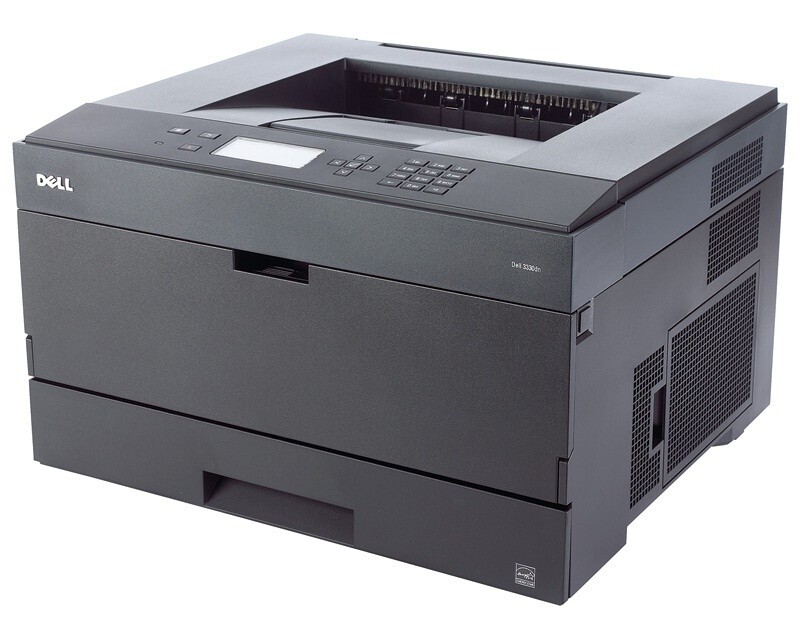
Built for small offices that print all day, the Dell 3330 is a fast monochrome laser turning out roughly 40 pages per minute with automatic duplexing and a paper path that can grow well beyond its standard capacity. Its black toner comes in three capacities: the standard 330-5210, the high-yield 330-5207 and a maximum-yield build of that same cartridge, and every one of them prints over the separate 330-2663 drum unit, also numbered PK496.
The 3330 fits beside a desk or in a shared workroom, and its appeal is stamina rather than gadgets: a small team can lean on it through billing cycles, shipping days and report deadlines without the queue forming that slows smaller printers down. Network printing keeps the whole group moving through one machine, which spreads the hardware cost across everyone — but it also means one cartridge serves many people's output, so choosing the right capacity up front saves repeated interruptions later.
Toner Cartridges for Dell 3330
| Cartridge | Color | Page Yield |
|---|---|---|
| Dell 3330 Toner Cartridge | Black | See product page |
| 330-5207 High Yield | Black | See product page |
| Dell 3330 High Yield 5 Pack | Black | See product page |
| 330-5207 (C233R) MICR High Yield | Black | See product page |
| 330-5207 (C233RX) Maximum Yield | Black | See product page |
| 330-5207 Premium Quality High Yield 5 Pack | Black | See product page |
| 330-5210 | Black | See product page |
Drum unit (separate from the toner cartridges):
Which cartridge should you buy?
The three capacities exist for three different printing rhythms. Occasional printers pay the least per cartridge with the standard 330-5210 and lose nothing by it. A workgroup printing every day should default to the high-yield 330-5207: paired with a higher-yield cartridge, your cost per page drops sharply versus standard yields, and the cartridge survives far more of the month. The maximum-yield build stretches the interval furthest of all and suits offices that measure toner in quarters, not weeks. Offices that print checks can load the MICR cartridge from the table instead. If your team burns through cartridges steadily, the 5-pack listings turn reordering into a twice-a-year chore.
Chip, toner and everyday use
A 3330 cartridge is recognized through its chip as soon as it seats, and the printer tracks the level from there. Fit cartridges with the power on, push until the unit locks, and let the printer finish its short calibration before sending a job. Because one cartridge here serves a whole workgroup, the practical rule is to keep a spare in the supply closet: when pages fade, rock the old cartridge gently from side to side to redistribute the toner, finish the run, then swap in the spare at a calm moment. Quoted yields assume five percent page coverage, so spreadsheet-heavy months land lower. Keep unused cartridges sealed and flat, away from heat and bright light.
Frequently Asked Questions
Which toner does the Dell 3330 use?
The 3330 takes the 330-5207 black cartridge; U903R is Dell's alternate number for the identical supply. There is one slot and one cartridge to manage, so reordering is simply a matter of matching either number.
Is the 3330 big enough for a 10-person office?
For a 10-person office with moderate printing, yes — its speed and paper handling were designed for small workgroups. Very heavy users should consider a higher-duty model, and any group this size should keep a spare 330-5207 on hand, since shared machines empty cartridges faster than personal ones.
Is the drum part of the toner cartridge on the 3330?
No. The cartridges print over a separate 330-2663 drum unit (also numbered PK496), which is replaced on its own much longer cycle. A toner swap therefore never throws away a drum that still has life in it.
Why does my 3330 add a blank page to jobs?
That extra sheet is a settings artifact, not a toner fault: disable separator or banner pages in the driver preferences and on the printer's control panel, and check the application for its own print-blank-pages option, which some programs switch on independently.
More printers that use the same cartridges
These Dell printers run on the same cartridge family as the 3330: Color Laser Laser 2230D, Color Laser Laser 2330, Color Laser Laser 2330D, Color Laser Laser 2330DN, Color Laser Laser 2350, Color Laser Laser 2350D, Color Laser Laser 2350DN, Color Laser Laser 3333dn, Color Laser Laser 3335, Color Laser Laser 3335dn, Color Laser Laser 2230, Color Laser Laser 3333, Dell 330-2650, Dell 330-4130, Dell 330-5207, Dell 330-8985, Laser 2230, Laser 2230D, Laser 2230DN, Laser 2330, Laser 2330D, Laser 2330DN, Laser 2350, Laser 2350D, Laser 2350DN, Laser 2350dn, Laser 3330DN, Laser 3333, Laser 3333DN, Laser 3335, Laser 3335DN, Multifunction 3333dn, Multifunction 3335dn.