




Laser 2350
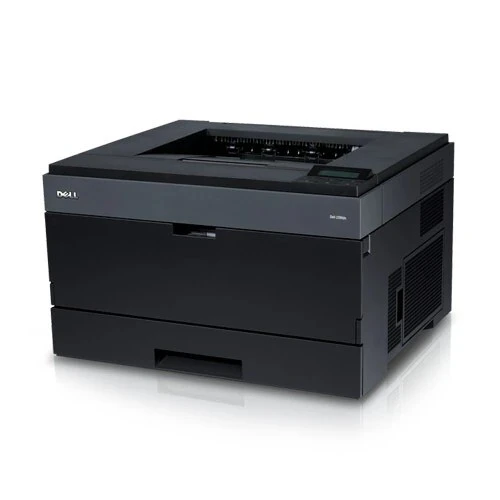
A step up in speed and capacity, the Dell 2350 targets busier workgroups that outgrew entry-level business lasers. Faster output and a sturdier monthly duty cycle make it the choice for offices where the printer rarely rests.
Busier printers burn toner faster, which makes cartridge value critical. Compatible Dell 2350 toner from Clever Supplies — including the PK492 / 330-2648 cartridges of the 2330/2350 family — costs a fraction of OEM, with genuine OEM also available and fast shipping standard.
Toner Cartridges for Dell 2350
This printer works with the following toner cartridges:
- Dell PK937
- Dell 330-2649
- Dell DM254
- Dell 593-10336
- Dell 593-10337
- Dell PK492
- Dell 330-2648
- Dell XN009
Frequently Asked Questions
Which toner cartridge does the Dell 2350 use?
The 2350 uses the 330-2648 and 330-2649 and the PK937 and PK492 black toner cartridges, the same supply family as the 2330 series, with DM254 and XN009 as alternates and 593-10336 and 593-10337 as kit numbers. Check your current cartridge's number to match standard versus high-capacity.
The 2350 is printing faded text even with a new cartridge, why?
If a fresh cartridge still prints pale, check the driver's print-density or EconoMode setting: toner-save modes deliberately print light and are easy to leave on accidentally. Also verify you removed all sealing tape; a partially attached seal restricts toner flow and mimics a defective cartridge.
How do I reset the toner counter after replacing the cartridge on the 2350?
The 2350 reads the new cartridge's chip automatically: there is no manual counter reset for standard replacements. If the printer still shows the old cartridge as empty after a swap, remove and reseat the new cartridge firmly; a poorly seated chip is the usual reason the printer does not recognize the change.