




Laser 2330D
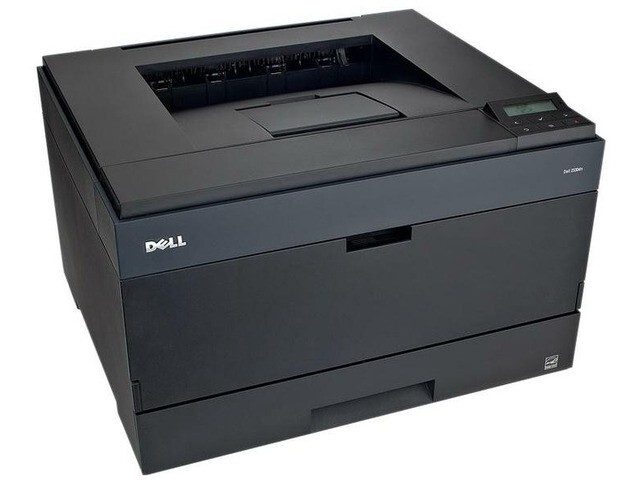
Automatic duplexing defines the Dell 2330D: two-sided printing built in, cutting paper consumption nearly in half for offices producing reports, proposals, and documentation. A workgroup mono laser that saves on paper and toner alike.
Double-sided pages make toner the consumable to optimize. Compatible Dell 2330D toner from Clever Supplies — from the same PK937 / 330-2649 cartridge family — minimizes cost per page, with genuine OEM cartridges also stocked and fast shipping on every order.
Toner Cartridges for Dell 2330D
This printer works with the following toner cartridges:
- Dell PK937
- Dell 330-2649
- Dell DM254
- Dell 593-10336
- Dell 593-10337
- Dell PK492
- Dell 330-2648
- Dell XN009
Frequently Asked Questions
Does the Laser 2330d take the same cartridge as the Laser 2330?
Identical supplies: the 2330d uses the same 330-2648 and 330-2649 and PK937 and PK492 black toner family (alternates DM254, XN009; kits 593-10336, 593-10337). The 'D' only adds the duplexer, so cartridges, driver quality settings and maintenance are shared.
Is automatic duplex worth using on the 2330d?
For any office printing reports, drafts or internal documents, yes: duplexing as the default cuts paper use nearly in half with no downside for readability. Reserve single-sided printing for formal letters and presentations where it matters.
Duplexed pages come out in the wrong order on the 2330d, how do I fix it?
That is a driver setting, not a hardware fault: check whether the driver is set to print back to front or has booklet mode enabled, both of which reorder pages. Reset the driver's finishing options to normal two-sided (long-edge) and the order corrects itself.