




Color Laser Laser 3333
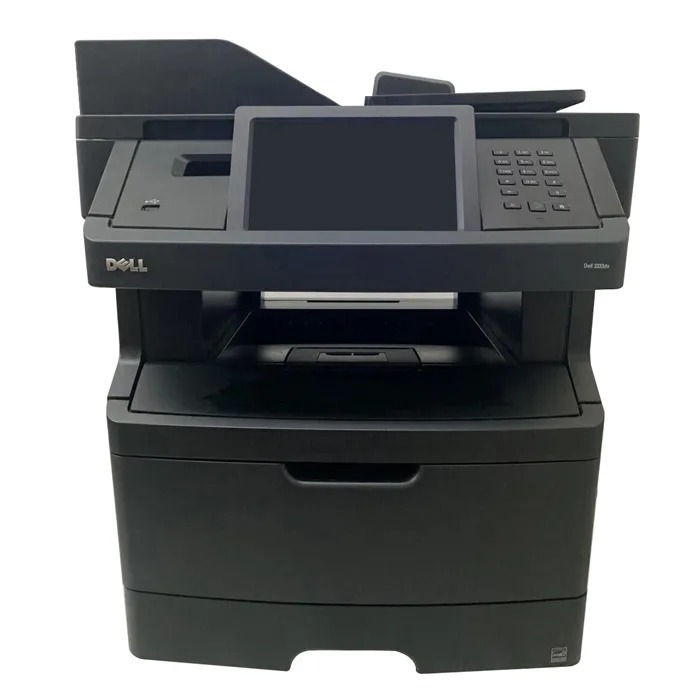
Small workgroups pick the Dell 3333 because it behaves like a much bigger printer: up to 40 pages per minute, crisp 1200-dpi text, and a duty cycle built for daily office volume, all in a unit that fits on a credenza. It is a straightforward, single-function machine — no scanner or fax to maintain.
Running costs are equally straightforward since there is only one cartridge to buy. Offices printing a few hundred pages a week do fine with the standard cartridge; busier teams should jump to the high-yield 330-8985, especially in its compatible form, where the per-page savings really show.
Toner Cartridges for Dell 3333
This printer works with the following toner cartridges:
- Dell 330-8985
- Dell 330-8986
- Dell G7D0Y
- Dell V99K8
- Dell YY0JN
- Dell R2PCF
Frequently Asked Questions
How can I tell I'm buying the right toner for my Dell 3333?
The 3333 takes Dell toner cartridges 330-8985, 330-8986, G7D0Y, V99K8, YY0JN, R2PCF. Keep this list handy — ordering by Dell part number is the most reliable way to get a match.
Colors look wrong on my Dell 3333. How do I fix that?
Colored shadows around text on the 3333 are a registration issue: the cyan, magenta, yellow, and black layers are landing slightly off. The printer's built-in color registration adjustment realigns them in a minute or two.
How do I know when the Dell 3333 needs new toner?
Treat the 3333's low-toner message as an early warning, not a hard stop: it estimates remaining toner, and most users get dozens to hundreds more pages. Keep a spare from its cartridge set (330-8985, 330-8986, G7D0Y, V99K8, YY0JN, R2PCF) on hand so you are not caught mid-job.