




Laser 3333
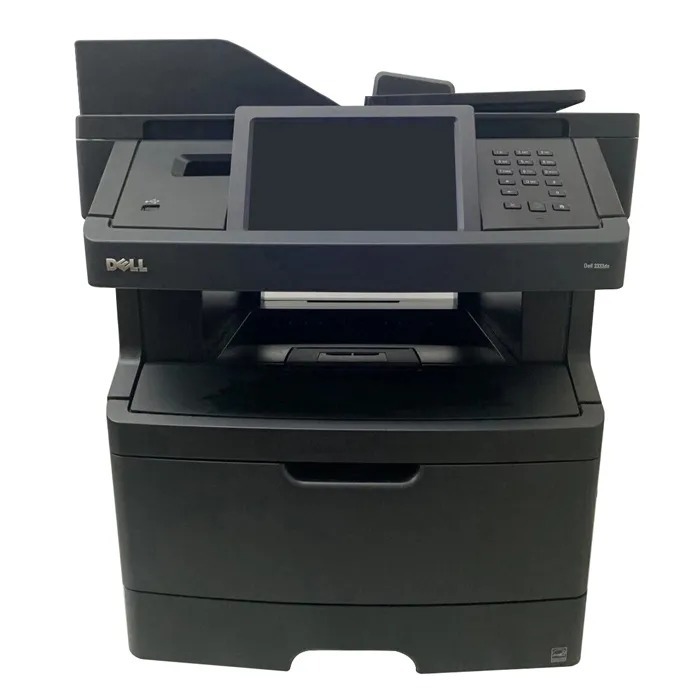
The Dell 3333 squeezes workgroup speed into a compact monochrome laser: up to 40 pages per minute and sharp 1200-dpi output from a machine that does not dominate the desk it sits on. Running costs stay simple because it takes a single black cartridge — the high-yield 330-8985 for heavier months, its standard-yield partner 330-8986 for lighter ones — and every cartridge prints against the separate 330-2663 drum unit, the drum Dell also catalogs as PK496.
Small workgroups choose this printer when the workload is serious but the room is not. Contracts, memos and spreadsheets come out fast and clean, and the single-cartridge design means there is exactly one supply to track, order and store. That simplicity is the 3333's real feature: nobody needs a supplies spreadsheet for a one-slot printer, and the only decision is how much capacity to buy at a time.
Toner Cartridges for Dell 3333
| Cartridge | Color | Page Yield |
|---|---|---|
| Dell 3333 Toner Cartridge | Black | See product page |
| 330-8985 High Yield | Black | See product page |
| Dell 3333 High Yield 5 Pack | Black | See product page |
| 330-8985 Premium Quality High Yield 5 Pack | Black | See product page |
| 330-8986 | Black | See product page |
| 330-8986 (YY0JNX) Maximum Yield | Black | See product page |
Drum unit (separate from the toner cartridges):
- 330-2663 (PK496) Drum with Two 330-8985 Toner Cartridges
- 330-2663 (PK496) Drum Unit
- 330-2663 (PK496) Drum Unit 3 Pack
Which cartridge should you buy?
Capacity is the only real choice here. The standard 330-8986 keeps the purchase price lowest and suits a 3333 that prints a few hundred pages a month. Step up to the high-yield 330-8985 and each cartridge covers far more of the year — compatible versions cut the per-page cost further while matching OEM print quality. The longest interval of all comes from the maximum-yield build sold under the code YY0JNX, listed in the table. Whichever size you pick, the 5-pack listings are worth a look if the printer is shared: one delivery covers several changes and nobody is caught out by an empty cartridge on a deadline day.
Chip, toner and everyday use
When output from a 3333 starts to look faded, low toner is the usual suspect: check the supply status on the printer's display or in the driver before assuming anything worse. Removing the cartridge and rocking it gently side to side redistributes the toner inside and often restores density for the rest of the job. New cartridges are recognized by their chip as soon as they lock in, with no menu steps needed. Remember that rated yields are figured at five percent coverage, so a month of dense contracts empties a cartridge faster than a month of memos. Keep the next cartridge sealed, stored flat and out of sunlight until the day it is needed.
Frequently Asked Questions
Which toner cartridges fit the Dell 3333?
The 3333 uses the 330-8985 and 330-8986 toner cartridges, and Dell also lists G7D0Y, V99K8, YY0JN and R2PCF as compatible supply codes for this model. Check the code printed on your current cartridge before ordering to be certain.
How do I choose between the 330-8985 and the 330-8986?
Compare the page yields of the two before buying: the larger-capacity 330-8985 means fewer replacements per year for frequent printers, while occasional printers do fine with the smaller 330-8986. Both cartridges are made specifically for the 3333.
My 3333 prints look faded — is the cartridge empty?
Usually, yes: faded or light printing on the 3333 most often signals low toner, so check the supply status first. If a fresh cartridge does not restore density, turn your attention to the imaging side — the 330-2663 drum unit may be nearing the end of its own cycle.
Do I replace the drum with every cartridge?
No. The drum is the separate 330-2663 unit, also numbered PK496, and it outlasts several toner cartridges. Replace it on its own schedule, when print quality points to the drum rather than the toner.
More printers that use the same cartridges
The same cartridges also power this wider Dell family: Color Laser Laser 2230D, Color Laser Laser 2330, Color Laser Laser 2330D, Color Laser Laser 2330DN, Color Laser Laser 2350, Color Laser Laser 2350D, Color Laser Laser 2350DN, Color Laser Laser 3333dn, Color Laser Laser 3335, Color Laser Laser 3335dn, Color Laser Laser 2230, Color Laser Laser 3333, Dell 330-2650, Dell 330-4130, Dell 330-5207, Dell 330-8985, Laser 2230, Laser 2230D, Laser 2230DN, Laser 2330, Laser 2330D, Laser 2330DN, Laser 2350, Laser 2350D, Laser 2350DN, Laser 2350dn, Laser 3330, Laser 3330DN, Laser 3333DN, Laser 3335, Laser 3335DN, Multifunction 3333dn, Multifunction 3335dn.