




Laser 2230
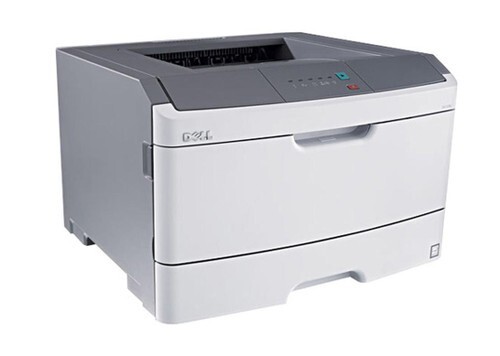
The Dell 2230 is a fast personal monochrome laser — up to 35 ppm (letter) with up to 1200 x 1200 dpi resolution and a 35,000-page monthly duty cycle that embarrasses bigger machines. A 250-sheet drawer, single-sheet multipurpose tray, and 7-second first-page-out time make it a genuinely quick desktop printer.
The 2230's toner family (330-4130/4131 series) pairs ~3,500-page cartridges with a long-life 30,000-page imaging drum, separating the two most common wear items. Genuine and compatible toner for the 2230 is below.
Toner Cartridges for Dell 2230
This printer works with the following toner cartridges:
- Dell 330-4130
- Dell 330-4131
- Dell 593-10500
- Dell 593-10501
- Dell M795K
- Dell M797K
- Dell P578K
- Dell P579K
Frequently Asked Questions
Which toner cartridge does the Dell 2230 use?
The 2230 uses the 330-4130 standard and 330-4131 high-capacity black toner cartridges; M795K and M797K and P578K and P579K are alternate Dell numbers for the same two capacities, with 593-10500 and 593-10501 as kit numbers. Both fit the same slot.
Standard or high-capacity for the 2230?
The 2230 is a workgroup-class printer, so most installations justify the high-capacity 330-4131: fewer interruptions and a lower cost per page. Only choose the standard 330-4130 if the printer sees genuinely light use, since a half-used cartridge lineup complicates reordering.
The 2230 prints vertical white lines, is the cartridge empty?
White lines (missing toner) differ from black lines: they usually mean low toner or a blocked feed, so rock the 330-413x cartridge gently to redistribute toner. If the white lines persist in the same position with a fresh cartridge, the printer's laser scanner window may need cleaning.