




Color Laser Laser 2330DN
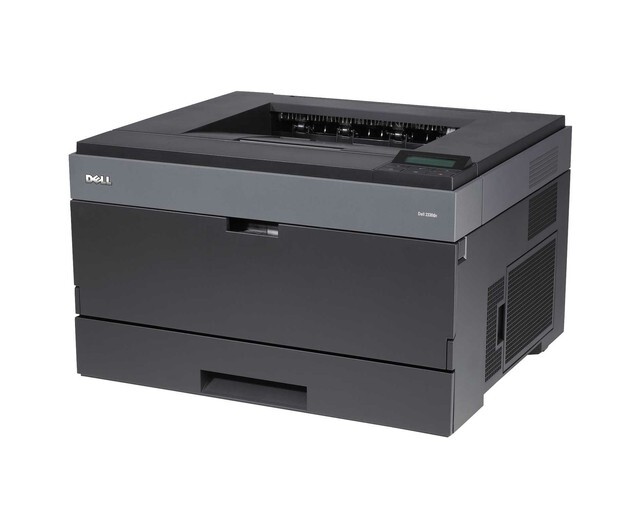
One printer, plugged into the network, serving everyone on the floor — that is the Dell 2330DN's brief, and it fills it with automatic duplexing on top. As the networked member of the 2330 line, it takes the black 330-2666 cartridge, available here as a single cartridge or in 2, 3, 5 and 10 packs for offices that prefer to stock ahead.
Networking changes the supply problem more than the printing problem. When a whole team prints to one machine, toner consumption stops being one person's habit and becomes the office's weather — steady some weeks, stormy at month-end. The 2330DN's owners tend to be offices that standardized on a single shared monochrome laser and want its running costs to be just as standardized: one cartridge type, bought in sensible quantities.
Toner Cartridges for Dell 2330DN
| Cartridge | Color | Page Yield |
|---|---|---|
| 330-2666 | Black | See product page |
| 330-2666 — 2 Pack | Black | See product page |
| 330-2666 — 3 Pack | Black | See product page |
| 330-2666 — 5 Pack | Black | See product page |
| 330-2666 — 10 Pack | Black | See product page |
All five listings are the same 330-2666 cartridge in different quantities.
Which cartridge should you buy?
For a networked printer, the real cost of toner is the interruption, not the cartridge. A single is fine for a small team with light, predictable output. Once the 2330DN serves a whole office, the 2 pack is the minimum sensible stock — one in the machine, one in the cabinet — and the 5 or 10 packs fit facilities-style ordering where one purchase covers several shared printers. Every option is the same compatible 330-2666, backed by a 1-year warranty and 1-year returns, so the choice is about inventory rhythm rather than print quality.
Chip, toner and everyday use
Because the printer is shared, its toner gauge is everyone's business; the cartridge chip reports remaining level so the office can see a replacement coming instead of discovering it mid-deadline. When output fades, rock the cartridge gently from side to side to redistribute toner and buy time for the spare to be fetched. Keep at least one sealed cartridge in the supply cabinet, stored flat in a cool, dry place, and swap it in promptly when print stays light after rocking — a shared machine should never sit idle waiting on a delivery.
Frequently Asked Questions
Which toner fits the Dell 2330DN?
The black 330-2666 cartridge — the single and the 2, 3, 5 and 10 packs on this page are all built around it.
Is the 2330DN cartridge the same as the 2330 and 2330D cartridge?
Yes. The whole 2330 line shares the 330-2666, which is why the family list below is so long — one cartridge covers a shelf of related Dell models.
How do we avoid running out on a shared printer?
Keep a spare in the cabinet and reorder when the spare goes into the machine, not when the machine stops. The multi-packs exist precisely to make that habit cheap to keep.
Does the printer warn us before the toner is gone?
Yes — the chip in each cartridge lets the printer estimate and display the toner level, so a low warning should appear well before output is affected.
More printers that use the same cartridges
The same 330-2666 cartridge is also the listed toner for these Dell models: Color Laser Laser 2230D, Color Laser Laser 2330, Color Laser Laser 2330D, Color Laser Laser 2350, Color Laser Laser 2350D, Color Laser Laser 2350DN, Color Laser Laser 3333dn, Color Laser Laser 3335, Color Laser Laser 3335dn, Color Laser Laser 2230, Color Laser Laser 3333, Dell 330-2650, Dell 330-4130, Dell 330-5207, Dell 330-8985, Laser 2230, Laser 2230D, Laser 2230DN, Laser 2330, Laser 2330D, Laser 2330DN, Laser 2350, Laser 2350D, Laser 2350DN, Laser 2350dn, Laser 3330, Laser 3330DN, Laser 3333, Laser 3333DN, Laser 3335, Laser 3335DN, Multifunction 3333dn, Multifunction 3335dn.