




Color Laser Laser 2330D
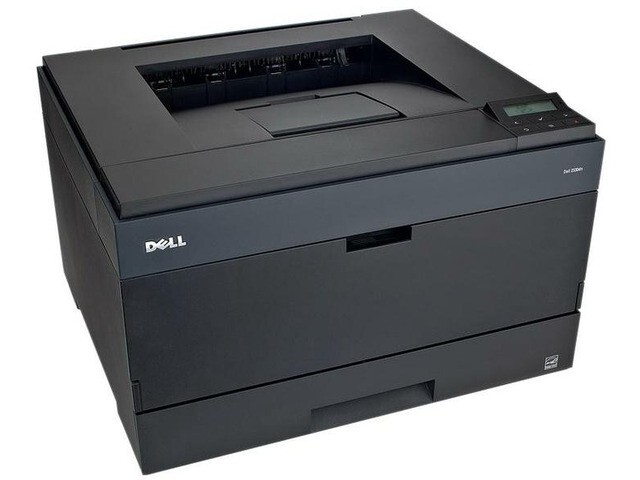
Long documents are where the Dell 2330D earns its place. This workgroup monochrome laser adds automatic two-sided printing to the 2330 platform, so reports, manuals and contracts come out duplexed without anyone standing at the tray flipping pages. It uses the same single black cartridge as its sibling, the 330-2666, stocked here as a single and in 2, 3, 5 and 10 packs.
The D in the name is a paper-saving feature with a toner side effect: when most of an office's output is two-sided, each cartridge effectively covers twice the documents. Teams that print long reading material — policy binders, course packs, board reports — feel that difference in both the paper budget and how rarely the toner light comes on. The 2330D is the shared printer for offices that think in documents, not pages.
Toner Cartridges for Dell 2330D
| Cartridge | Color | Page Yield |
|---|---|---|
| 330-2666 | Black | See product page |
| 330-2666 — 2 Pack | Black | See product page |
| 330-2666 — 3 Pack | Black | See product page |
| 330-2666 — 5 Pack | Black | See product page |
| 330-2666 — 10 Pack | Black | See product page |
One cartridge type covers the whole page — black only, in five pack sizes.
Which cartridge should you buy?
Duplexing stretches a cartridge further than most people expect, so a single 330-2666 suits a 2330D that mostly handles short jobs with occasional long runs. Offices where two-sided printing is the default setting should think in packs: the 2 pack keeps a spare beside a printer that cannot wait, and the 5 and 10 packs suit centralized supply ordering for several machines. Because every pack contains the identical cartridge, there is no wrong combination to configure — the only decision is how many spares the building should hold. All of them carry a 1-year warranty with 1-year returns.
Chip, toner and everyday use
The cartridge chip reports toner level to the printer, and the 2330D's estimate counts pages, so heavy duplex use is reflected honestly in the gauge. Replace the cartridge when print turns persistently light rather than at the first low-toner notice; there is usually usable toner left, and a gentle side-to-side rock of the cartridge evens out coverage near the end. Store unopened spares flat and sealed, out of sunlight and away from heaters, and rotate stock so the oldest cartridge goes in first.
Frequently Asked Questions
Does duplex printing need a different cartridge?
No. Two-sided printing is a printer function, not a cartridge function. The 2330D uses the same 330-2666 black cartridge as the rest of the family, in any of the pack sizes listed above.
Will a cartridge last longer in the 2330D than in a 2330?
Per document, yes, in practice: if most jobs print on both sides, the same page yield covers roughly twice as many finished documents. The cartridge yield itself is unchanged.
Can I mix a half-used cartridge with a new one?
The printer holds one cartridge at a time. If you swap in a fresh cartridge for a big job, the part-used one can go back in later — just store it in its bag, shielded from light, while it is out.
What pack size fits a shared 2330D?
Most shared machines do well with a 2 pack as working stock; departments that duplex everything often move to the 5 pack so toner stops being a recurring errand.
More printers that use the same cartridges
You will find the same 330-2666 cartridge listed for these related Dell models as well: Color Laser Laser 2230D, Color Laser Laser 2330, Color Laser Laser 2330DN, Color Laser Laser 2350, Color Laser Laser 2350D, Color Laser Laser 2350DN, Color Laser Laser 3333dn, Color Laser Laser 3335, Color Laser Laser 3335dn, Color Laser Laser 2230, Color Laser Laser 3333, Dell 330-2650, Dell 330-4130, Dell 330-5207, Dell 330-8985, Laser 2230, Laser 2230D, Laser 2230DN, Laser 2330, Laser 2330D, Laser 2330DN, Laser 2350, Laser 2350D, Laser 2350DN, Laser 2350dn, Laser 3330, Laser 3330DN, Laser 3333, Laser 3333DN, Laser 3335, Laser 3335DN, Multifunction 3333dn, Multifunction 3335dn.