




LaserJet Pro M521DZ
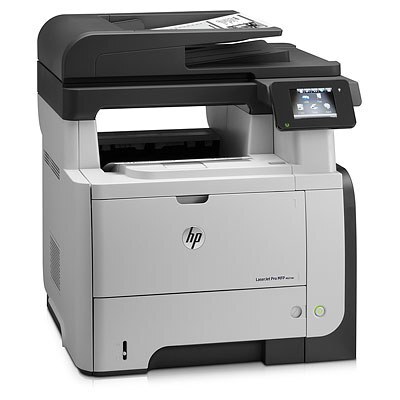
The LaserJet Pro M521DZ belongs to HP's mono lineup of the late-2000s: a single-function printer engineered for everyday office document printing. What keeps the LaserJet Pro M521DZ relevant is everyday office document printing: unglamorous, essential, and exactly what offices need.
Cartridge-wise, the LaserJet Pro M521DZ belongs to the HP 55A/55X family (CE255A), which means 39 other models use the same supplies. The LaserJet Pro M521DZ runs reliably on our compatible HP 55A/55X cartridges as well as on genuine OEM CE255A — pick the one that fits your budget.
Toner Cartridges for LaserJet Pro M521DZ
This printer works with the following toner cartridges:
- HP CE255A
- HP CE255X
More HP Printers
- LaserJet 500 MFP M525f
- LaserJet Enterprise 500 M525
- LaserJet Enterprise 500 M525DN
- LaserJet Enterprise 500 M525F
- LaserJet Enterprise 500 MFP M525
- LaserJet Enterprise 500 MFP M525DN
- LaserJet Enterprise 500 MFP M525F
- LaserJet Enterprise flow MFP M525C
- LaserJet Enterprise P3010
- LaserJet Enterprise P3011
- LaserJet Enterprise P3015
- LaserJet Enterprise P3015D
- LaserJet Enterprise P3015dn
- LaserJet Enterprise P3015N
- LaserJet Enterprise P3015X
- LaserJet Enterprise P3016
- LaserJet flow MFP M525c
- LaserJet M521
- LaserJet M521DN
- LaserJet M521dn MFP
- LaserJet M521DW
- LaserJet M521dx
- LaserJet M521DZ
- LaserJet M525
- LaserJet M525C
- LaserJet M525DN
- LaserJet M525F
- LaserJet MFP M521dw
- LaserJet P3010
- LaserJet P3011
- LaserJet P3015
- LaserJet P3015D
- LaserJet P3015DN
- LaserJet P3015N
- LaserJet P3015X
- LaserJet P3016
- LaserJet Pro M521
- LaserJet Pro M521DN
- LaserJet Pro M521DX
Frequently Asked Questions
How do I recycle empty cartridges from the LaserJet Pro M521DZ?
Return spent CE255A or CE255X cartridges through HP's Planet Partners program or an office-supply store drop-off bin — both keep the LaserJet Pro M521DZ's old toner out of landfill. Most take-back programs accept the LaserJet Pro M521DZ's empties at no charge.
Why is my LaserJet Pro M521DZ printing blank pages?
Blank pages from the LaserJet Pro M521DZ usually mean the cartridge is empty or the protective seal was never removed from a new one. Check the supply level, and if you just installed a cartridge in the LaserJet Pro M521DZ, remove it and pull the sealing tape completely.
How do I clear a ‘Toner Low’ message on the LaserJet Pro M521DZ?
On the LaserJet Pro M521DZ, the Toner Low message means the cartridge is nearly empty — you can keep printing for a while, but order a replacement now. Installing a fresh cartridge clears the warning on the LaserJet Pro M521DZ automatically.