




LaserJet P3015X
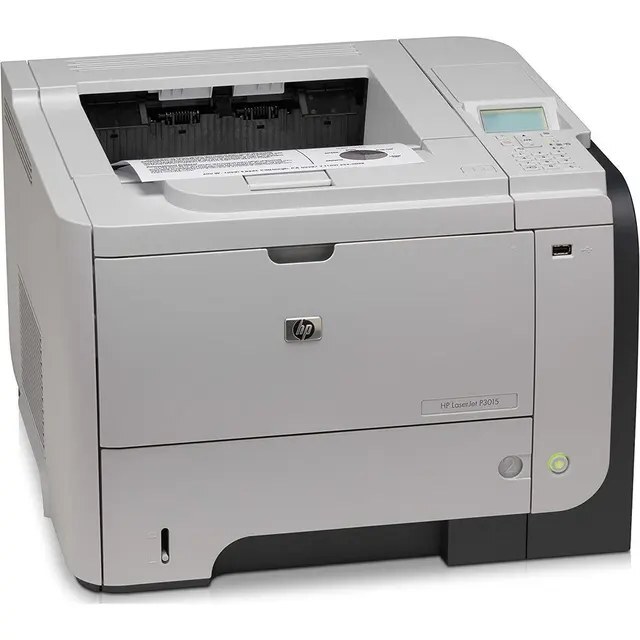
The HP LaserJet P3015X comes from the late-2000s, when a mono single-function printer was judged on uptime — and the LaserJet P3015X judged well. Where the LaserJet P3015X earns its keep is everyday office document printing — steady, legible pages day after day.
The LaserJet P3015X shares its HP 55A/55X cartridges — including the CE255A — with 39 other HP models, keeping replacement options plentiful. Stock up on HP 55A/55X cartridges for the LaserJet P3015X: genuine OEM CE255A for the purists, compatible versions for everyday savings. Step up from the standard cartridge and the LaserJet P3015X offers two longer-running choices: the high-yield CE255X and, above it, the maximum-capacity CE255XJ.
Toner Cartridges for LaserJet P3015X
This printer works with the following toner cartridges:
- HP CE255A
- HP CE255X
More HP Printers
- LaserJet 500 MFP M525f
- LaserJet Enterprise 500 M525
- LaserJet Enterprise 500 M525DN
- LaserJet Enterprise 500 M525F
- LaserJet Enterprise 500 MFP M525
- LaserJet Enterprise 500 MFP M525DN
- LaserJet Enterprise 500 MFP M525F
- LaserJet Enterprise flow MFP M525C
- LaserJet Enterprise P3010
- LaserJet Enterprise P3011
- LaserJet Enterprise P3015
- LaserJet Enterprise P3015D
- LaserJet Enterprise P3015dn
- LaserJet Enterprise P3015N
- LaserJet Enterprise P3015X
- LaserJet Enterprise P3016
- LaserJet flow MFP M525c
- LaserJet M521
- LaserJet M521DN
- LaserJet M521dn MFP
- LaserJet M521DW
- LaserJet M521dx
- LaserJet M521DZ
- LaserJet M525
- LaserJet M525C
- LaserJet M525DN
- LaserJet M525F
- LaserJet MFP M521dw
- LaserJet P3010
- LaserJet P3011
- LaserJet P3015
- LaserJet P3015D
- LaserJet P3015DN
- LaserJet P3015N
- LaserJet P3016
- LaserJet Pro M521
- LaserJet Pro M521DN
- LaserJet Pro M521DX
- LaserJet Pro M521DZ
Frequently Asked Questions
Is there a high-yield option for the LaserJet P3015X?
Yes — the LaserJet P3015X takes the standard CE255A and the high-yield CE255X. Both slot in the same way; the CE255X simply carries more toner, making it the pick for heavy printing on the LaserJet P3015X.
Paper is stuck deep inside the LaserJet P3015X — how do I get it out?
Switch the LaserJet P3015X off, open the rear door and the toner compartment, and pull the sheet gently along the paper path so it doesn't tear. Remove every fragment you can find, then close everything up and print a test page before resuming.
How do I replace the toner cartridge in the LaserJet P3015X?
Open the toner-access door on the LaserJet P3015X, pull the spent cartridge out by its handle, and slide the new CE255A or CE255X straight in until it clicks. The LaserJet P3015X recognizes the new cartridge automatically — print a test page to confirm clean output.