




LaserJet Pro M521
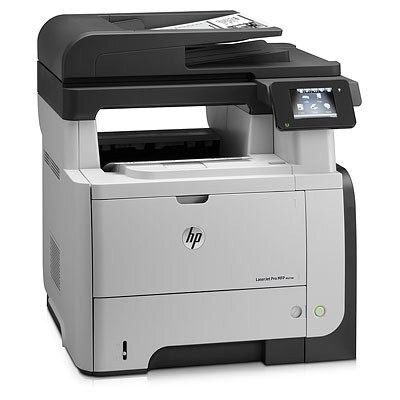
HP introduced the LaserJet Pro M521 in the late-2000s as a mono single-function printer for everyday office document printing, and plenty of them are still on the job. If your workload is everyday office document printing, the LaserJet Pro M521 is the kind of printer that just keeps showing up.
The LaserJet Pro M521 uses HP 55A/55X cartridges, anchored by the CE255A — one of the most widely stocked HP cartridges of its generation. For the LaserJet Pro M521, we carry genuine HP CE255A cartridges alongside compatible HP 55A/55X options that cost less to run. The LaserJet Pro M521 steps up through the high-yield CE255X to the maximum-capacity CE255XJ, the two longer-life members of the 55 family.
Toner Cartridges for LaserJet Pro M521
This printer works with the following toner cartridges:
- HP CE255A
- HP CE255X
More HP Printers
- LaserJet 500 MFP M525f
- LaserJet Enterprise 500 M525
- LaserJet Enterprise 500 M525DN
- LaserJet Enterprise 500 M525F
- LaserJet Enterprise 500 MFP M525
- LaserJet Enterprise 500 MFP M525DN
- LaserJet Enterprise 500 MFP M525F
- LaserJet Enterprise flow MFP M525C
- LaserJet Enterprise P3010
- LaserJet Enterprise P3011
- LaserJet Enterprise P3015
- LaserJet Enterprise P3015D
- LaserJet Enterprise P3015dn
- LaserJet Enterprise P3015N
- LaserJet Enterprise P3015X
- LaserJet Enterprise P3016
- LaserJet flow MFP M525c
- LaserJet M521
- LaserJet M521DN
- LaserJet M521dn MFP
- LaserJet M521DW
- LaserJet M521dx
- LaserJet M521DZ
- LaserJet M525
- LaserJet M525C
- LaserJet M525DN
- LaserJet M525F
- LaserJet MFP M521dw
- LaserJet P3010
- LaserJet P3011
- LaserJet P3015
- LaserJet P3015D
- LaserJet P3015DN
- LaserJet P3015N
- LaserJet P3015X
- LaserJet P3016
- LaserJet Pro M521DN
- LaserJet Pro M521DX
- LaserJet Pro M521DZ
Frequently Asked Questions
Where do I find the toner code for the LaserJet Pro M521 before ordering?
Pull the installed cartridge and read the code printed on its side — the LaserJet Pro M521 takes the CE255A or the high-yield CE255X. Ordering by that exact code for the LaserJet Pro M521 is the simplest way to avoid a mismatch.
Why is my LaserJet Pro M521 printing blank pages?
Blank pages from the LaserJet Pro M521 usually mean the cartridge is empty or the protective seal was never removed from a new one. Check the supply level, and if you just installed a cartridge in the LaserJet Pro M521, remove it and pull the sealing tape completely.
Should I buy genuine or compatible toner for the LaserJet Pro M521?
Both work in the LaserJet Pro M521: genuine cartridges come from HP, while compatible cartridges are third-party versions built for the same printer. Many LaserJet Pro M521 owners choose based on budget and print volume without issue.