




LaserJet Enterprise P3015dn
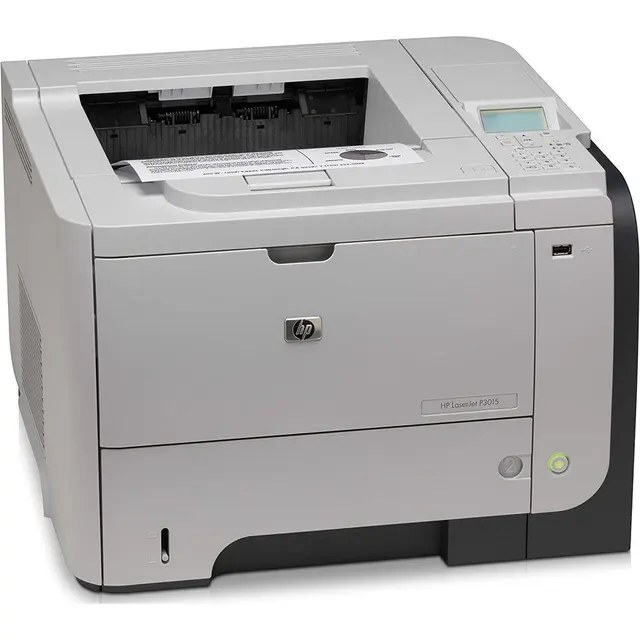
The LaserJet Enterprise P3015dn is a late-2000s mono single-function printer; offices chose it for everyday office document printing, and many never found a reason to replace it. Ask around about the LaserJet Enterprise P3015dn and you'll hear the same story: years of everyday office document printing with minimal fuss. The DN suffix on the LaserJet Enterprise P3015dn means duplex printing and networking come standard — two-sided output on a shared office printer.
HP built the LaserJet Enterprise P3015dn around the HP 55A/55X cartridge family, so the CE255A you need is the same one 39 sibling models use. Pair the LaserJet Enterprise P3015dn with genuine OEM CE255A cartridges for maximum peace of mind, or stretch your budget with compatible HP 55A/55X cartridges that print just as sharp. Two extended options serve the LaserJet Enterprise P3015dn: the high-yield CE255X for busy weeks and the maximum-capacity CE255XJ for nonstop queues.
Toner Cartridges for LaserJet Enterprise P3015dn
This printer works with the following toner cartridges:
- HP CE255A
- HP CE255X
More HP Printers
- LaserJet 500 MFP M525f
- LaserJet Enterprise 500 M525
- LaserJet Enterprise 500 M525DN
- LaserJet Enterprise 500 M525F
- LaserJet Enterprise 500 MFP M525
- LaserJet Enterprise 500 MFP M525DN
- LaserJet Enterprise 500 MFP M525F
- LaserJet Enterprise flow MFP M525C
- LaserJet Enterprise P3010
- LaserJet Enterprise P3011
- LaserJet Enterprise P3015
- LaserJet Enterprise P3015D
- LaserJet Enterprise P3015N
- LaserJet Enterprise P3015X
- LaserJet Enterprise P3016
- LaserJet flow MFP M525c
- LaserJet M521
- LaserJet M521DN
- LaserJet M521dn MFP
- LaserJet M521DW
- LaserJet M521dx
- LaserJet M521DZ
- LaserJet M525
- LaserJet M525C
- LaserJet M525DN
- LaserJet M525F
- LaserJet MFP M521dw
- LaserJet P3010
- LaserJet P3011
- LaserJet P3015
- LaserJet P3015D
- LaserJet P3015DN
- LaserJet P3015N
- LaserJet P3015X
- LaserJet P3016
- LaserJet Pro M521
- LaserJet Pro M521DN
- LaserJet Pro M521DX
- LaserJet Pro M521DZ
Frequently Asked Questions
Which toner cartridge does the LaserJet Enterprise P3015dn use?
The LaserJet Enterprise P3015dn uses the CE255A (standard yield) or the CE255X (high-yield) toner cartridge. Confirm the code printed on your current cartridge matches before ordering a replacement.
Can the LaserJet Enterprise P3015dn print on both sides of the page automatically?
Yes — the LaserJet Enterprise P3015dn includes automatic duplexing, so you can print double-sided without flipping pages by hand. Select two-sided printing in the LaserJet Enterprise P3015dn's print dialog to cut paper use in half.
Can the LaserJet Enterprise P3015dn be shared on an office network?
Yes — the LaserJet Enterprise P3015dn has Ethernet connectivity, so plug it into your network and install the driver on each workstation. Every computer can then send jobs directly to the LaserJet Enterprise P3015dn.