




LaserJet M521DW
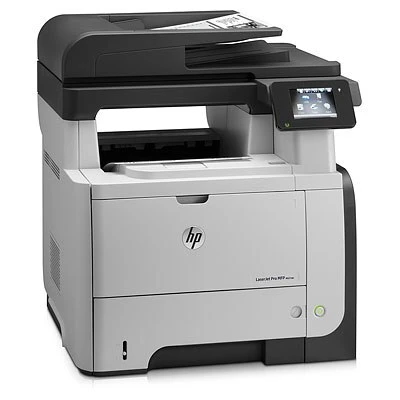
No Ethernet cable, no single-sided waste: the LaserJet M521DW is the M521 gone wireless, with Wi-Fi plus automatic duplex for the late-2000s office that wanted a mono printer anywhere in the room. Drop it on a side table, connect over Wi-Fi, and print double-sided by default.
It takes the same HP 55A/55X cartridges as the rest of the M521 line — the CE255A or the high-yield CE255X. Wireless convenience up front, familiar toner economics behind it. Wireless workgroups that print heavily can load the maximum-capacity CE255XJ in the LaserJet M521DW and change toner less often than with the 55X.
Toner Cartridges for LaserJet M521DW
This printer works with the following toner cartridges:
- HP CE255A
- HP CE255X
More HP Printers
- LaserJet 500 MFP M525f
- LaserJet Enterprise 500 M525
- LaserJet Enterprise 500 M525DN
- LaserJet Enterprise 500 M525F
- LaserJet Enterprise 500 MFP M525
- LaserJet Enterprise 500 MFP M525DN
- LaserJet Enterprise 500 MFP M525F
- LaserJet Enterprise flow MFP M525C
- LaserJet Enterprise P3010
- LaserJet Enterprise P3011
- LaserJet Enterprise P3015
- LaserJet Enterprise P3015D
- LaserJet Enterprise P3015dn
- LaserJet Enterprise P3015N
- LaserJet Enterprise P3015X
- LaserJet Enterprise P3016
- LaserJet flow MFP M525c
- LaserJet M521
- LaserJet M521DN
- LaserJet M521dn MFP
- LaserJet M521dx
- LaserJet M521DZ
- LaserJet M525
- LaserJet M525C
- LaserJet M525DN
- LaserJet M525F
- LaserJet MFP M521dw
- LaserJet P3010
- LaserJet P3011
- LaserJet P3015
- LaserJet P3015D
- LaserJet P3015DN
- LaserJet P3015N
- LaserJet P3015X
- LaserJet P3016
- LaserJet Pro M521
- LaserJet Pro M521DN
- LaserJet Pro M521DX
- LaserJet Pro M521DZ
Frequently Asked Questions
Which toner cartridge does the LaserJet M521DW use?
The LaserJet M521DW uses the CE255A (standard yield) or the CE255X (high-yield) toner cartridge. Confirm the code printed on your current cartridge matches before ordering a replacement.
Can the LaserJet M521DW print on both sides of the page automatically?
Yes — the LaserJet M521DW includes automatic duplexing, so you can print double-sided without flipping pages by hand. Select two-sided printing in the LaserJet M521DW's print dialog to cut paper use in half.
How do I set up wireless printing on the LaserJet M521DW?
On the LaserJet M521DW, run the wireless setup wizard from the printer's control panel and choose your Wi-Fi network. Once the LaserJet M521DW is connected, install the driver on your computer and it will appear as an available printer.