




LaserJet Enterprise P3015D
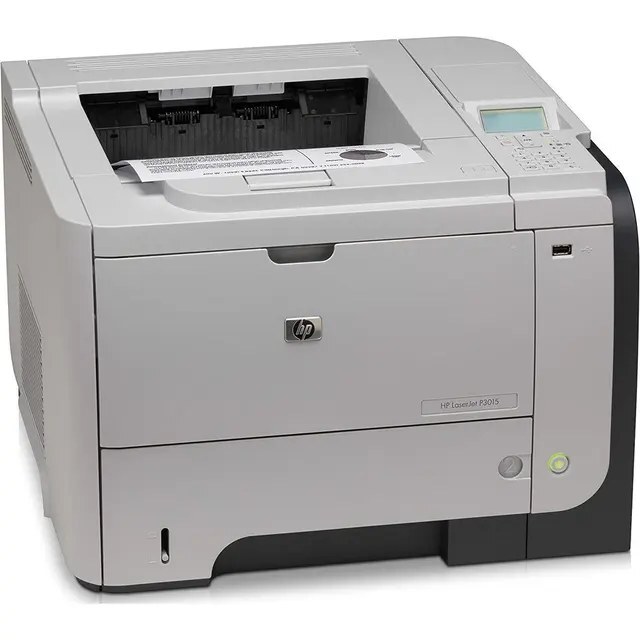
The LaserJet Enterprise P3015D is a late-2000s mono single-function printer; offices chose it for everyday office document printing, and many never found a reason to replace it. Where the LaserJet Enterprise P3015D earns its keep is everyday office document printing — steady, legible pages day after day.
HP built the LaserJet Enterprise P3015D around the HP 55A/55X cartridge family, so the CE255A you need is the same one 39 sibling models use. The LaserJet Enterprise P3015D runs reliably on our compatible HP 55A/55X cartridges as well as on genuine OEM CE255A — pick the one that fits your budget. The LaserJet Enterprise P3015D also accepts the high-yield CE255X, and beyond that the maximum-capacity CE255XJ, the family's longest-life cartridge.
Toner Cartridges for LaserJet Enterprise P3015D
This printer works with the following toner cartridges:
- HP CE255A
- HP CE255X
More HP Printers
- LaserJet 500 MFP M525f
- LaserJet Enterprise 500 M525
- LaserJet Enterprise 500 M525DN
- LaserJet Enterprise 500 M525F
- LaserJet Enterprise 500 MFP M525
- LaserJet Enterprise 500 MFP M525DN
- LaserJet Enterprise 500 MFP M525F
- LaserJet Enterprise flow MFP M525C
- LaserJet Enterprise P3010
- LaserJet Enterprise P3011
- LaserJet Enterprise P3015
- LaserJet Enterprise P3015dn
- LaserJet Enterprise P3015N
- LaserJet Enterprise P3015X
- LaserJet Enterprise P3016
- LaserJet flow MFP M525c
- LaserJet M521
- LaserJet M521DN
- LaserJet M521dn MFP
- LaserJet M521DW
- LaserJet M521dx
- LaserJet M521DZ
- LaserJet M525
- LaserJet M525C
- LaserJet M525DN
- LaserJet M525F
- LaserJet MFP M521dw
- LaserJet P3010
- LaserJet P3011
- LaserJet P3015
- LaserJet P3015D
- LaserJet P3015DN
- LaserJet P3015N
- LaserJet P3015X
- LaserJet P3016
- LaserJet Pro M521
- LaserJet Pro M521DN
- LaserJet Pro M521DX
- LaserJet Pro M521DZ
Frequently Asked Questions
Which toner cartridge does the LaserJet Enterprise P3015D use?
The LaserJet Enterprise P3015D uses the CE255A (standard yield) or the CE255X (high-yield) toner cartridge. Confirm the code printed on your current cartridge matches before ordering a replacement.
What should I do if paper jams in the LaserJet Enterprise P3015D?
Turn off the LaserJet Enterprise P3015D, open the rear access door and the toner compartment, and pull the jammed sheet gently in the direction of the paper path. Remove any torn fragments from the LaserJet Enterprise P3015D, close everything, and resume printing.
How should I store a spare toner cartridge for the LaserJet Enterprise P3015D?
Store the spare for your LaserJet Enterprise P3015D in its sealed packaging, upright in a cool, dry place away from direct light. Keep the seal intact until you install it in the LaserJet Enterprise P3015D so the toner stays fresh.