




LaserJet M521dx
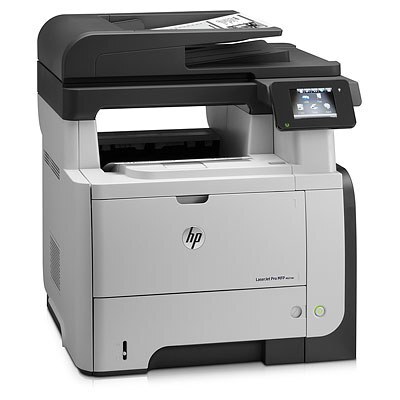
The HP LaserJet M521dx is exactly what its late-2000s badge suggests: a mono single-function printer made for everyday office document printing. What keeps the LaserJet M521dx relevant is everyday office document printing: unglamorous, essential, and exactly what offices need.
One practical upside of the LaserJet M521dx: its HP 55A/55X cartridges (CE255A) are shared with 39 other models, so you're never hunting for something obscure. We stock both quality-compatible HP 55A/55X cartridges and genuine OEM CE255A supplies for the LaserJet M521dx, so you can match your budget to your print volume.
Toner Cartridges for LaserJet M521dx
This printer works with the following toner cartridges:
- HP CE255A
- HP CE255X
More HP Printers
- LaserJet 500 MFP M525f
- LaserJet Enterprise 500 M525
- LaserJet Enterprise 500 M525DN
- LaserJet Enterprise 500 M525F
- LaserJet Enterprise 500 MFP M525
- LaserJet Enterprise 500 MFP M525DN
- LaserJet Enterprise 500 MFP M525F
- LaserJet Enterprise flow MFP M525C
- LaserJet Enterprise P3010
- LaserJet Enterprise P3011
- LaserJet Enterprise P3015
- LaserJet Enterprise P3015D
- LaserJet Enterprise P3015dn
- LaserJet Enterprise P3015N
- LaserJet Enterprise P3015X
- LaserJet Enterprise P3016
- LaserJet flow MFP M525c
- LaserJet M521
- LaserJet M521DN
- LaserJet M521dn MFP
- LaserJet M521DW
- LaserJet M521DZ
- LaserJet M525
- LaserJet M525C
- LaserJet M525DN
- LaserJet M525F
- LaserJet MFP M521dw
- LaserJet P3010
- LaserJet P3011
- LaserJet P3015
- LaserJet P3015D
- LaserJet P3015DN
- LaserJet P3015N
- LaserJet P3015X
- LaserJet P3016
- LaserJet Pro M521
- LaserJet Pro M521DN
- LaserJet Pro M521DX
- LaserJet Pro M521DZ
Frequently Asked Questions
Which toner cartridge does the LaserJet M521dx use?
The LaserJet M521dx uses the CE255A (standard yield) or the CE255X (high-yield) toner cartridge. Confirm the code printed on your current cartridge matches before ordering a replacement.
What should I do if paper jams in the LaserJet M521dx?
Turn off the LaserJet M521dx, open the rear access door and the toner compartment, and pull the jammed sheet gently in the direction of the paper path. Remove any torn fragments from the LaserJet M521dx, close everything, and resume printing.
How do I wake the LaserJet M521dx from sleep mode?
Press any button on the LaserJet M521dx's control panel or send a print job — the LaserJet M521dx wakes automatically. If the LaserJet M521dx stays unresponsive, check that it is plugged in and the power switch is on.