




LaserJet Pro M521DN
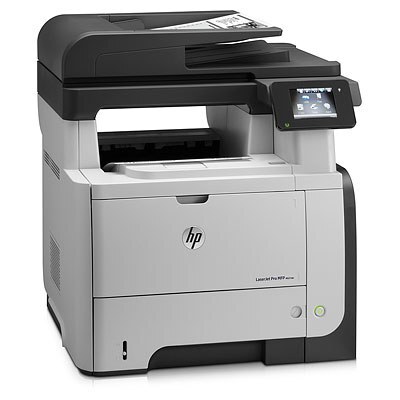
Under HP's Pro branding, the LaserJet Pro M521DN brings the M521 platform to wired workgroups: Ethernet networking and automatic duplex for shared late-2000s mono printing. The printer the IT closet deploys when a whole department needs one reliable black-and-white queue.
It runs on HP 55A/55X cartridges — CE255A for lighter shared loads, CE255X high-yield when the queue never empties. Pro badge aside, the toner is the same workhorse 55-series line.
Toner Cartridges for LaserJet Pro M521DN
This printer works with the following toner cartridges:
- HP CE255A
- HP CE255X
More HP Printers
- LaserJet 500 MFP M525f
- LaserJet Enterprise 500 M525
- LaserJet Enterprise 500 M525DN
- LaserJet Enterprise 500 M525F
- LaserJet Enterprise 500 MFP M525
- LaserJet Enterprise 500 MFP M525DN
- LaserJet Enterprise 500 MFP M525F
- LaserJet Enterprise flow MFP M525C
- LaserJet Enterprise P3010
- LaserJet Enterprise P3011
- LaserJet Enterprise P3015
- LaserJet Enterprise P3015D
- LaserJet Enterprise P3015dn
- LaserJet Enterprise P3015N
- LaserJet Enterprise P3015X
- LaserJet Enterprise P3016
- LaserJet flow MFP M525c
- LaserJet M521
- LaserJet M521DN
- LaserJet M521dn MFP
- LaserJet M521DW
- LaserJet M521dx
- LaserJet M521DZ
- LaserJet M525
- LaserJet M525C
- LaserJet M525DN
- LaserJet M525F
- LaserJet MFP M521dw
- LaserJet P3010
- LaserJet P3011
- LaserJet P3015
- LaserJet P3015D
- LaserJet P3015DN
- LaserJet P3015N
- LaserJet P3015X
- LaserJet P3016
- LaserJet Pro M521
- LaserJet Pro M521DX
- LaserJet Pro M521DZ
Frequently Asked Questions
Where do I find the cartridge code for the LaserJet Pro M521DN before I order toner?
Read the code on the cartridge already installed in the LaserJet Pro M521DN, or check the label inside the toner bay — it takes the CE255A or the high-yield CE255X. Buying by that exact code for the LaserJet Pro M521DN avoids ordering a look-alike HP cartridge that won't fit.
Can I keep printing on the LaserJet Pro M521DN after the toner-low warning?
Yes — the warning on the LaserJet Pro M521DN arrives early, so normal jobs can continue on the remaining CE255A or CE255X toner. Order a replacement right away and swap it into the LaserJet Pro M521DN once prints start fading.
How do I install a replacement toner cartridge in the LaserJet Pro M521DN?
Open the toner door on the LaserJet Pro M521DN, slide the spent CE255A or CE255X out by its handle, and set it aside for recycling. Pull the sealing tape from the new cartridge and slide it straight in until it clicks, then close the door on the LaserJet Pro M521DN and print a test page.