




LaserJet P3010
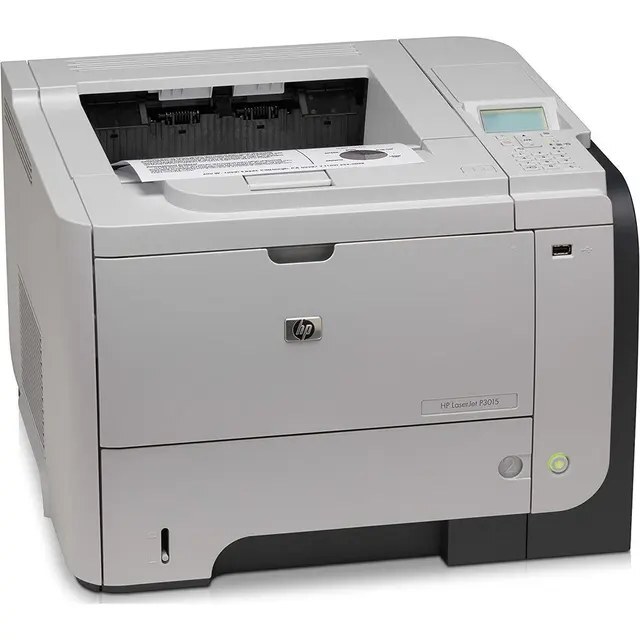
The LaserJet P3010 is late-2000s HP at its most elemental: a monochrome single-function printer for documents, full stop. Offices deployed it as the dependable desk printer — the one nobody thinks about until toner runs low.
That toner is the HP 55A/55X family, CE255A standard or CE255X high-yield. Pick the CE255X if the desk prints in volume; otherwise the standard CE255A keeps costs lean. Climbing one step further, the LaserJet P3010 runs the maximum-capacity CE255XJ, the cartridge for print queues that never really empty.
Toner Cartridges for LaserJet P3010
This printer works with the following toner cartridges:
- HP CE255A
- HP CE255X
More HP Printers
- LaserJet 500 MFP M525f
- LaserJet Enterprise 500 M525
- LaserJet Enterprise 500 M525DN
- LaserJet Enterprise 500 M525F
- LaserJet Enterprise 500 MFP M525
- LaserJet Enterprise 500 MFP M525DN
- LaserJet Enterprise 500 MFP M525F
- LaserJet Enterprise flow MFP M525C
- LaserJet Enterprise P3010
- LaserJet Enterprise P3011
- LaserJet Enterprise P3015
- LaserJet Enterprise P3015D
- LaserJet Enterprise P3015dn
- LaserJet Enterprise P3015N
- LaserJet Enterprise P3015X
- LaserJet Enterprise P3016
- LaserJet flow MFP M525c
- LaserJet M521
- LaserJet M521DN
- LaserJet M521dn MFP
- LaserJet M521DW
- LaserJet M521dx
- LaserJet M521DZ
- LaserJet M525
- LaserJet M525C
- LaserJet M525DN
- LaserJet M525F
- LaserJet MFP M521dw
- LaserJet P3011
- LaserJet P3015
- LaserJet P3015D
- LaserJet P3015DN
- LaserJet P3015N
- LaserJet P3015X
- LaserJet P3016
- LaserJet Pro M521
- LaserJet Pro M521DN
- LaserJet Pro M521DX
- LaserJet Pro M521DZ
Frequently Asked Questions
Where can I still buy toner for the LaserJet P3010?
The CE255A and CE255X for the LaserJet P3010 remain widely stocked by office suppliers and online cartridge stores, including compatible options. Match the CE255A or CE255X code on the box to your LaserJet P3010 before ordering.
What is the difference between the CE255A and CE255X cartridges for the LaserJet P3010?
Both cartridges fit the LaserJet P3010 identically; the CE255X is the high-yield version of the CE255A and contains more toner. For a LaserJet P3010 that prints heavily, the CE255X means fewer cartridge changes.
How do I wake the LaserJet P3010 from sleep mode?
Press any button on the LaserJet P3010's control panel or send a print job — the LaserJet P3010 wakes automatically. If the LaserJet P3010 stays unresponsive, check that it is plugged in and the power switch is on.