




LaserJet MFP M521dw
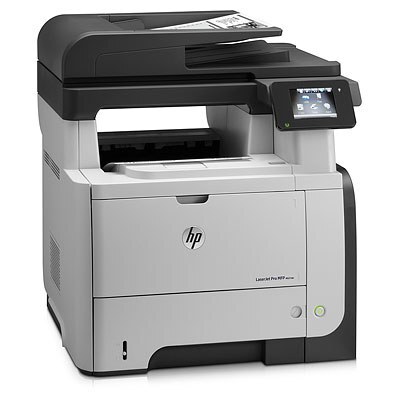
The HP LaserJet MFP M521dw is exactly what its late-2000s badge suggests: a mono multifunction printer made for everyday office document printing. The LaserJet MFP M521dw doesn't try to be everything; it focuses on everyday office document printing, which explains its loyal installed base.
The LaserJet MFP M521dw's cartridge story is refreshingly simple: the HP 55A/55X family, starting with the CE255A, shared across 39 models. The LaserJet MFP M521dw runs reliably on our compatible HP 55A/55X cartridges as well as on genuine OEM CE255A — pick the one that fits your budget.
Toner Cartridges for LaserJet MFP M521dw
This printer works with the following toner cartridges:
- HP CE255A
- HP CE255X
More HP Printers
- LaserJet 500 MFP M525f
- LaserJet Enterprise 500 M525
- LaserJet Enterprise 500 M525DN
- LaserJet Enterprise 500 M525F
- LaserJet Enterprise 500 MFP M525
- LaserJet Enterprise 500 MFP M525DN
- LaserJet Enterprise 500 MFP M525F
- LaserJet Enterprise flow MFP M525C
- LaserJet Enterprise P3010
- LaserJet Enterprise P3011
- LaserJet Enterprise P3015
- LaserJet Enterprise P3015D
- LaserJet Enterprise P3015dn
- LaserJet Enterprise P3015N
- LaserJet Enterprise P3015X
- LaserJet Enterprise P3016
- LaserJet flow MFP M525c
- LaserJet M521
- LaserJet M521DN
- LaserJet M521dn MFP
- LaserJet M521DW
- LaserJet M521dx
- LaserJet M521DZ
- LaserJet M525
- LaserJet M525C
- LaserJet M525DN
- LaserJet M525F
- LaserJet P3010
- LaserJet P3011
- LaserJet P3015
- LaserJet P3015D
- LaserJet P3015DN
- LaserJet P3015N
- LaserJet P3015X
- LaserJet P3016
- LaserJet Pro M521
- LaserJet Pro M521DN
- LaserJet Pro M521DX
- LaserJet Pro M521DZ
Frequently Asked Questions
How do I know which cartridge to reorder for the LaserJet MFP M521dw?
Check the code on the spent cartridge — the LaserJet MFP M521dw takes the CE255A standard or the CE255X high-yield cartridge. Order that exact number and the replacement drops straight into the LaserJet MFP M521dw.
Why isn't double-sided printing working on the LaserJet MFP M521dw?
First pick the two-sided option in your print dialog when sending the job to the LaserJet MFP M521dw. If the option is missing, reinstall the full HP driver and check that duplexing is enabled in the LaserJet MFP M521dw's printer properties.
Why does the LaserJet MFP M521dw keep dropping its Wi-Fi connection?
Move the LaserJet MFP M521dw closer to the router and restart both devices, then rejoin the network from the printer's wireless setup menu. If drops keep happening on the LaserJet MFP M521dw, check HP's support site for a firmware update.