




LaserJet M521dn MFP
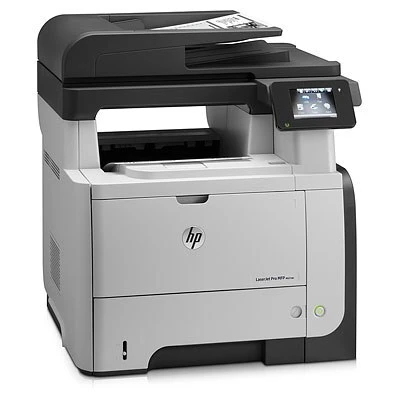
The HP LaserJet M521dn MFP is exactly what its late-2000s badge suggests: a mono multifunction printer made for everyday office document printing. If your workload is everyday office document printing, the LaserJet M521dn MFP is the kind of printer that just keeps showing up.
Cartridge-wise, the LaserJet M521dn MFP belongs to the HP 55A/55X family (CE255A), which means 39 other models use the same supplies. Whether you want the OEM CE255A or a compatible HP 55A/55X cartridge for the LaserJet M521dn MFP, both are made to deliver the crisp output this printer is known for.
Toner Cartridges for LaserJet M521dn MFP
This printer works with the following toner cartridges:
- HP CE255A
- HP CE255X
More HP Printers
- LaserJet 500 MFP M525f
- LaserJet Enterprise 500 M525
- LaserJet Enterprise 500 M525DN
- LaserJet Enterprise 500 M525F
- LaserJet Enterprise 500 MFP M525
- LaserJet Enterprise 500 MFP M525DN
- LaserJet Enterprise 500 MFP M525F
- LaserJet Enterprise flow MFP M525C
- LaserJet Enterprise P3010
- LaserJet Enterprise P3011
- LaserJet Enterprise P3015
- LaserJet Enterprise P3015D
- LaserJet Enterprise P3015dn
- LaserJet Enterprise P3015N
- LaserJet Enterprise P3015X
- LaserJet Enterprise P3016
- LaserJet flow MFP M525c
- LaserJet M521
- LaserJet M521DN
- LaserJet M521DW
- LaserJet M521dx
- LaserJet M521DZ
- LaserJet M525
- LaserJet M525C
- LaserJet M525DN
- LaserJet M525F
- LaserJet MFP M521dw
- LaserJet P3010
- LaserJet P3011
- LaserJet P3015
- LaserJet P3015D
- LaserJet P3015DN
- LaserJet P3015N
- LaserJet P3015X
- LaserJet P3016
- LaserJet Pro M521
- LaserJet Pro M521DN
- LaserJet Pro M521DX
- LaserJet Pro M521DZ
Frequently Asked Questions
Is the LaserJet M521dn MFP a black-and-white or color printer?
It is a monochrome printer — the LaserJet M521dn MFP prints in black only, using the CE255A standard or CE255X high-yield cartridge. There are no color cartridges for the LaserJet M521dn MFP.
Does the LaserJet M521dn MFP do double-sided printing on its own?
Yes — the LaserJet M521dn MFP includes automatic duplexing, so you can print double-sided without flipping pages by hand. Select two-sided printing in the LaserJet M521dn MFP's print dialog to cut paper use in half.
Can I scan documents with the LaserJet M521dn MFP?
Yes — the LaserJet M521dn MFP is a multifunction printer with a built-in scanner, so you can scan to your computer, email, or a USB drive. Use the LaserJet M521dn MFP's scanner glass for single pages and delicate originals.