




LaserJet Enterprise P3015
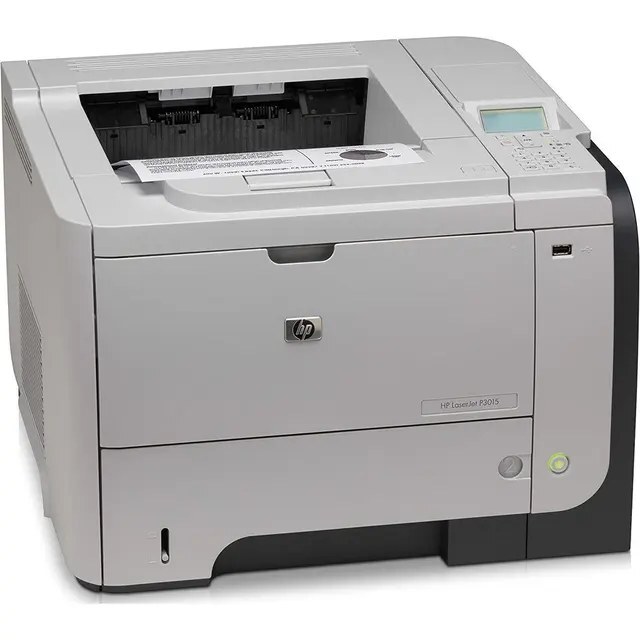
The LaserJet Enterprise P3015 comes from the generation of LaserJets that offices bought by the dozen and ran for a decade, and its cartridge is one of the most widely stocked HP ever made: the HP 55A, ordered as CE255A. Longer service comes in two stages above it — first the high-yield HP 55X cartridge, CE255X, then the maximum-capacity CE255XJ for the heaviest loads a single-function mono printer can be given.
Fleet logic shaped everything about this model's working life. A dozen identical printers on a floor means one cartridge code to stock, one spare shelf to manage, and no training curve when staff rotate. That is the context the supply list below serves: deep multi-packs of the standard cartridge for the stockroom, high-yield options for the busiest stations, and a maximum-capacity tier for the machine beside the department that never stops printing.
Toner Cartridges for LaserJet Enterprise P3015
| Cartridge | Color | Page Yield |
|---|---|---|
| CE255XJ 9 Pack | Black, maximum capacity | See product page |
| CE255XJ 4 Pack | Black, maximum capacity | See product page |
| CE255XJ | Black, maximum capacity | See product page |
| CE255X MICR | Black, high yield (MICR) | See product page |
| CE255X 5 Pack | Black, high yield | See product page |
| CE255X 3 Pack | Black, high yield | See product page |
| CE255X 2 Pack | Black, high yield | See product page |
| CE255X | Black, high yield | See product page |
| CE255A Premium Quality 5 Pack | Black | See product page |
| CE255A MICR | Black (MICR) | See product page |
| CE255A 10 Pack | Black | See product page |
| CE255A 5 Pack | Black | See product page |
| CE255A 3 Pack | Black | See product page |
| CE255A 2 Pack | Black | See product page |
| CE255A | Black | See product page |
Read the shelf by tier: standard cartridges from a single up to a 10 pack, the high-yield line in a single and packs, the maximum-capacity cartridge in a single, 4 pack and 9 pack, MICR builds for check work, and a Premium Quality 5 Pack.
Which cartridge should you buy?
Individual buyers and fleet buyers shop this page differently, and both are served. At a single desk, the standard cartridge or its high-yield sibling is the whole decision — pick by how many pages a month the printer sees, knowing the larger fill lowers cost per page and halves the swap frequency. Across a fleet, the packs do the economic work: the 5 and 10 packs of the standard cartridge, and the 4 and 9 packs of the maximum-capacity HP 55XJ tier, convert toner into a stockroom line item bought in bulk and drawn down as machines call for it. The maximum-capacity cartridge itself belongs on the highest-volume stations, where change frequency is the cost that matters. Every listing here fits every printer on this page's family list, so fleet stock never fragments by model.
Chip, toner and everyday use
On a decade-old workhorse, cartridge changes are the main point of contact, so make them count. Seat each new cartridge firmly and let the printer read its chip before sending work; a cartridge that is not fully home is the first suspect when output misbehaves. A grinding noise on startup, for instance, usually traces to a cartridge sitting slightly off its seat or to tired pickup rollers — reseat before you replace. Sleep mode is the machine's normal resting state, not a fault: it wakes on a button press or an arriving job. And keep the stockroom rule simple — spares stored sealed, cool and upright, oldest stock installed first.
Frequently Asked Questions
Which toner cartridge does the LaserJet Enterprise P3015 use?
The CE255A standard cartridge, its high-yield counterpart CE255X, or the maximum-capacity cartridge — one family, three fills, a single shared fit. Match the code on your empty cartridge, then choose the fill your volume warrants.
How do I wake the P3015 from sleep mode?
Press any control-panel button or simply send a print job; the machine wakes on its own. If it stays unresponsive, check the obvious before the technical — power connected and the switch on — because a sleeping P3015 and an unplugged one look identical from across the room.
Why does the printer grind when it starts a job?
Most often a cartridge that is not seated squarely, or pickup rollers worn smooth by years of service. Lift the CE255A out, reseat it firmly, and listen again; if the grinding persists with a correctly seated cartridge, the rollers are the next thing to have cleaned or replaced.
More printers that use the same cartridges
HP CE255A, LaserJet 500 MFP M525dn, LaserJet 500 MFP M525f, LaserJet Enterprise 500 M525, LaserJet Enterprise 500 M525DN, LaserJet Enterprise 500 M525F, LaserJet Enterprise 500 MFP M525, LaserJet Enterprise 500 MFP M525DN, LaserJet Enterprise 500 MFP M525F, LaserJet Enterprise P3010, LaserJet Enterprise P3011, LaserJet Enterprise P3015D, LaserJet Enterprise P3015N, LaserJet Enterprise P3015X, LaserJet Enterprise P3015dn, LaserJet Enterprise P3016, LaserJet Enterprise flow MFP M525C, LaserJet M521, LaserJet M521DN, LaserJet M521DW, LaserJet M521DZ. The multifunction side of the family continues below: LaserJet M521dn MFP, LaserJet M521dx, LaserJet M525, LaserJet M525C, LaserJet M525DN, LaserJet M525F, LaserJet MFP M521dw, LaserJet P3010, LaserJet P3011, LaserJet P3015, LaserJet P3015D, LaserJet P3015DN, LaserJet P3015N, LaserJet P3015X, LaserJet P3016, LaserJet Pro M521, LaserJet Pro M521DN, LaserJet Pro M521DX, LaserJet Pro M521DZ, LaserJet flow MFP M525c.