




LaserJet M521DZ
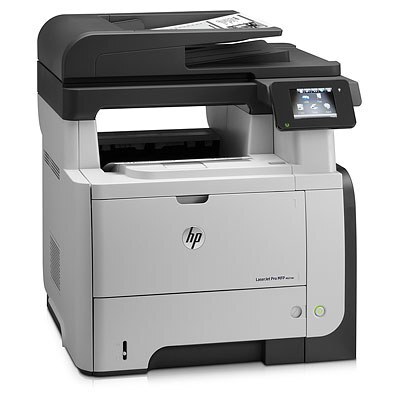
The Z in the LaserJet M521DZ marks the top-configured M521: late-2000s mono printing with automatic duplex in HP's higher-spec trim. For offices that wanted the M521 platform with every hardware option ticked at purchase, this was the one.
Cartridges stay familiar — the HP 55A/55X family, CE255A standard or CE255X high-yield. The upgraded chassis doesn't change the toner equation: one black cartridge, widely stocked. A maximum-capacity alternative completes the set: the CE255XJ, made for LaserJet M521DZ printers whose 55X cartridges turn over quickly.
Toner Cartridges for LaserJet M521DZ
This printer works with the following toner cartridges:
- HP CE255A
- HP CE255X
More HP Printers
- LaserJet 500 MFP M525f
- LaserJet Enterprise 500 M525
- LaserJet Enterprise 500 M525DN
- LaserJet Enterprise 500 M525F
- LaserJet Enterprise 500 MFP M525
- LaserJet Enterprise 500 MFP M525DN
- LaserJet Enterprise 500 MFP M525F
- LaserJet Enterprise flow MFP M525C
- LaserJet Enterprise P3010
- LaserJet Enterprise P3011
- LaserJet Enterprise P3015
- LaserJet Enterprise P3015D
- LaserJet Enterprise P3015dn
- LaserJet Enterprise P3015N
- LaserJet Enterprise P3015X
- LaserJet Enterprise P3016
- LaserJet flow MFP M525c
- LaserJet M521
- LaserJet M521DN
- LaserJet M521dn MFP
- LaserJet M521DW
- LaserJet M521dx
- LaserJet M525
- LaserJet M525C
- LaserJet M525DN
- LaserJet M525F
- LaserJet MFP M521dw
- LaserJet P3010
- LaserJet P3011
- LaserJet P3015
- LaserJet P3015D
- LaserJet P3015DN
- LaserJet P3015N
- LaserJet P3015X
- LaserJet P3016
- LaserJet Pro M521
- LaserJet Pro M521DN
- LaserJet Pro M521DX
- LaserJet Pro M521DZ
Frequently Asked Questions
Which toner cartridge does the LaserJet M521DZ use?
The LaserJet M521DZ uses the CE255A (standard yield) or the CE255X (high-yield) toner cartridge. Confirm the code printed on your current cartridge matches before ordering a replacement.
How can I lower the cost per page on the LaserJet M521DZ?
Using the high-yield CE255X in the LaserJet M521DZ instead of the standard CE255A brings the per-page cost down for heavy printing. Draft mode for internal documents stretches each cartridge further on the LaserJet M521DZ.
What should I do if paper jams in the LaserJet M521DZ?
Turn off the LaserJet M521DZ, open the rear access door and the toner compartment, and pull the jammed sheet gently in the direction of the paper path. Remove any torn fragments from the LaserJet M521DZ, close everything, and resume printing.