




LaserJet P3015DN
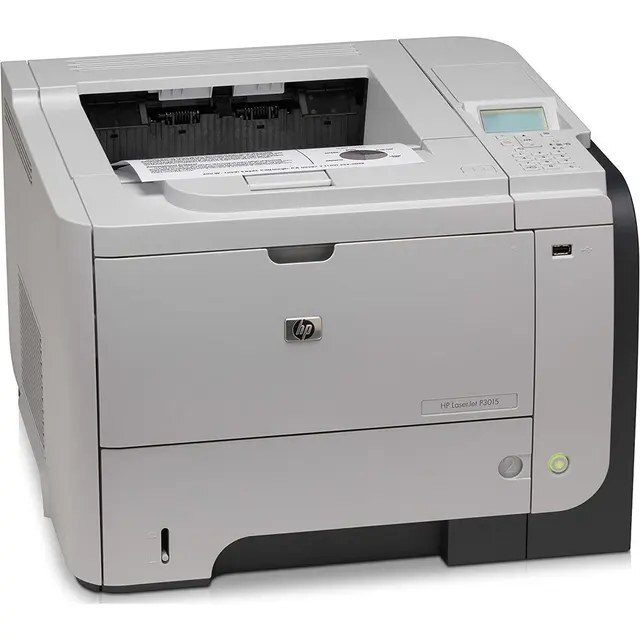
For anyone running a LaserJet P3015DN, the appeal is clear: a late-2000s mono single-function printer with none of the fragility of newer machines. So many LaserJet P3015DN units are still in service because everyday office document printing is exactly what this printer was designed for. The DN suffix on the LaserJet P3015DN means duplex printing and networking come standard — two-sided output on a shared office printer.
The LaserJet P3015DN uses HP 55A/55X cartridges, anchored by the CE255A — one of the most widely stocked HP cartridges of its generation. For the LaserJet P3015DN, the high-yield CE255X stretches the interval between cartridge swaps; the standard CE255A suits lighter everyday office document printing.
Toner Cartridges for LaserJet P3015DN
This printer works with the following toner cartridges:
- HP CE255A
- HP CE255X
More HP Printers
- LaserJet 500 MFP M525f
- LaserJet Enterprise 500 M525
- LaserJet Enterprise 500 M525DN
- LaserJet Enterprise 500 M525F
- LaserJet Enterprise 500 MFP M525
- LaserJet Enterprise 500 MFP M525DN
- LaserJet Enterprise 500 MFP M525F
- LaserJet Enterprise flow MFP M525C
- LaserJet Enterprise P3010
- LaserJet Enterprise P3011
- LaserJet Enterprise P3015
- LaserJet Enterprise P3015D
- LaserJet Enterprise P3015dn
- LaserJet Enterprise P3015N
- LaserJet Enterprise P3015X
- LaserJet Enterprise P3016
- LaserJet flow MFP M525c
- LaserJet M521
- LaserJet M521DN
- LaserJet M521dn MFP
- LaserJet M521DW
- LaserJet M521dx
- LaserJet M521DZ
- LaserJet M525
- LaserJet M525C
- LaserJet M525DN
- LaserJet M525F
- LaserJet MFP M521dw
- LaserJet P3010
- LaserJet P3011
- LaserJet P3015
- LaserJet P3015D
- LaserJet P3015N
- LaserJet P3015X
- LaserJet P3016
- LaserJet Pro M521
- LaserJet Pro M521DN
- LaserJet Pro M521DX
- LaserJet Pro M521DZ
Frequently Asked Questions
Which cartridge family does the LaserJet P3015DN belong to?
The LaserJet P3015DN runs on HP 55 cartridges: CE255A (standard) or CE255X (high-yield). Match one of those exact codes — anything outside the CE255 family won't be recognized by the LaserJet P3015DN.
Do I have to flip pages by hand for double-sided printing on the LaserJet P3015DN?
No — the LaserJet P3015DN has a built-in duplexer, so select two-sided in your print dialog and the printer flips each sheet itself. The ‘DN’ in the model name is your reminder: duplex plus network.
My LaserJet P3015DN stopped appearing for other computers — what fixes it?
Print a configuration page from the LaserJet P3015DN to confirm it still has an IP address, then check the Ethernet cable and link light. If the address changed, re-run the driver installer on each workstation so it rediscovers the LaserJet P3015DN.