




LaserJet P3015D
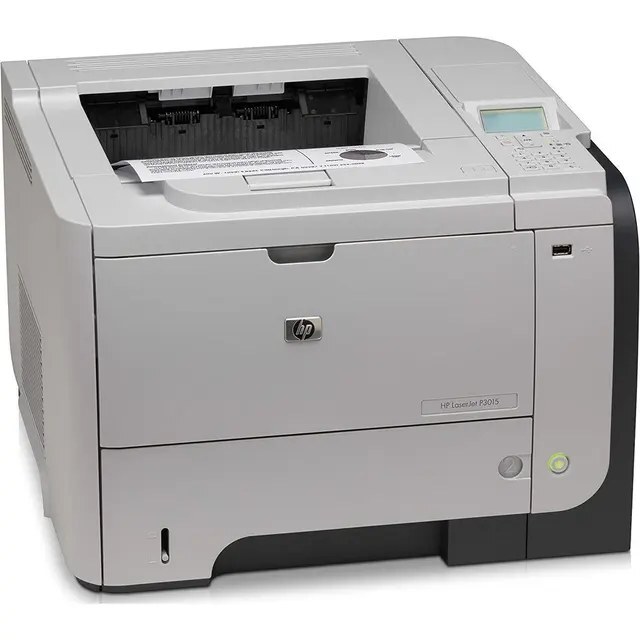
As a late-2000s mono single-function printer, the LaserJet P3015D earned its reputation the slow way — page after page of clean, reliable output. Offices that still run a LaserJet P3015D usually do so for one reason: it keeps handling everyday office document printing without complaint.
HP built the LaserJet P3015D around the HP 55A/55X cartridge family, so the CE255A you need is the same one 39 sibling models use. Heavier users of the LaserJet P3015D can step up to the high-yield CE255X, while the standard CE255A covers lighter everyday office document printing. Beyond the high-yield 55X, the LaserJet P3015D accepts the maximum-capacity CE255XJ — the longest-service option in the 55 series.
Toner Cartridges for LaserJet P3015D
This printer works with the following toner cartridges:
- HP CE255A
- HP CE255X
More HP Printers
- LaserJet 500 MFP M525f
- LaserJet Enterprise 500 M525
- LaserJet Enterprise 500 M525DN
- LaserJet Enterprise 500 M525F
- LaserJet Enterprise 500 MFP M525
- LaserJet Enterprise 500 MFP M525DN
- LaserJet Enterprise 500 MFP M525F
- LaserJet Enterprise flow MFP M525C
- LaserJet Enterprise P3010
- LaserJet Enterprise P3011
- LaserJet Enterprise P3015
- LaserJet Enterprise P3015D
- LaserJet Enterprise P3015dn
- LaserJet Enterprise P3015N
- LaserJet Enterprise P3015X
- LaserJet Enterprise P3016
- LaserJet flow MFP M525c
- LaserJet M521
- LaserJet M521DN
- LaserJet M521dn MFP
- LaserJet M521DW
- LaserJet M521dx
- LaserJet M521DZ
- LaserJet M525
- LaserJet M525C
- LaserJet M525DN
- LaserJet M525F
- LaserJet MFP M521dw
- LaserJet P3010
- LaserJet P3011
- LaserJet P3015
- LaserJet P3015DN
- LaserJet P3015N
- LaserJet P3015X
- LaserJet P3016
- LaserJet Pro M521
- LaserJet Pro M521DN
- LaserJet Pro M521DX
- LaserJet Pro M521DZ
Frequently Asked Questions
Do compatible CE255A or CE255X cartridges print reliably in the LaserJet P3015D?
Quality-compatible CE255A and CE255X cartridges are built to the LaserJet P3015D's fit and install exactly like the originals. Check the code on your current cartridge and buy that number — mismatched families, not compatible brands, are what cause recognition problems in the LaserJet P3015D.
Can I use the high-yield CE255X in the LaserJet P3015D instead of the standard CE255A?
Yes — the LaserJet P3015D accepts both the standard CE255A and the high-yield CE255X; they are the same size and either one fits. The CE255X simply holds more toner, which suits the LaserJet P3015D for higher-volume printing.
How do I clear a ‘Toner Low’ message on the LaserJet P3015D?
On the LaserJet P3015D, the Toner Low message means the cartridge is nearly empty — you can keep printing for a while, but order a replacement now. Installing a fresh cartridge clears the warning on the LaserJet P3015D automatically.