




LaserJet P3011
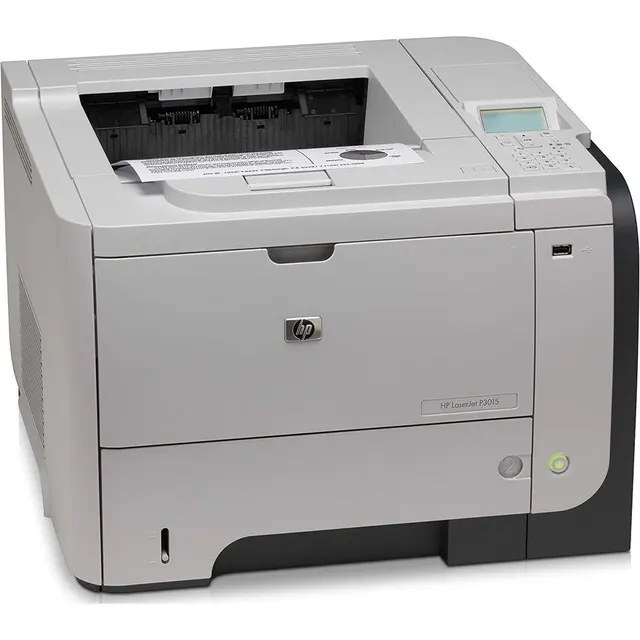
A fixture of late-2000s offices, the LaserJet P3011 earned its reputation the unglamorous way: by printing black-and-white documents day after day without drama. As a single-function mono printer it does exactly one job, and offices that still run one kept it for that reason.
Toner comes from the HP 55A/55X family — CE255A for typical use, CE255X high-yield for busier desks. Decades into the platform's life, these cartridges remain among the easiest HP toner to find. The maximum-capacity CE255XJ rounds out the options for the LaserJet P3011, outlasting the high-yield 55X on busy single-function duty.
Toner Cartridges for LaserJet P3011
This printer works with the following toner cartridges:
- HP CE255A
- HP CE255X
More HP Printers
- LaserJet 500 MFP M525f
- LaserJet Enterprise 500 M525
- LaserJet Enterprise 500 M525DN
- LaserJet Enterprise 500 M525F
- LaserJet Enterprise 500 MFP M525
- LaserJet Enterprise 500 MFP M525DN
- LaserJet Enterprise 500 MFP M525F
- LaserJet Enterprise flow MFP M525C
- LaserJet Enterprise P3010
- LaserJet Enterprise P3011
- LaserJet Enterprise P3015
- LaserJet Enterprise P3015D
- LaserJet Enterprise P3015dn
- LaserJet Enterprise P3015N
- LaserJet Enterprise P3015X
- LaserJet Enterprise P3016
- LaserJet flow MFP M525c
- LaserJet M521
- LaserJet M521DN
- LaserJet M521dn MFP
- LaserJet M521DW
- LaserJet M521dx
- LaserJet M521DZ
- LaserJet M525
- LaserJet M525C
- LaserJet M525DN
- LaserJet M525F
- LaserJet MFP M521dw
- LaserJet P3010
- LaserJet P3015
- LaserJet P3015D
- LaserJet P3015DN
- LaserJet P3015N
- LaserJet P3015X
- LaserJet P3016
- LaserJet Pro M521
- LaserJet Pro M521DN
- LaserJet Pro M521DX
- LaserJet Pro M521DZ
Frequently Asked Questions
Will a cartridge bought for a different HP printer fit the LaserJet P3011?
No — the LaserJet P3011 is built for the CE255A and CE255X only, and cartridges made for other HP families generally won't fit or be recognized. Stick to the CE255A or CE255X codes listed for the LaserJet P3011.
How do I fix smudged toner on prints from the LaserJet P3011?
Smudges usually mean loose toner dust inside the LaserJet P3011 — printing a few blank pages flushes it through. If smudging continues, check that the cartridge is seated properly in the LaserJet P3011 and not leaking.
Why is my LaserJet P3011 printing faded or streaky pages?
Faded or streaky output on the LaserJet P3011 usually means the cartridge is running low. Remove the CE255A or CE255X and gently rock it side to side to redistribute the toner; if fading persists, the LaserJet P3011 needs a fresh cartridge.