




CLX-3305
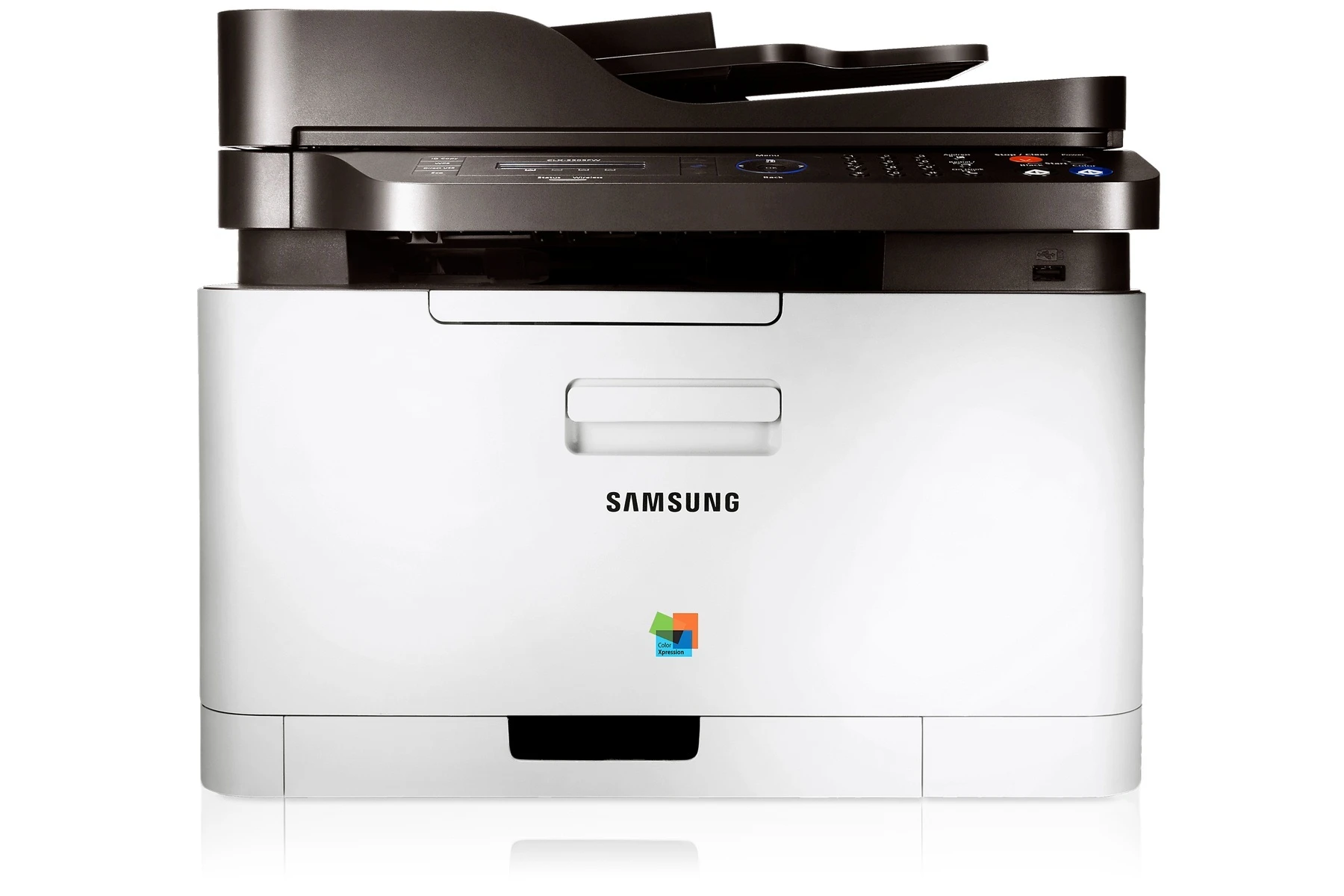
The Samsung CLX-3305 is a color laser multifunction printer from Samsung's early-to-mid 2010s CLP/CLX and Xpress lineup, sharing its engine and toner system with the rest of the CLX-3305 family. It runs on the CLT-406S cartridge range: CLT-K406S leads as the black cartridge, with a trio beside it for color work — CLT-C406S in cyan, CLT-M406S in magenta and CLT-Y406S in yellow.
This machine suited personal users and small offices that printed in color regularly but in modest volumes — a household that wanted laser-sharp school and work documents, or a two-desk office producing its own flyers and invoices. Because the same four cartridges serve dozens of Samsung models, the shelf for this printer is unusually deep: the identical toner is sold under the cartridge codes themselves and under the names of the many printers it fits, which is why the table below lists more buying options than most pages in this range.
Toner Cartridges for CLX-3305
| Cartridge | Color | Page Yield |
|---|---|---|
| CLT-K406S | Black | See product page |
| CLT-C406S | Cyan | See product page |
| CLT-M406S | Magenta | See product page |
| CLT-Y406S | Yellow | See product page |
| CLT-406S 4 Color Set | Black, cyan, magenta, yellow | See product page |
| CLX-3305 4 Color Set | Black, cyan, magenta, yellow | See product page |
| CLX-3305 Premium Quality 4 Color Set | Black, cyan, magenta, yellow | See product page |
| CLX-3305 Toner Cartridge 4 Color Set | Black, cyan, magenta, yellow | See product page |
| CLX-3305 Toner Cartridge Black | Black | See product page |
| CLX-3305 Toner Cartridge Cyan | Cyan | See product page |
| CLX-3305 Toner Cartridge Magenta | Magenta | See product page |
| CLX-3305 Toner Cartridge Yellow | Yellow | See product page |
| CLT-406S Toner Cartridge 4 Color Set | Black, cyan, magenta, yellow | See product page |
| CLT-406S Toner Cartridge Black | Black | See product page |
| CLT-406S Toner Cartridge Cyan | Cyan | See product page |
| CLT-406S Toner Cartridge Magenta | Magenta | See product page |
| CLT-406S Toner Cartridge Yellow | Yellow | See product page |
| CLT-406S Toner Cartridge 2 Black | Black | See product page |
| CLT-406S Toner Cartridge 3 Black | Black | See product page |
| CLT-406S Toner Cartridge 5 Black | Black | See product page |
| CLT-406S Toner Cartridge 3 Color Set | Cyan, magenta, yellow | See product page |
| CLT-406S Toner Cartridge 5 Color Set | Black, cyan, magenta, yellow | See product page |
| CLT-406S Toner Cartridge 6 Color Set | Cyan, magenta, yellow | See product page |
| CLT-406S Toner Cartridge 8 Color Set | Black, cyan, magenta, yellow | See product page |
Which cartridge should you buy?
Two habits cover nearly every owner. First, replace colors individually: each of the four cartridges reports its own level, and only the empty one needs to change. Second, pick the packaging that matches your volume. Document-heavy users should look at the multi-black listings — the 2 Black, 3 Black and 5 Black options exist because black is what a printer like this consumes. Owners refreshing the whole machine, or setting one up, can choose among several 4 Color Sets, including the Premium Quality set; the 3 Color Set and 6 Color Set cover the colors alone when black is still healthy, and the 5 Color Set and 8 Color Set bundle extra black with a full color refresh. Whichever listing you choose, the cartridges inside are the same four codes — check for CLT-K406S, CLT-C406S, CLT-M406S and CLT-Y406S.
Chip, toner and everyday use
When clearing a deep paper jam, remove the toner cartridge first so you can see the full paper path — and work slowly, because torn scraps left behind are what cause the next jam. Multiple-sheet feeds usually trace back to humid or static-charged paper rather than the cartridge, so fan the stack and store paper in its wrapper. On installation, the routine is the usual one for this family: seal off, a gentle side-to-side rock to level the toner, then slide the cartridge in until the chip seats. Note the install date on the box flap; on a long-lived machine like this, that small habit makes every later diagnosis easier.
Frequently Asked Questions
The display says 'replace imaging unit' — can I keep printing for now?
Think of the two consumables differently: toner is the ink, the imaging unit is the stamp that applies it. The imaging warning means the unit is nearing the end of its service life; print quality will fade and streak as it wears, even with fresh toner installed. You can usually finish urgent work, but plan the replacement — it is the cure for quality problems that a new cartridge does not fix.
Can I switch back to standard toner after using a different yield?
Yes. This printer accepts its cartridges in whatever yields the codes are sold in — the machine cares about the code, not the size. Match the yield to your volume: occasional printing favors standard cartridges, steady printing favors larger ones, and fewer changes also mean less packaging waste over the printer's life.
How can I prevent paper jams going forward?
Keep paper dry, flat and within the weight range the printer was built for, and fan each stack before loading to break static. If a jam does happen, clear it slowly and completely; a torn corner left inside guarantees a repeat. Most repeat jams on this model are paper problems, not machine problems.
Why are there so many listings for the same four cartridges?
Because this toner family fits dozens of Samsung printers, it is sold under the cartridge codes and under the names of the printers it serves — the CLX-3305 sets on this page and the CLT-406S listings are the same cartridges in different boxes. Compare what is inside the pack, not the name on it, and choose by count and color mix.
More printers that use the same cartridges
The same black cartridge anchors a large extended family of Samsung color lasers, including CLX-3302, CLX-3303, CLX-3303FW, CLX-3304, CLX-3305FN, CLX-3305FS, CLX-3305FW, CLX-3305GOV, CLX-3305W, CLX-3305W, CLX-3306, CLX-3306FN, CLX-3306W, CLX-3306WN, CLX-3307, CLX-3307FW, CLX-3307GOV, CLX-3307W, SL-C410, SL-C410W, SL-C460, SL-C460FW, Samsung-CLT406S, Xpress C410, Xpress C410W, Xpress C416, Xpress C416FW, Xpress C460, Xpress C460FW, CLP-360, CLP-362, CLP-363, CLP-364, CLP-365, CLP-365EXP, CLP-365W, CLP-366, CLP-366W, CLP-367, CLP-367W, CLP-368, CLX-3300.