




CLX-3305FW
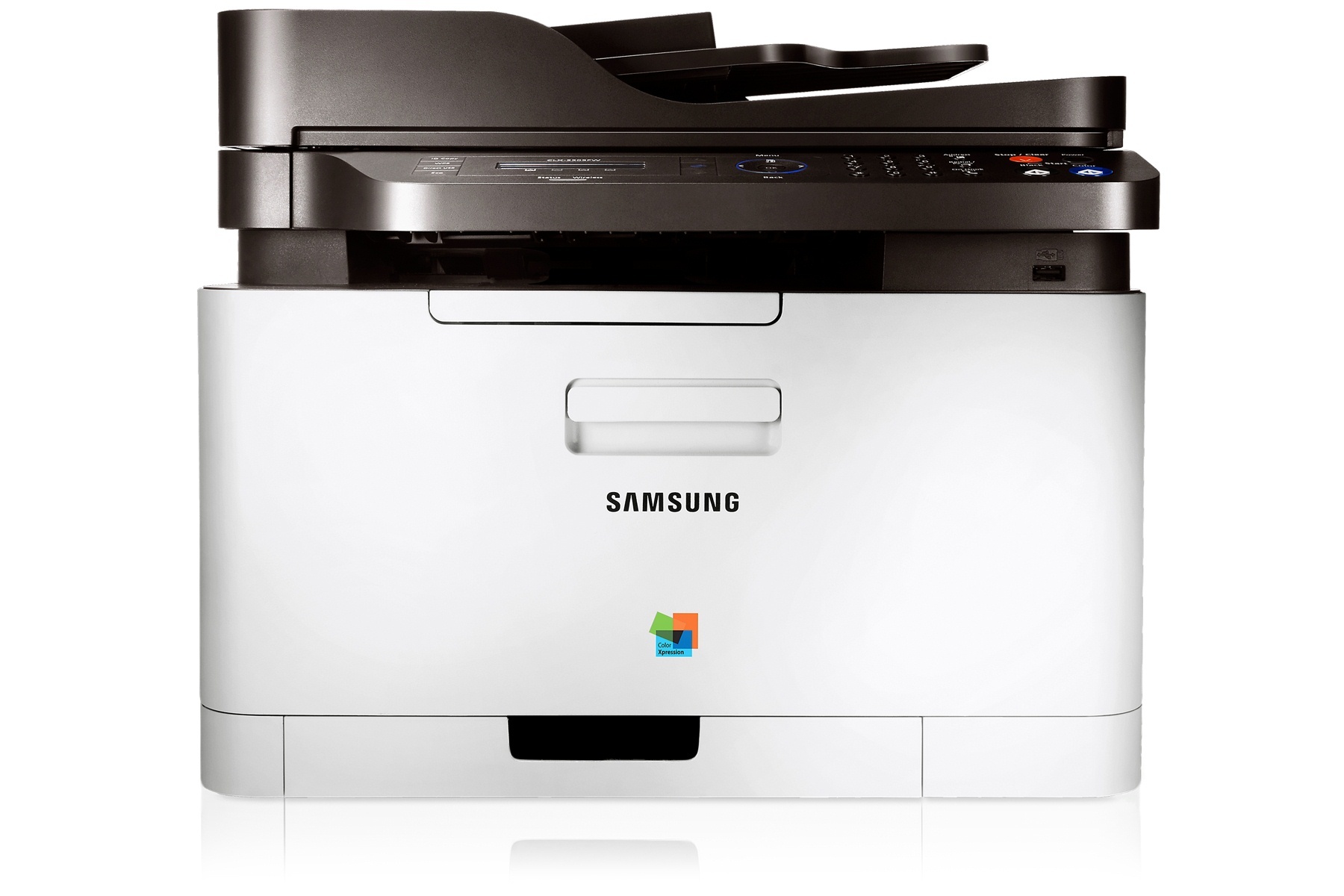
Samsung's CLX-3305FW is a color laser multifunction printer from the early-to-mid 2010s, and its FW badge adds fax and wireless networking over the base CLX-3305. It was built for personal users and small offices that print in color regularly but in modest volumes. All of its printing runs through four cartridges: CLT-K406S for black, CLT-C406S for cyan, CLT-M406S for magenta and CLT-Y406S for yellow. Listings on this page also group the family under the CLT-406S label for multi-packs and color sets. Both compatible and genuine Samsung versions are stocked here.
Modest volume is the key phrase for this machine. It suits a desk or a small office corner where color shows up in presentations, school projects and marketing handouts, but the weekly page count stays human. Because the four cartridges empty independently, running costs stay predictable: a month of mostly black-and-white work barely touches the color supplies, and a color-heavy week does not force a black replacement. Owners who keep one spare black cartridge on hand rarely get caught out by this printer.
Toner Cartridges for CLX-3305FW
Which cartridge should you buy?
This family comes in one standard yield, so the choice is about packaging rather than capacity. Buy the single cartridge that the printer flags as low and you pay only for what you need; that is the right default for light users. The 4 Color Set suits a full refresh when several cartridges are fading together, and it means every replacement arrives in one box. If black does most of your printing — it usually does — the black multi-packs cut down on repeat orders. Whichever format you pick, the code to match is the exact one on the cartridge you are replacing, letter for letter.
Chip, toner and everyday use
The chip on each cartridge reports its level to the printer, which is why a cartridge from this family is recognized as soon as it seats. Gray streaks running down every page usually mean the toner inside needs redistributing rather than replacing: remove the cartridge, rock it gently from side to side, and print again before ordering anything. Page counts are estimates worked out at standard coverage, so photo-heavy pages drain a cartridge faster than plain letters do. Store unopened spares out of direct sunlight, and leave the seals on until the day you install them.
Frequently Asked Questions
My CLX-3305FW leaves gray streaks on every page. What causes that?
A repeating streak usually points to the cartridge rather than the printer. Take the cartridge out, rock it side to side to even out the toner, and run a few test pages. If the marks sit in exactly the same place every time, the cartridge itself may be near the end of its life.
Will the CLX-3305FW still print in black when a color cartridge is empty?
Black text usually keeps printing, but color documents can come out washed out or be held by the machine when a color runs dry. The four cartridges work as a team on color pages, so replacing the empty color restores full output.
Can I use a cartridge sold for another Samsung model in this printer?
Yes, if it carries the same code. This family is shared across the CLP-360 series and the CLX-3300 series — the CLX-3306 further down this page takes the same cartridges, for example. What matters is the code on the cartridge, not the model name printed on the box.
How can I make a cartridge last longer in this printer?
Use draft or eco settings for internal documents and save full quality for final copies. Previewing before you print avoids wasted pages, and tracking how many pages each cartridge actually delivers tells you more than any rated figure on a box.
More printers that use the same cartridges
Samsung fitted this same cartridge family to a wide group of CLP, CLX, SL and Xpress machines, including: CLP-360, CLP-362, CLP-363, CLP-364, CLP-365, CLP-365EXP, CLP-365W, CLP-366, CLP-366W, CLP-367, CLP-367W, CLP-368, CLX-3300, CLX-3302, CLX-3303, CLX-3303FW, CLX-3304, CLX-3305, CLX-3305FN, CLX-3305FS, CLX-3305GOV, CLX-3305W, CLX-3305W, CLX-3306, CLX-3306FN, CLX-3306W, CLX-3306WN, CLX-3307, CLX-3307FW, CLX-3307GOV, CLX-3307W, SL-C410, SL-C410W, SL-C460, SL-C460FW, Samsung-CLT406S, Xpress C410, Xpress C410W, Xpress C416, Xpress C416FW, Xpress C460, Xpress C460FW.