




Xpress C410
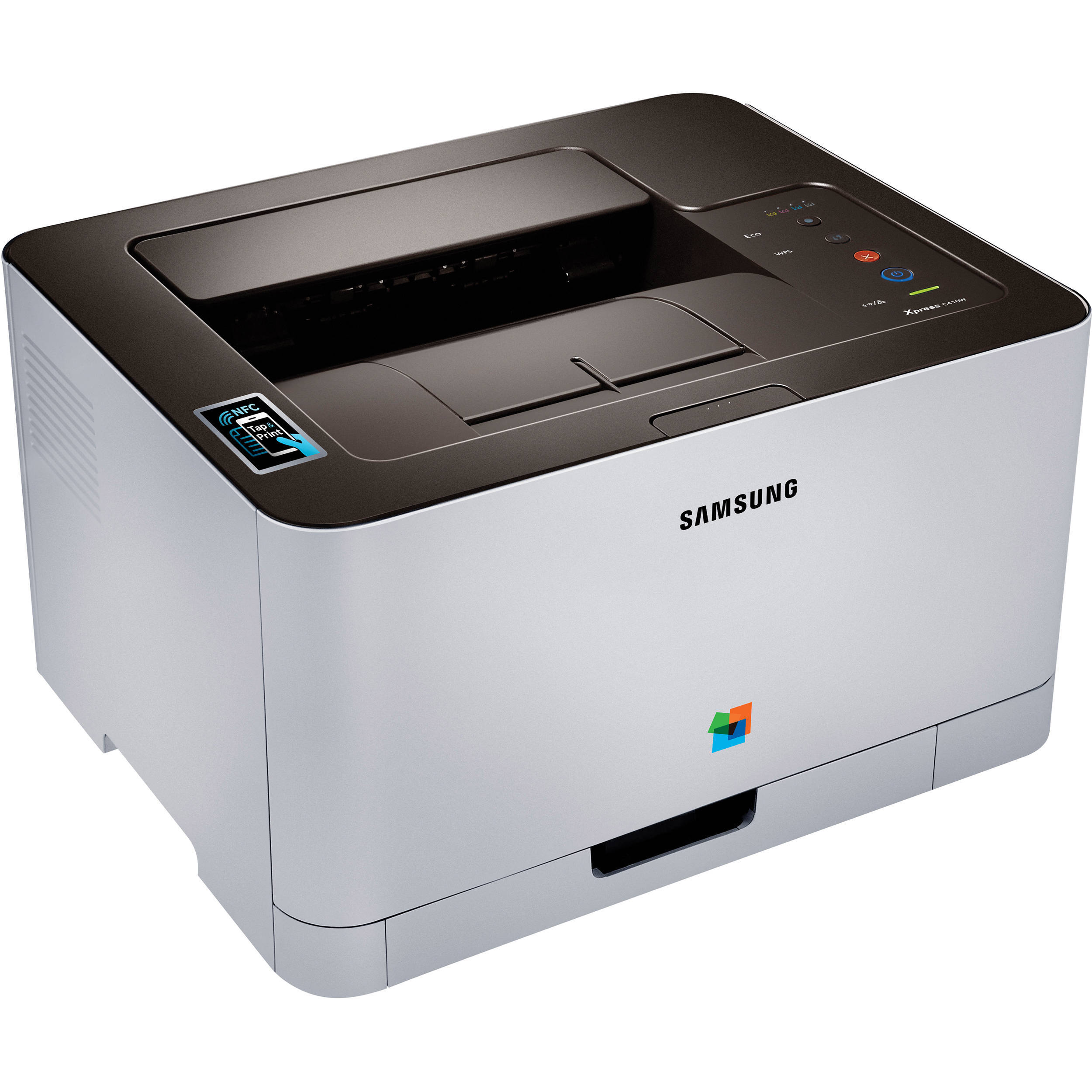
The Samsung Xpress C410 arrived in the early-to-mid 2010s as a single-function color laser printer with its running costs kept firmly in check, part of the Xpress C410 generation that shares consumables across the whole group. It prints from four cartridges: the CLT-K406S in black, the CLT-C406S in cyan, the CLT-M406S in magenta and the CLT-Y406S in yellow. Below you will find the black as a single cartridge and a 3-pack, and the four slots together as a 4 Color Set.
A printer-only machine like the Xpress C410 tends to live a focused life: it sits with personal users and small offices that print in color regularly but in modest volumes, and it is asked for documents, not copies or scans. That focus makes its toner story simpler than a multifunction's — output is deliberate, volumes are visible in the page count, and nothing prints that nobody sent. Owners of this model usually develop one habit and need no other: watch the black level, because on a text-leaning workload it always moves first, and let the colors announce themselves in their own slower time.
Toner Cartridges for Xpress C410
| Cartridge | Color | Page Yield |
| CLT-K406S — black, single | Black | See product page |
| CLT-K406S — black, 3-pack | Black | See product page |
| CLT-K406S, CLT-C406S, CLT-M406S, CLT-Y406S — complete 4 Color Set | Black, Cyan, Magenta, Yellow | See product page |
Which cartridge should you buy?
Most Xpress C410 owners buy black, then black again, then eventually a set. The single CLT-K406S covers the routine replacement; the 3-pack suits the small office that prints daily and would rather have the next two changes already in the drawer. Buy the 4 Color Set when a color slot finally empties — it replaces cyan, magenta and yellow together and refreshes black at the same time, which suits a machine whose four original cartridges have been aging in parallel. There is no wrong order here, only a rhythm: follow the levels the printer reports and restock the slot that is actually low, not the one you replaced last.
Chip, toner and everyday use
If the Xpress C410 flags a toner error with a brand-new cartridge mid-print, suspect a momentary contact loss before a faulty cartridge: power down, reseat the cartridge, and most such errors clear. The chips on these cartridges are how the printer identifies what is installed and estimates what remains, so clean seating matters. Keep spares sealed and stored flat in a cool spot, and treat a gentle side-to-side rock as the remedy for even fading near a cartridge's end — it redistributes the last of the toner so the current job finishes cleanly.
Frequently Asked Questions
Why does my Xpress C410 show a toner error with a brand-new cartridge?
Usually because the cartridge lost contact for a moment, not because it is defective. Reseat it firmly and the error typically clears. If it keeps returning, contact your supplier with the exact error message — that wording lets them diagnose a chip issue quickly, and a good supplier tests chips against this printer family before shipping.
What is the real difference between compatible and genuine toner for this printer?
Both are built to the same CLT-406S specification and both print the same documents. The practical differences are price and backing: the compatible cartridges on this page carry a 1-year warranty and 1-year returns from Clever Supplies. If your printer sits under a service contract that mandates genuine supplies, that contract — not the machine — is what decides for you.
Does the Xpress C410 stop printing when just one color is empty?
Yes, an empty slot halts the machine even for a black-only document, because the printer checks all four cartridges before a job runs. It is worth glancing at the color levels whenever you replace the black, so a dry cyan never gets to surprise you mid-week.
Should I buy the 3-pack of black or singles as I go?
If the printer works every day, the 3-pack is the calmer choice: same cartridge, fewer orders, and a spare already in the drawer when the warning lands. Singles make sense for the lightest users, where a cartridge lasts long enough that stocking ahead simply ties up a shelf.
More printers that use the same cartridges
The Xpress C410 shares its four cartridges with all of these Samsung models:
- CLP-360
- CLP-362
- CLP-363
- CLP-364
- CLP-365
- CLP-365EXP
- CLP-365W
- CLP-366
- CLP-366W
- CLP-367
- CLP-367W
- CLP-368
- CLX-3300
- CLX-3302
- CLX-3303
- CLX-3303FW
- CLX-3304
- CLX-3305
- CLX-3305FN
- CLX-3305FS
- CLX-3305FW
- CLX-3305GOV
- CLX-3305W
- CLX-3305W
- CLX-3306
- CLX-3306FN
- CLX-3306W
- CLX-3306WN
- CLX-3307
- CLX-3307FW
- CLX-3307GOV
- CLX-3307W
- SL-C410
- SL-C410W
- SL-C460
- SL-C460FW
- Samsung-CLT406S
- Xpress C410W
- Xpress C416
- Xpress C416FW
- Xpress C460
- Xpress C460FW