




LaserJet M227FDW
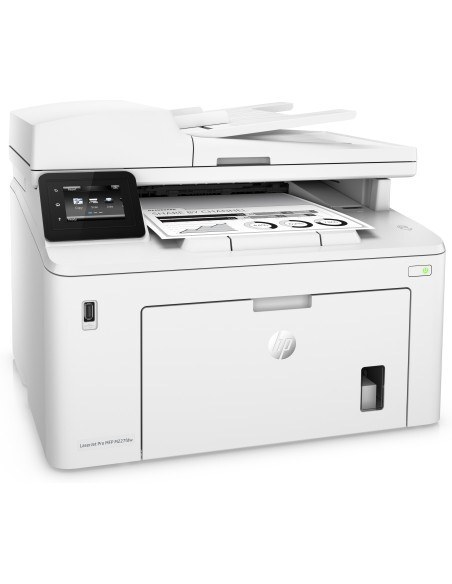
Within HP's monochrome range of the late 2010s, the LaserJet M227FDW was aimed at everyday office document printing rather than spec-sheet bragging rights — unglamorous, essential work — and that is exactly what keeps it relevant. Its supplies could hardly be plainer: the standard black cartridge is the CF230A, the machine also accepts the high-yield CF230X for busier stretches, and the toner pairs with a separate CF232A imaging drum that wears slowly and is changed independently. On the shelf the three go by the short names 30A, 30X and 32A.
What owners tend to value here is the absence of drama. The printer takes one black cartridge design, shared with a family of sibling models, so restocking is a code-matching exercise rather than research. The drum underneath asks for attention so rarely that many owners meet it only once or twice in the machine's life. Everything stocked on this page — singles, multi-packs and the listings titled for individual family models — resolves to those same three supply codes.
Toner Cartridges for LaserJet M227FDW
The imaging drum is not part of the toner cartridge on this model and is ordered on its own. A handful of the drum listings below are titled for specific models, some with the word toner in the title, but each carries the CF232A code that marks it as this printer's drum.
- CF232A imaging drum, single
- CF232A imaging drum, 2 pack
- CF232A imaging drum, 3 pack
- CF232A imaging drum, 5 pack
- CF232A imaging drum, 10 pack
- CF232A drum, M203-named listing
- CF232A drum, M203DW-named listing
- CF232A drum, M227-named listing
- CF232A drum, M227FDN-named listing
- CF232A drum, M227FDW-named listing
Which cartridge should you buy?
The honest answer depends on the rhythm of your printing. Steady, light daily output is exactly what the standard CF230A was sized for, and choosing it costs nothing in print quality. When the printer's work arrives in busier stretches, the CF230X earns its place by holding more toner, which means fewer swaps landing in the middle of those stretches. Either cartridge can be bought in multi-packs if the same family of machines is scattered around the office, since the codes are shared. Keep the drum out of this decision: the CF232A changes on a far longer cycle than any toner, long after many cartridges have come and gone.
Chip, toner and everyday use
Getting more from each cartridge is mostly about settings and timing. The driver offers a draft or toner-save mode that stretches a CF230A noticeably for everyday documents, and printing two-sided halves paper use on long jobs. The printer reads each cartridge's chip to track the toner level, so when it warns that toner is low, treat that as the moment to make sure a spare is in the drawer rather than a sign of failure — output quality, not the warning, is the real deadline. Before a new cartridge goes in, remove its seal completely and rock it gently side to side so the toner settles evenly; then slide it in until it clicks and run a test page.
Frequently Asked Questions
How do I know I am buying the right toner for the LaserJet M227FDW?
Compare the code on the box with this printer's list: CF230A or CF230X for toner, with the CF232A as its imaging drum. HP makes look-alike cartridges for different printer families, so an exact code match is your guarantee that the cartridge will fit and register.
How can I get more pages out of each cartridge?
Start by ordering the higher-yield option — this printer accepts the CF230X alongside the CF230A, and it simply holds more toner. Draft or toner-save mode in the driver stretches a standard cartridge further for everyday documents, and two-sided printing cuts the paper bill on top of that.
Does changing the toner mean changing the drum too?
No. The toner pairs with a separate CF232A drum inside this printer, and the drum wears slowly enough to be changed independently, long after many cartridges have been replaced. Swap the drum when its own life runs out, not on the toner's schedule.
More printers that use the same cartridges
These sibling models draw from the same supply shelf. The first group:
LaserJet M203DW, LaserJet M203d, LaserJet M203dn, LaserJet M203dw MFP, LaserJet M227FDN, LaserJet M227d MFP, LaserJet M227fdn MFP
And the rest of the family:
LaserJet M227fdw MFP, LaserJet M227sdn MFP, LaserJet M230 sdn, LaserJet M230fdw MFP, LaserJet Pro M203, LaserJet Pro MFP M227