




LaserJet M227FDW
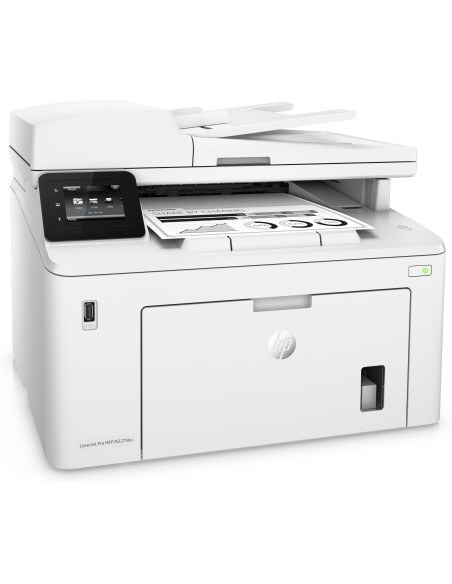
HP's mono range of the late-2010s included the LaserJet M227FDW, a single-function printer aimed at everyday office document printing rather than spec-sheet bragging rights. What keeps the LaserJet M227FDW relevant is everyday office document printing: unglamorous, essential, and exactly what offices need.
Supplies for the LaserJet M227FDW are straightforward: it takes the HP 30A family (CF230A), a cartridge line shared across 10 sibling models. The LaserJet M227FDW also accepts the high-yield CF230X for busier stretches, alongside the standard CF230A for everyday office document printing.
Toner Cartridges for LaserJet M227FDW
This printer works with the following toner cartridges:
- HP CF230A
- HP CF230X
More HP Printers
- LaserJet M203dn
- LaserJet M203DW
- LaserJet M203dw MFP
- LaserJet M227d MFP
- LaserJet M227FDN
- LaserJet M227fdn MFP
- LaserJet M227fdw MFP
- LaserJet M227sdn MFP
- LaserJet Pro M203
- LaserJet Pro MFP M227
Frequently Asked Questions
How do I know I'm buying the right toner for my LaserJet M227FDW?
Compare the code on the box with the LaserJet M227FDW's list: CF230A, CF230X. HP makes look-alike cartridges for different printer families, so a code match is your guarantee.
How do I install a new toner cartridge in my LaserJet M227FDW?
Open the cartridge door on the LaserJet M227FDW and slide the old CF230A out by its handle — set it aside for recycling. Unpack the new CF230A, pull off its protective seal, and slide it straight in until it clicks. Close the door and print a test page from the LaserJet M227FDW to confirm.
How can I get more pages out of each cartridge in the LaserJet M227FDW?
Pick the higher-yield option when you order: the LaserJet M227FDW accepts CF230X alongside CF230A, and the CF230X holds more toner for busier printing. Draft or toner-save mode in your driver stretches a CF230A further for everyday documents. Printing two-sided also cuts paper use in half.