




LaserJet M227fdn MFP
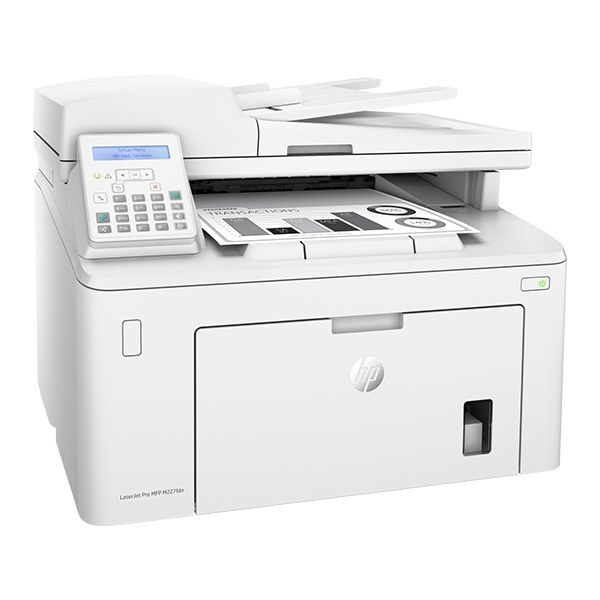
The LaserJet M227fdn MFP belongs to HP's mono lineup of the late-2010s: a multifunction printer engineered for everyday office document printing. What keeps the LaserJet M227fdn MFP relevant is everyday office document printing: unglamorous, essential, and exactly what offices need. As an MFP, the LaserJet M227fdn MFP folds scanning and copying into the same box — one machine doing the work of two.
One practical upside of the LaserJet M227fdn MFP: its HP 30A cartridges (CF230A) are shared with 10 other models, so you're never hunting for something obscure. For the LaserJet M227fdn MFP, the high-yield CF230X stretches the interval between cartridge swaps; the standard CF230A suits lighter everyday office document printing.
Toner Cartridges for LaserJet M227fdn MFP
This printer works with the following toner cartridges:
- HP CF230A
- HP CF230X
More HP Printers
- LaserJet M203dn
- LaserJet M203DW
- LaserJet M203dw MFP
- LaserJet M227d MFP
- LaserJet M227FDN
- LaserJet M227FDW
- LaserJet M227fdw MFP
- LaserJet M227sdn MFP
- LaserJet Pro M203
- LaserJet Pro MFP M227
Frequently Asked Questions
What toner cartridges does the LaserJet M227fdn MFP use?
The LaserJet M227fdn MFP uses CF230A, CF230X. For heavier printing, the CF230X high-yield version of CF230A fits the same LaserJet M227fdn MFP. Order by these exact codes — cartridges made for other HP families won't fit or won't be recognized.
How do I install a new toner cartridge in my LaserJet M227fdn MFP?
Lift the LaserJet M227fdn MFP's toner access door, slide the spent CF230A out, unwrap the new cartridge and pull its protective seal, then push it straight in until it clicks home. Shut the door and print any page — a clean result on the LaserJet M227fdn MFP means the swap worked.
Why did the copies from my LaserJet M227fdn MFP come out blank?
Blank copies from the LaserJet M227fdn MFP usually mean the CF230A is empty or its sealing tape was left on. Pull the cartridge, confirm the tape is removed, and reseat it firmly. If copies are only faded, the CF230A is running low and should be replaced.