




LaserJet M227FDN
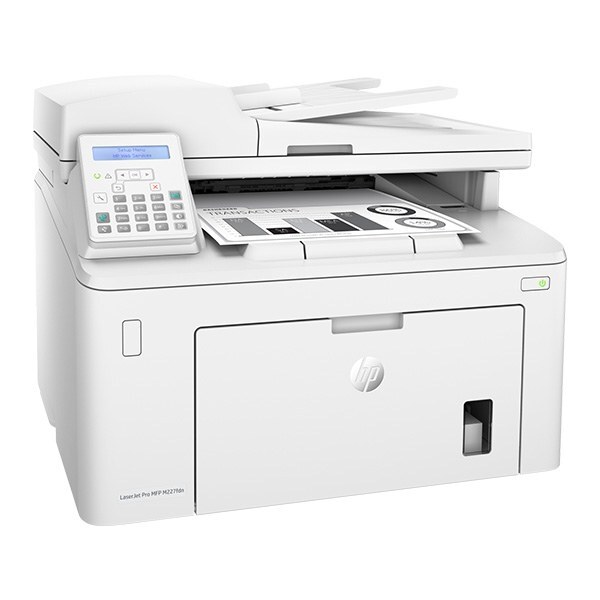
A late-2010s mono single-function printer, the LaserJet M227FDN reflects an era when printers were bought for durability first and features second. The LaserJet M227FDN treats everyday office document printing as its whole job description, and does it well.
The LaserJet M227FDN uses HP 30A cartridges, anchored by the CF230A — one of the most widely stocked HP cartridges of its generation. Our HP 30A lineup for the LaserJet M227FDN covers both bases — genuine OEM CF230A cartridges and dependable compatible alternatives.
Toner Cartridges for LaserJet M227FDN
This printer works with the following toner cartridges:
- HP CF230A
- HP CF230X
More HP Printers
- LaserJet M203dn
- LaserJet M203DW
- LaserJet M203dw MFP
- LaserJet M227d MFP
- LaserJet M227fdn MFP
- LaserJet M227FDW
- LaserJet M227fdw MFP
- LaserJet M227sdn MFP
- LaserJet Pro M203
- LaserJet Pro MFP M227
Frequently Asked Questions
Which cartridge codes fit the LaserJet M227FDN?
The LaserJet M227FDN fits CF230A, CF230X. The code printed on the box is what matters; matching it exactly is how you avoid returns.
How do I install a new toner cartridge in my LaserJet M227FDN?
Open the cartridge door on the LaserJet M227FDN and slide the old CF230A out by its handle — set it aside for recycling. Unpack the new CF230A, pull off its protective seal, and slide it straight in until it clicks. Close the door and print a test page from the LaserJet M227FDN to confirm.
Where do I get drivers and firmware for the LaserJet M227FDN?
Download them from HP's official support site — search for the LaserJet M227FDN and choose your operating system. Current drivers fix printing, scanning, and connectivity problems, so keep them updated. Skip third-party driver sites, which often bundle unwanted software.