




LaserJet M230fdw MFP
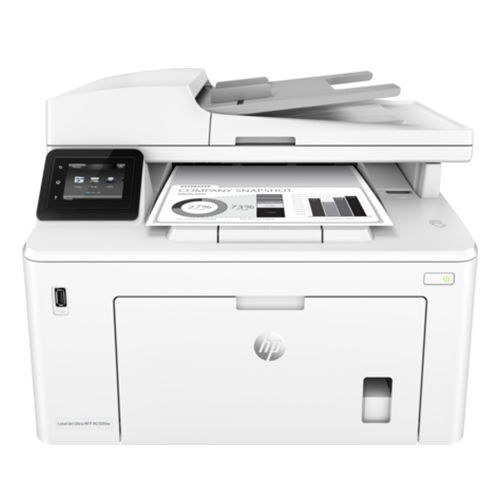
For anyone running a LaserJet M230fdw MFP, the appeal is clear: a current-generation mono multifunction printer with none of the fragility of newer machines. Offices that still run a LaserJet M230fdw MFP usually do so for one reason: it keeps handling everyday office document printing without complaint. As an MFP, the LaserJet M230fdw MFP folds scanning and copying into the same box — one machine doing the work of two.
Keeping the LaserJet M230fdw MFP fed is simple thanks to the HP 31A family — the CF231A cartridge it shares with 1 other models. Pair the LaserJet M230fdw MFP with genuine OEM CF231A cartridges for maximum peace of mind, or stretch your budget with compatible HP 31A cartridges that print just as sharp.
Toner Cartridges for LaserJet M230fdw MFP
This printer works with the following toner cartridges:
- HP CF231A
More HP Printers
Frequently Asked Questions
Can I use any HP toner cartridge in the LaserJet M230fdw MFP?
No — the LaserJet M230fdw MFP only accepts CF231A. Toner cartridges are keyed to specific printer families, so one made for another HP model generally won't fit or be recognized. Stick to the codes listed for your LaserJet M230fdw MFP.
When should I replace the toner in my LaserJet M230fdw MFP?
Swap the CF231A when prints from the LaserJet M230fdw MFP fade, streak, or the printer reports the cartridge as empty. "Toner low" warnings arrive earlier and still leave room to print, so keep a spare CF231A ready. Change it when quality visibly drops, not at the first warning.
Why did the copies from my LaserJet M230fdw MFP come out blank?
Blank copies from the LaserJet M230fdw MFP usually mean the CF231A is empty or its sealing tape was left on. Pull the cartridge, confirm the tape is removed, and reseat it firmly. If copies are only faded, the CF231A is running low and should be replaced.