




LaserJet M203dn
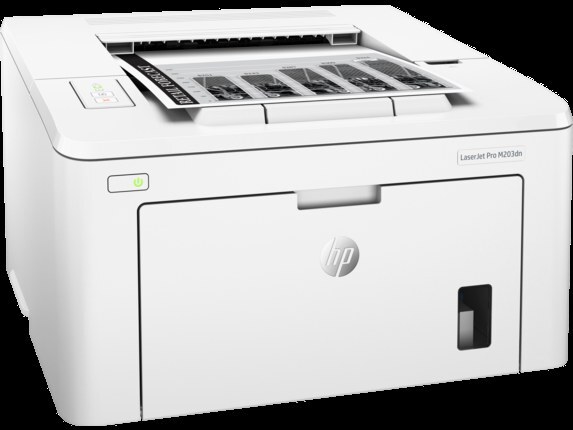
The LaserJet M203dn belongs to HP's mono lineup of the late-2010s: a single-function printer engineered for everyday office document printing. Where the LaserJet M203dn earns its keep is everyday office document printing — steady, legible pages day after day. The DN suffix on the LaserJet M203dn means duplex printing and networking come standard — two-sided output on a shared office printer.
Keeping the LaserJet M203dn fed is simple thanks to the HP 30A family — the CF230A cartridge it shares with 10 other models. For the LaserJet M203dn, the high-yield CF230X stretches the interval between cartridge swaps; the standard CF230A suits lighter everyday office document printing.
Toner Cartridges for LaserJet M203dn
This printer works with the following toner cartridges:
- HP CF230A
- HP CF230X
More HP Printers
- LaserJet M203DW
- LaserJet M203dw MFP
- LaserJet M227d MFP
- LaserJet M227FDN
- LaserJet M227fdn MFP
- LaserJet M227FDW
- LaserJet M227fdw MFP
- LaserJet M227sdn MFP
- LaserJet Pro M203
- LaserJet Pro MFP M227
Frequently Asked Questions
Which cartridge codes fit the LaserJet M203dn?
The LaserJet M203dn fits CF230A, CF230X. The code printed on the box is what matters; matching it exactly is how you avoid returns.
How should I store spare toner for the LaserJet M203dn?
Keep spare CF230A cartridges sealed in their original packaging until the LaserJet M203dn needs them — toner breaks down faster in heat and humidity. Store them flat in a cool, dry spot away from direct sunlight. Don't open a new cartridge until you're ready to install it.
Why is my LaserJet M203dn printing blank or very light pages?
Blank or very light pages from the LaserJet M203dn usually mean the sealing tape was left on the new cartridge or the CF230A is completely empty. Pull the cartridge, confirm the tape is removed, and reseat it. If the cartridge is new and seated properly, check the LaserJet M203dn's toner gauge.