




LaserJet M203d
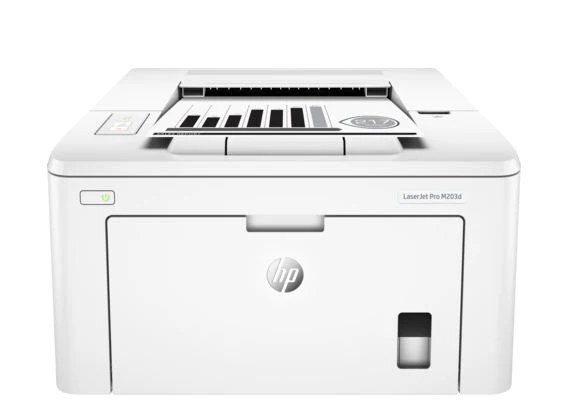
The LaserJet M203d is a compact monochrome laser printer from 2016, sized for a small-office desk rather than a print room. Its toner is HP's 30A line — the standard-yield CF230A and the high-yield CF230X, both plain black cartridges swapped as single units. The imaging drum lives separately, as the HP 32A unit, code CF232A — and that drum, in a pack of four, is the listing stocked on this page.
A desk printer like the M203d asks very little of its owner: the routine event is a toner swap, and the rare event is a drum swap. Keeping those two supplies straight is the whole ownership story — toner often, drum seldom — and it is why this page, which stocks the drum rather than the toner, exists alongside the cartridge listings. For one or two people printing documents at a desk, that simplicity is the machine's appeal.
Toner Cartridges for LaserJet M203d
Two kinds of supply keep this printer running, and they are not the same part. The toner cartridges are the CF230A (standard yield) and the CF230X (high yield). The item stocked on this page is the separate imaging drum:
| Cartridge | Color | Page Yield |
|---|---|---|
| HP 32A (CF232A) Imaging Drum — 4 Black | Black | See product page |
The listing is titled as a cartridge pack; order by the CF232A code — that code is this family's imaging drum, and the drum is the part the pack contains.
Which cartridge should you buy?
Decide the toner first, even though it is not the listing here: the standard CF230A suits a desk that prints in short, occasional runs, while the high-yield CF230X lowers the per-page cost and stretches the gap between swaps for anyone printing daily. The drum decision is different — you do not choose a drum by volume but by symptoms: when streaks, shading or repeating marks survive a fresh toner cartridge, the drum is the worn part. This page's four-pack suits owners who keep a spare drum ready or run more than one printer from this family, since a drum change is rare enough that a stocked spare can sit waiting for a long time.
Chip, toner and everyday use
Two-supply printers reward two habits. For the toner: a gentle side-to-side rock levels the powder when pages start to fade, and page yields are estimates at five percent coverage, so heavy documents finish cartridges sooner. For the drum: treat its green surface as fragile — do not touch it, and keep the drum out of bright light while it is out of the printer, since light tires the surface. Keep both supplies sealed in their packaging until the swap, stored flat in a cool, dry place, and the M203d will take each new part without complaint.
Frequently Asked Questions
Which toner cartridges does the LaserJet M203d take?
The CF230A in standard yield and the CF230X in high yield — those are the only two toner codes for this printer. Use the code on the cartridge you remove as the reference when ordering either one.
Is the CF232A a toner cartridge or a drum?
It is the imaging drum — a separate part from the toner cartridges on this printer. The listing on this page is titled as a cartridge pack, but the CF232A code is the family's drum unit, and the drum is what the four-pack contains.
When should the drum be replaced?
When print defects persist after a fresh toner cartridge goes in: repeating marks down the page, gray background shading or streaks that cleaning does not clear. The drum wears far more slowly than toner is consumed, so most owners change it only a few times in the printer's life.
My prints are fading — is it the toner or the drum?
Start with the toner: rock the cartridge gently to redistribute what remains, and if a fresh cartridge is available, try it. Fading that a new cartridge cures was toner. Defects that stay identical across cartridges point at the drum.
More printers that use the same cartridges
The same toner-and-drum pairing serves this whole family of printers: LaserJet M203DW, LaserJet M203dn, LaserJet M203dw MFP, LaserJet M227FDN, LaserJet M227FDW, LaserJet M227d MFP, LaserJet M227fdn MFP, LaserJet M227fdw MFP, LaserJet M227sdn MFP, LaserJet M230 sdn, LaserJet M230fdw MFP, LaserJet Pro M203, LaserJet Pro MFP M227.