




Phaser 7400DN
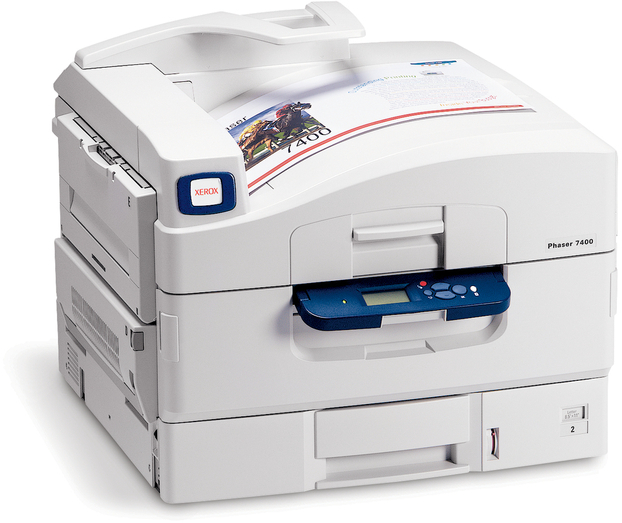
Made for regular office use, the Xerox Phaser 7400DN is a color laser printer whose footprint fits comfortably in crowded office spaces — and its toner shelf is just as compact. Four high-yield cartridges cover everything: cyan is 106R01077, magenta is 106R01078, yellow is 106R01079 and black is 106R01080. One number per slot, no standard tier underneath.
A shared office printer develops its own appetite. The 7400DN might sit quiet through a morning of emails and then absorb an afternoon of reports, handouts and forms from five different people. That bursty pattern means toner levels drop in steps rather than smoothly, and black — the color every document shares — takes the steepest steps. Offices that get caught out by an empty slot usually were not using much toner; they were just not watching the one cartridge everyone uses.
Toner Cartridges for Phaser 7400DN
| Cartridge | Color | Page Yield |
|---|---|---|
| 106R01080 | Black | High yield |
| 106R01077 | Cyan | High yield |
| 106R01078 | Magenta | High yield |
| 106R01079 | Yellow | High yield |
The same cartridges under this model's own listings and in multipacks: 7400DN black cartridge, 7400DN cyan cartridge, 7400DN magenta cartridge, 7400DN yellow cartridge, 7400DN 4 color set, 7400DN high-yield 4 color set, 7400 black cartridge, 7400 cyan cartridge, 7400 magenta cartridge, 7400 yellow cartridge, 7400 black 2 pack, 7400 black 3 pack, 7400 black 5 pack, 7400 3 color set, 7400 4 color set, 7400 5 color set, 7400 6 color set, 7400 8 color set, high-yield 4 color set, 106R03690, 106R03691 and 106R03692 in a 6 color set listed for the Xerox 6510.
Which cartridge should you buy?
Let the printer's own counters make the call. When a single color warns, replace that single cartridge — the other three still hold usable toner, and the high-yield line means even a "low" cartridge often has real pages left in it. For a 7400DN that mostly prints office documents, black multipacks are the practical staple: they trim the per-cartridge cost of the slot you refill most. Reserve the 4 color set for a genuine across-the-board refresh, or for stocking a spare set in a printer room where several people rely on the same machine and nobody owns the restock chore.
Chip, toner and everyday use
Installation is the moment the chip matters: the compatible cartridges here are chipped so the 7400DN identifies them and resumes normal level reporting. If the printer ever questions a fresh cartridge, reseating it firmly and restarting the machine clears most such complaints. Keep an eye on the toner gauge after big jobs rather than on a calendar — usage on a shared printer is too uneven for schedules. When output from one color starts to streak, pull that cartridge and rock it gently; redistributing the remaining toner evens the fill and usually buys a clean finish to the job while its replacement ships.
Frequently Asked Questions
Which cartridges does the Phaser 7400DN use?
Four high-yield cartridges: 106R01077 cyan, 106R01078 magenta, 106R01079 yellow and 106R01080 black. The same cartridges appear under 7400DN-named listings and the shared 7400 listings on this page.
My 7400DN prints mostly black-and-white documents. What should I stock?
Black, in multipacks. The 7400 black 2 pack or larger packs match a document workload, and the colors can be replaced singly on the rare occasions they run down.
Do I have to buy Xerox-brand toner for this printer?
No. The compatible cartridges on this page are built for the 7400DN and carry a 1-year warranty and 1-year returns.
How do I know a cartridge is really finished?
When pages fade even after a gentle rock of the cartridge and the printer keeps reporting the slot as empty, the supply is spent. Until then, a low warning is a prompt to order, not proof the cartridge is done.
More printers that use the same cartridges
Six sibling configurations run on these identical four cartridges: Phaser 7400, Phaser 7400DFX, Phaser 7400DT, Phaser 7400DX, Phaser 7400DXF, Phaser 7400N.