




Phaser 7400
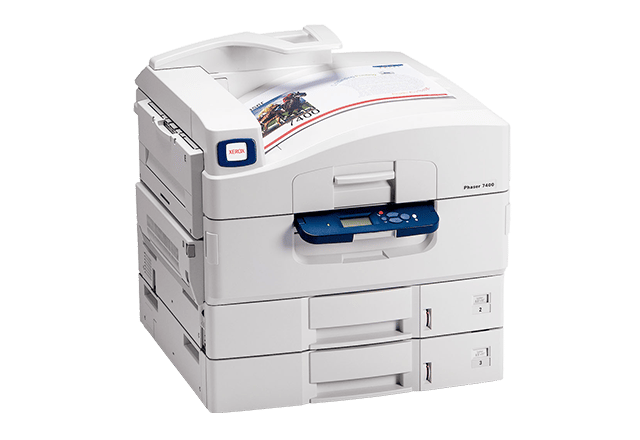
The Xerox Phaser 7400 anchors its color laser line as the reference configuration the rest of the family builds on, and it earned that spot with output that stays sharp and legible even at small type sizes. All four of its cartridges are high yield, ordered by number: 106R01080 in black, 106R01077 in cyan, 106R01078 in magenta and 106R01079 in yellow. There is no smaller standard tier to second-guess — every replacement is the big cartridge.
Printers of this class tend to live long working lives in the corner of an office, fed by whoever passes by. That pattern suits a four-cartridge layout: text documents lean almost entirely on black, presentations pull the colors unevenly, and each slot is replaced only when its own supply is spent. Keeping the shelf simple matters more than squeezing any single order, because the 7400 usually has to be ready before anyone knows a big job is coming.
Toner Cartridges for Phaser 7400
| Cartridge | Color | Page Yield |
|---|---|---|
| 106R01080 | Black | High yield |
| 106R01077 | Cyan | High yield |
| 106R01078 | Magenta | High yield |
| 106R01079 | Yellow | High yield |
Other ways the same cartridges are sold on this page: 7400 black cartridge, 7400 cyan cartridge, 7400 magenta cartridge, 7400 yellow cartridge, 7400 black 2 pack, 7400 black 3 pack, 7400 black 5 pack, 7400 3 color set, 7400 4 color set, 7400 5 color set, 7400 6 color set, 7400 8 color set, high-yield 4 color set, 106R03690, 106R03691 and 106R03692 in a 6 color set listed for the Xerox 6510.
Which cartridge should you buy?
With the Phaser 7400 the yield question answers itself — every cartridge here is already the high-yield version, so the real choice is format. Buy singles when one slot reports low; that is the normal rhythm for this machine. Choose a black multipack when the printer mostly produces documents, since black empties first by a wide margin in text-heavy offices. The 4 color set suits a planned full refresh, and the larger 5 and 8 color sets are bulk restocks for sites that would rather order rarely and store the surplus. Replacing a single spent color is always cheaper than swapping a healthy set early.
Chip, toner and everyday use
The compatible cartridges listed here are chipped for the Phaser 7400, so the printer recognizes them on installation and keeps reporting levels as usual. Pull the sealing tape fully before seating a cartridge, and push it home until it clicks; a half-seated unit is the usual cause of a cartridge error right after a swap. Yield figures in this class are estimates figured at 5% page coverage, which is why a cartridge feeding dense graphics gives out sooner than the same cartridge feeding memos. Keep replacements sealed until the day you install them, and store them flat rather than on end so the toner stays evenly distributed.
Frequently Asked Questions
Does the Phaser 7400 use standard or high-yield toner?
High yield only. The four cartridges — 106R01080 black, 106R01077 cyan, 106R01078 magenta and 106R01079 yellow — are all the high-capacity versions, and there is no standard-yield alternative for this model on this page.
Which cartridge runs out first on a 7400?
In most offices, black. Text pages use almost no color, so 106R01080 typically empties well ahead of the three colors — the reason black 2, 3 and 5 packs exist for this model.
Can I replace just the color that is empty?
Yes. The four slots are independent; swap the spent color and keep printing with the other three. Color sets like the 7400 3 color set are for restocking, not a requirement.
What coverage do the cartridges carry?
Every compatible cartridge on this page is backed by a 1-year warranty with 1-year returns.
More printers that use the same cartridges
Every other Phaser 7400 configuration drinks from the same four cartridges: Phaser 7400DFX, Phaser 7400DN, Phaser 7400DT, Phaser 7400DX, Phaser 7400DXF, Phaser 7400N.